
Embroidery machines feel magical when your designs come to life with ease, but messy file workflows can quickly take away that magic. When your digital files are disorganized or overloaded, it slows down your process, causes errors, and creates frustration. Regularly managing and backing up your files, along with keeping your machine well-maintained, helps keep everything running smoothly. If you want to gain access to the true potential of your machine, mastering these tips will make all the difference.

Get business pricing on office and shipping supplies
- Business-only prices and quantity discounts
- Tax-exempt purchasing
- Multiple users, one account, clear invoices
Key Takeaways
- Organized digital files streamline the embroidery process, preventing delays and reducing frustration.
- Proper machine maintenance ensures consistent stitch quality and minimizes errors caused by dust or debris.
- Regular backups of design files protect against data loss, maintaining workflow efficiency.
- Clear labeling and dedicated folders simplify file retrieval, avoiding confusion during projects.
- Combining machine upkeep with organized files creates a smooth, seamless embroidery experience.
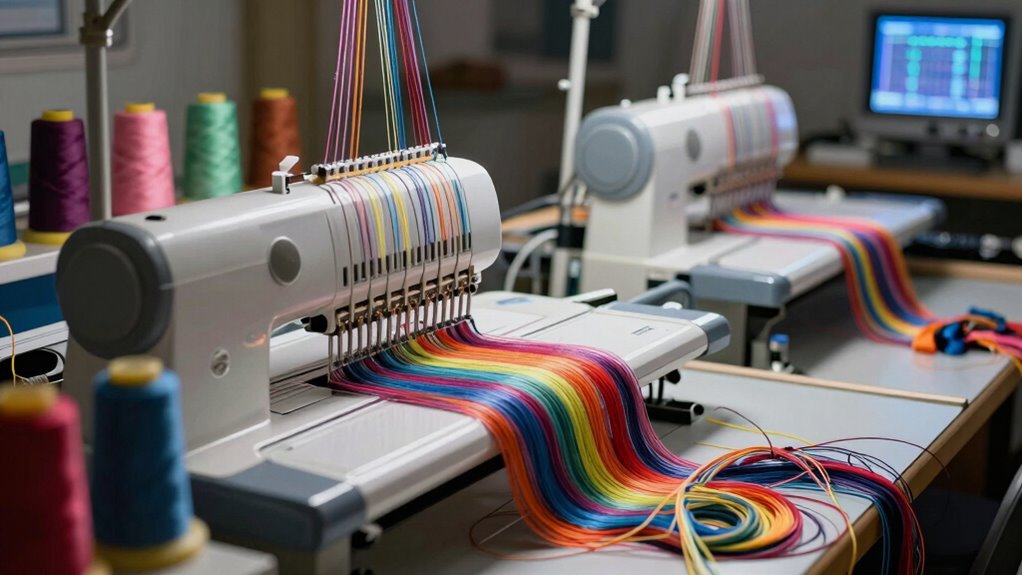
Embroidery machines feel magical because they bring your creative ideas to life with just the push of a button. With digital embroidery, you can transform simple designs into intricate, professional-looking works of art without needing advanced skills. The ease of uploading digital files directly to your machine makes the process both exciting and efficient. But as satisfying as this technology is, it can quickly become frustrating if your file workflow isn’t well-organized. When your digital embroidery files get messy, it’s easy to lose track of designs, accidentally overwrite important work, or spend precious time troubleshooting issues instead of creating.
Digital embroidery simplifies creativity but requires organized files to avoid frustration and keep projects flowing smoothly.
To keep everything running smoothly, you need to pay attention to machine maintenance. Regularly cleaning your embroidery machine ensures that dust, lint, and thread debris don’t cause mechanical problems or affect the quality of your stitches. Proper maintenance also extends the life of your machine, so you don’t have to deal with unexpected breakdowns that throw off your workflow. When you keep your machine in top shape, uploading and processing digital embroidery files becomes much smoother. You’ll notice fewer errors, and your designs will stitch out more precisely, saving you time and stress.
Understanding the importance of a clean, well-maintained machine also helps you troubleshoot when issues arise. If a design isn’t stitching correctly or the machine stops mid-project, checking for dust or loose parts is a good first step. Many problems are caused by simple maintenance oversights, so establishing a routine—like oiling moving parts and cleaning the bobbin area—can prevent headaches later. This routine not only improves machine performance but also ensures your digital embroidery files are executed exactly as planned. Additionally, being familiar with digital file management best practices can help prevent data corruption or misplaced files, saving you time and frustration. Developing a systematic approach to managing your files is an essential part of effective workflow organization, which minimizes errors and streamlines your creative process. Incorporating file backup strategies can further protect your designs from accidental loss or corruption, adding an extra layer of security to your workflow. Moreover, understanding how to properly organize digital files can significantly reduce the risk of errors during the embroidery process.
Another way to avoid file workflow messiness is to organize your digital files meticulously. Create dedicated folders for different projects, label your files clearly, and back everything up regularly. When you’re prepared, uploading your designs becomes straightforward, and you spend less time hunting for the right file or fixing corrupted data. Combining good digital file management with consistent machine maintenance keeps your creative process efficient and enjoyable. It’s tempting to focus solely on design, but the backbone of seamless embroidery lies in caring for your equipment and managing your digital resources properly.
In the end, the magic of embroidery machines isn’t just in their technological prowess—it’s in how well you maintain and organize your setup. When you prioritize machine maintenance and keep your digital files in order, you’ll find your embroidery projects flowing smoothly, allowing your creativity to shine without interruption.
digital embroidery file organizer
As an affiliate, we earn on qualifying purchases.
As an affiliate, we earn on qualifying purchases.
Frequently Asked Questions
What Is the Best Embroidery Machine for Beginners?
The Brother SE600 is the best embroidery machine for beginners. It offers user-friendly features, allowing you to easily create embroidery art without feeling overwhelmed. You’ll appreciate its simple setup and straightforward controls. Plus, its reliable performance means you won’t struggle with machine maintenance or complicated workflows. This machine helps you focus on your creativity, making your embroidery journey enjoyable and stress-free from start to finish.
How Do I Troubleshoot Thread Breakage Issues?
Oh, the joy of thread breakage—truly a staple in embroidery adventures. First, check your thread tension; if it’s too tight, breakage’s just waiting to happen. Next, scrutinize your needle selection—use the wrong needle, and the thread’s doomed. Adjust tension settings and swap to the right needle size. With patience and precision, you’ll tame the breakage beast and keep your stitches smooth and flawless.
Can Embroidery Machines Sew on All Fabric Types?
Embroidery machines can sew on many fabric types, but fabric compatibility and needle selection are key. For delicate fabrics like silk, use a fine needle and lower tension; for thicker materials like denim, opt for a sturdier needle. Always adjust settings according to fabric weight and weave. Testing on scrap fabric helps prevent damage and guarantees your design stitches out perfectly, giving you reliable results every time.
What Software Is Compatible With My Embroidery Machine?
You can find compatible software by checking your embroidery machine’s compatibility charts, which list supported programs. Most machines work well with popular options like Hatch, Wilcom, or Brother’s PE-Design. For smooth digital design transfer, guarantee your chosen software matches your machine’s specifications. Always consult the compatibility charts to confirm, preventing file transfer issues and making your embroidery projects seamless and enjoyable.
How Do I Update My Machine’s Firmware?
To update your embroidery machine’s firmware, first check the manufacturer’s website for the latest firmware updates compatible with your machine model. Download the firmware file, then follow the step-by-step instructions provided—usually involving connecting your machine to a computer via USB. Make certain your machine is compatible with the update, as incompatible firmware can cause issues. Regular firmware updates improve performance and add features, so stay current to keep your embroidery experience smooth.
Conclusion
Sure, embroidery machines are truly enchanting, making your creative dreams come alive. Just remember, a little bit of workflow chaos can sometimes cast a shadow on that magic. But don’t worry—tweaking your process and staying organized can turn any tangled threads into a beautifully woven masterpiece. Keep a positive outlook, and soon you’ll find yourself back in the enchanted world of endless design possibilities, where the magic never truly fades.
Fall Picks
fall essentials
As an affiliate, we earn on qualifying purchases.