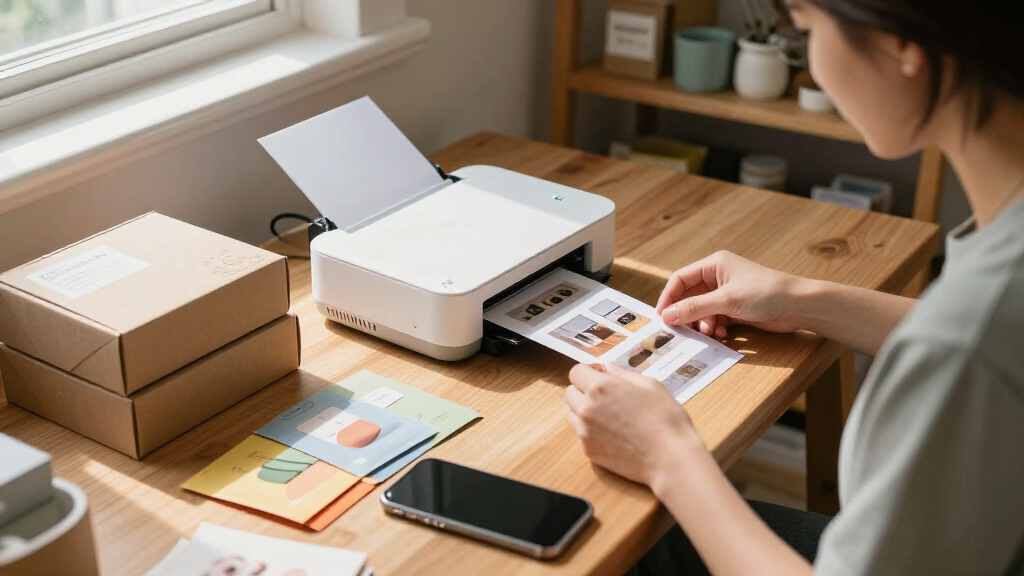

For most ecommerce sellers, the Canon SELPHY CP1500 is the best overall pick here: it prints 4×6-inch dye-sublimation photos, a useful size for product samples, packaging inserts, and small displays. The Epson PictureMate PM-400 suits sellers who want a compact printer for larger-format photo work, while the Liene M200 adds a rechargeable battery for printing away from a desk. The main tradeoffs are print size, portability, and ongoing paper-and-ribbon needs; pocket-sized Zink models are easy to carry but make much smaller prints. Read on for how all 14 options differ and which type of seller each one suits.

Get office and shipping supplies delivered free — and shop member deals
- Fast, free delivery on millions of items
- Access to Prime Big Deal Days deals on October 6–7
- Prime Video, Amazon Music and more included
Key Takeaways
The Canon SELPHY CP1500 earns the best-overall position because its 4×6-inch dye-sublimation format is more useful for ecommerce samples and inserts than the tiny output of pocket printers.
The Epson PictureMate PM-400 stands apart for sellers prioritizing photo output over the smallest possible footprint; it is less suited to frequent on-the-go printing.
The Liene M200 is the clearest choice for printing away from a fixed workspace, since its rechargeable battery addresses a different need than the desk-oriented 4×6 models.
The lineup splits between 4×6 dye-sublimation printers for fuller product images and 2×3 Zink printers for labels, small inserts, and quick informal prints.
Several products are bundles or closely related variants, so buyers should compare included paper and cartridges rather than assume model names alone signal different print capabilities.
| Canon SELPHY CP1500 Compact Photo Printer, White |  | Best Overall for Product Photos | Printer type: Compact photo printer | Maximum media size: 4 × 6 inches | Maximum color print resolution: 300 × 300 dpi | VIEW LATEST PRICE | See Our Full Breakdown |
| Liene Pearl N200 Pro Portable Dye-Sublimation Photo Printer, Gold |  | Best for Small Product Stickers | Printer type: Dye sublimation | Print size: 2 × 3 inches | Resolution: 300 × 300 dpi | VIEW LATEST PRICE | See Our Full Breakdown |
| Liene M100 4×6-Inch Wi-Fi Photo Printer |  | Best for Shared Seller Workspaces | Printer type: Thermal dye sublimation | Print size: 4 × 6 inches | Print resolution: 300 × 300 dpi | VIEW LATEST PRICE | See Our Full Breakdown |
| Liene Pearl K100 Portable 2×3-Inch Zink Photo Printer with 50 Adhesive Sheets |  | Best Inkless Pocket Pick | Printer type: Zink | Print size: 2 × 3 inches | Maximum print resolution: 300 dpi | VIEW LATEST PRICE | See Our Full Breakdown |
| HPRT CP4100 Portable 4×6 Photo Printer |  | Best for High-Volume Mobile Printing | Printer type: Thermal dye sublimation | Maximum media size: 4 × 6 inches | Print resolution: 300 × 300 DPI | VIEW LATEST PRICE | See Our Full Breakdown |
| Canon SELPHY CP1500 Wireless Photo Printer Bundle, Black |  | Best Ready-to-Print Bundle | Printer type: Dye sublimation | Connectivity: Wi-Fi | Maximum media size: 4 × 6 inches | VIEW LATEST PRICE | See Our Full Breakdown |
| iDPRT 4×6 Photo Printer with 108 Sheets and 2 Ribbons, Beige |  | Best for App-Based Product Content | Printing technology: Thermal dye-sublimation | Print resolution: 300 × 300 dpi | Paper size: 4 × 6 inches | VIEW LATEST PRICE | See Our Full Breakdown |
| Epson PictureMate PM-400 Wireless Compact Photo Printer |  | Best for Larger Product Prints | Printer type: Inkjet | Supported paper sizes: 4 × 6 inches and 5 × 7 inches | Print resolution: 5760 × 1440 | VIEW LATEST PRICE | See Our Full Breakdown |
| Liene M200 Wireless 4×6 Photo Printer with Rechargeable Battery |  | Best for Off-Grid Printing | Printer type: Dye sublimation | Print size: 4 × 6 inches | Connectivity: Built-in Wi-Fi hotspot | VIEW LATEST PRICE | See Our Full Breakdown |
| Canon SELPHY CP1500 Wireless Compact Photo Printer Bundle with KP-108IN Ink and Paper Set, Black |  | Best for Multiple Print Formats | Printer model: Canon SELPHY CP1500 | Print resolution: 300 × 300 dpi | Supported paper sizes: 4 × 6, 3.5 × 4.7, 2.1 × 3.4, and 2.1 × 2.1 inches | VIEW LATEST PRICE | See Our Full Breakdown |
| KODAK Step Instant Smartphone Photo Printer (White) |  | Best for Compact Product Labels and Samples | Print technology: ZINK Zero Ink | Photo size: 2 x 3 inches | Connectivity: Bluetooth, NFC | VIEW LATEST PRICE | See Our Full Breakdown |
| KODAK Dock Plus 4×6 Photo Printer with Smartphone Dock |  | Best for Countertop Product Proofs | Printer type: 4PASS dye sublimation | Print size: 4 x 6 inches | Print speed: Approximately 55 seconds per photo | VIEW LATEST PRICE | See Our Full Breakdown |
| Liene Amber M110 Bluetooth Photo Printer with 80 Sheets and 2 Cartridges |  | Best for Mixed-Format Product Samples | Printer type: Thermal dye sublimation | Paper sizes: 4 x 6 inches and 3 x 3 inches | Included paper: 60 sheets of 4 x 6-inch paper and 20 sheets of 3-inch square sticker paper | VIEW LATEST PRICE | See Our Full Breakdown |
| Liene M100 4×6-Inch Wi-Fi Dye-Sublimation Photo Printer with 100 Sheets and 3 Cartridges |  | Best for Multi-Device Product Proofing | Printer type: Dye sublimation | Maximum media size: 4 x 6 inches | Print resolution: 300 x 300 dpi | VIEW LATEST PRICE | See Our Full Breakdown |
| portable photo printers for ecommerce product | Connectivity | Printer type | Weight | Dimensions |
|---|---|---|---|---|
| Canon SELPHY CP1500 Compact Ph | Wi-Fi, USB, memory card | Compact photo printer | 1.58 kg | 5.2 × 7.2 × 2.3 inches |
| Liene Pearl N200 Pro Portable | Bluetooth | Dye sublimation | 340 g | — |
| Liene M100 4×6-Inch Wi-Fi Phot | Built-in Wi-Fi hotspot; wired connection for PC | Thermal dye sublimation | 2.2 pounds | 7.48 × 9.88 × 7.48 inches |
| Liene Pearl K100 Portable 2×3- | Bluetooth 5.2 | Zink | 200 g | — |
| HPRT CP4100 Portable 4×6 Photo | Wi-Fi (2.4 GHz), Wi-Fi Direct, AP mode | Thermal dye sublimation | 2 lb | — |
| Canon SELPHY CP1500 Wireless P | Wi-Fi | Dye sublimation | — | — |
| iDPRT 4×6 Photo Printer with 1 | Wi-Fi | — | 1 kg | 5.12 × 7.87 × 3.43 inches |
| Epson PictureMate PM-400 Wirel | USB and Wi-Fi | Inkjet | 6 lbs | 9.8 × 15.1 × 7.9 inches (D × W × H) |
| Liene M200 Wireless 4×6 Photo | Built-in Wi-Fi hotspot | Dye sublimation | 2.5 pounds | 7.48 × 9.88 × 7.48 inches |
| Canon SELPHY CP1500 Wireless C | Wi-Fi and USB | — | 2.68 kg | Approximately 7 × 5 × 2 inches |
| KODAK Step Instant Smartphone | Bluetooth, NFC | — | Approximately 0.15 lb | — |
| KODAK Dock Plus 4×6 Photo Prin | Bluetooth, smartphone docking | 4PASS dye sublimation | — | 4.5 x 8.5 x 2 inches |
| Liene Amber M110 Bluetooth Pho | Bluetooth, USB | Thermal dye sublimation | 2.9 lb | — |
| Liene M100 4×6-Inch Wi-Fi Dye- | Wi-Fi, USB Type-C | Dye sublimation | — | 7.48 x 9.84 x 7.48 inches |
More Details on Our Top Picks
Canon SELPHY CP1500 Compact Photo Printer, White
For ecommerce sellers who need product images in a tangible format, I’d rank the Canon SELPHY CP1500 first for its mix of flexible input options and larger 4 × 6-inch prints. That size gives you more room than the Liene Pearl N200 Pro’s 2 × 3-inch stickers for showing product details or preparing images for a listing workflow. Wi-Fi, USB, and memory-card support also suit sellers working from different devices, while the built-in display offers a way to review output without relying only on a phone screen. Prints are described as water-resistant and designed to last up to 100 years. The tradeoff is that portability on the go depends on a separately sold battery pack, and 4 × 6 inches remains the maximum media size. I’d choose it for flexible small-workspace printing, not oversized product imagery.
Pros:- Supports Wi-Fi, USB, and memory-card printing
- 4 × 6-inch maximum print size provides more room than pocket sticker printers
- Built-in 3.5-inch display supports on-device review
- Prints are water-resistant and designed to last up to 100 years
Cons:- Portable battery pack is optional rather than included
- Maximum media size is limited to 4 × 6 inches
Best for: Small ecommerce sellers who want 4 × 6 product-photo prints and the flexibility to print from phones, cameras, memory cards, or USB devices.
Not ideal for: Sellers who need battery-powered printing out of the box or prints larger than 4 × 6 inches.
- Printer type:Compact photo printer
- Maximum media size:4 × 6 inches
- Maximum color print resolution:300 × 300 dpi
- Connectivity:Wi-Fi, USB, memory card
- Display:3.5-inch built-in display
- Dimensions:5.2 × 7.2 × 2.3 inches
- Weight:1.58 kg
- Battery:Optional battery pack
Our verdict“Choose the CP1500 if you want a flexible 4 × 6-inch printer for ecommerce product photos and can work around its optional battery.”
Liene Pearl N200 Pro Portable Dye-Sublimation Photo Printer, Gold
The Liene Pearl N200 Pro is for sellers who want compact, adhesive-backed images rather than full product-photo prints. Its 2 × 3-inch color or monochrome stickers can suit small packaging inserts, sample labels, or visual notes, but they offer much less space for showing a product than the Canon SELPHY CP1500’s 4 × 6-inch output. Bluetooth pairing and the Liene app’s editing tools make phone-based customization straightforward, while the included 50 adhesive sheets and five cartridges give buyers supplies to start with. A full charge prints up to 27 stickers, so it is portable but not suited to long, uninterrupted print sessions. I’d pick it over the similarly sized Liene Pearl K100 when app-based editing features matter; the K100 instead uses inkless Zink technology.
Pros:- Prints color or monochrome adhesive-backed images
- App includes editing tools, frames, filters, and AI portrait styles
- Includes 50 sheets of adhesive paper and five cartridges
- Compact 340 g design supports mobile use
Cons:- 2 × 3-inch output leaves little room for product detail
- Battery supports up to 27 stickers per charge
- Bluetooth printing is limited to compatible Android and iOS smartphones
Best for: Mobile sellers who want editable 2 × 3-inch product stickers or small branded visual inserts printed from an Android or iOS phone.
Not ideal for: Sellers who need larger product images, printing from a computer, or a high volume of prints per charge.
- Printer type:Dye sublimation
- Print size:2 × 3 inches
- Resolution:300 × 300 dpi
- Connectivity:Bluetooth
- Compatible devices:Android and iOS smartphones
- Weight:340 g
- Battery capacity:Up to 27 stickers per charge
- Included supplies:50 sheets of adhesive paper and 5 cartridges
Our verdict“Pick the N200 Pro for customizable pocket-size product stickers, not for listing-ready images that need more space.”
Liene M100 4×6-Inch Wi-Fi Photo Printer
When more than one person needs to print product images, the Liene M100 has a useful advantage: its built-in Wi-Fi hotspot supports up to five connected devices, without requiring a home network. That makes it a better fit for a small team than the Bluetooth-only Liene Pearl N200 Pro, though the M100 takes up more space and is not a pocket printer. Its 4 × 6-inch dye-sublimation output gives sellers a practical format for product references, sample inserts, or image checks; a protective coating is designed to resist water, scratches, and fading. The box includes 20 sheets and one cartridge, so initial supplies are limited compared with the HPRT CP4100’s 108 included sheets. PC printing requires a wired connection, and duplex printing is manual.
Pros:- Built-in Wi-Fi hotspot works without a home network
- Supports up to five simultaneous device connections
- 4 × 6-inch dye-sublimation prints have a protective coating
- Compatible with iOS, Android, Windows, laptops, and PCs
Cons:- PC connection requires a wire
- Only 20 sheets and one cartridge are included
- Duplex printing requires manual handling
Best for: Small ecommerce teams that share a printer across several phones or computers and want 4 × 6-inch coated prints.
Not ideal for: Solo sellers who need pocket-size portability, wireless PC printing, or a larger initial paper supply.
- Printer type:Thermal dye sublimation
- Print size:4 × 6 inches
- Print resolution:300 × 300 dpi
- Connectivity:Built-in Wi-Fi hotspot; wired connection for PC
- Simultaneous device connections:Up to 5
- Included supplies:20 sheets of photo paper and 1 cartridge
- Weight:2.2 pounds
- Dimensions:7.48 × 9.88 × 7.48 inches
Our verdict“Choose the M100 for shared 4 × 6-inch printing across a small seller team, provided wired PC access and a modest starter supply work for you.”
Liene Pearl K100 Portable 2×3-Inch Zink Photo Printer with 50 Adhesive Sheets
The Liene Pearl K100 prioritizes simple, inkless portability over the larger output that ecommerce product photos often need. Its Zink printing avoids separate ink cartridges, and the included 50 adhesive-backed sheets suit small package inserts, sample labels, or quick product-reference stickers. At 200 g, it is lighter than the Liene Pearl N200 Pro, but the N200 Pro offers dye-sublimation printing and more app-based editing features. The K100 prints up to 30 images per charge and recharges through USB-C, which helps when moving between work locations. Its main limitation is the format: 2 × 3 inches is too small for detailed product imagery or a full-size listing proof. Printing also runs through the Liene app, and monochrome paper is sold separately.
Pros:- Inkless Zink printing avoids separate cartridges
- Includes 50 adhesive-backed sheets
- Lightweight 200 g body and USB-C charging
- Prints up to 30 photos per charge
Cons:- Limited to 2 × 3-inch output
- Printing requires the Liene app
- Monochrome paper is sold separately
Best for: On-the-go sellers who need lightweight, inkless adhesive mini prints for packaging or quick product labels.
Not ideal for: Sellers who need detailed 4 × 6 product photos, computer printing, or monochrome output with the included paper.
- Printer type:Zink
- Print size:2 × 3 inches
- Maximum print resolution:300 dpi
- Connectivity:Bluetooth 5.2
- Compatible devices:iOS and Android smartphones
- Paper included:50 adhesive-backed Zink sheets
- Prints per charge:Up to 30
- Weight:200 g
Our verdict“Choose the K100 for light, inkless mini prints and labels, but opt for a 4 × 6 model when product detail matters.”
HPRT CP4100 Portable 4×6 Photo Printer
For sellers who expect to print many product photos between supply restocks, I’d shortlist the HPRT CP4100 for its 108-sheet capacity and included supplies: 108 sheets and two ribbons. That gives it a stronger out-of-box supply position than the Liene M100, which includes 20 sheets and one cartridge. Both offer 4 × 6-inch dye-sublimation output, while the HPRT adds Wi-Fi Direct and AP mode for printing without a Wi-Fi network. Its laminated prints are designed to resist water, scratches, smudges, and fading, which can help product reference images hold up during handling. The tradeoffs are smartphone- and tablet-focused printing through a compatible app and STA-mode support limited to 2.4 GHz Wi-Fi. I’d choose it for mobile batch work, not a computer-centered setup.
Pros:- Includes 108 sheets and two ribbons
- 108-sheet maximum capacity supports larger print batches
- Wi-Fi Direct and AP mode allow printing without a Wi-Fi network
- Laminated prints are designed to resist water, scratches, smudges, and fading
Cons:- Compatible devices are smartphones and tablets
- Setup and printing require a compatible app
- STA-mode Wi-Fi requires a 2.4 GHz band
Best for: Phone- or tablet-based ecommerce sellers who print batches of 4 × 6 product images and want a generous included paper supply.
Not ideal for: Sellers who need computer compatibility, app-free printing, or STA-mode access through a 5 GHz Wi-Fi band.
- Printer type:Thermal dye sublimation
- Maximum media size:4 × 6 inches
- Print resolution:300 × 300 DPI
- Maximum sheet capacity:108 sheets
- Connectivity:Wi-Fi (2.4 GHz), Wi-Fi Direct, AP mode
- Compatible devices:Smartphones and tablets
- Included supplies:108 sheets and 2 ribbons
- Weight:2 lb
Our verdict“Choose the CP4100 for mobile 4 × 6 printing with a large included supply; look elsewhere if your workflow depends on a computer.”
Canon SELPHY CP1500 Wireless Photo Printer Bundle, Black
For an ecommerce seller who needs polished 4 × 6 product photos without sourcing supplies separately, this Canon bundle is the most immediately useful option here. Its 108 sheets of paper and three color ink cartridges give you a substantial starting supply, while dye-sublimation prints have a water- and fingerprint-resistant finish suited to handling at a market table or packing station. Wi-Fi printing from phones, tablets, and computers also makes quick product shots easier to share across devices. Compared with the iDPRT 4×6 Photo Printer, this package emphasizes supply quantity and broad device support rather than app-based AR features. The tradeoff is a strict 4 × 6-inch limit and simplex printing, so it is not a flexible label or document printer. I’d choose it for small product images and inserts, not large catalog photography.
Pros:- Bundle includes 108 sheets of KP-108 paper and three color ink cartridges
- Dye-sublimation photos are described as water- and fingerprint-resistant
- Wi-Fi printing works with smartphones, tablets, and computers
- Compact design is suitable for home workspaces or travel
Cons:- Limited to 4 × 6-inch media
- Prints one side only
Best for: Small ecommerce sellers who want a sizable supply of durable 4 × 6 prints and wireless printing from phones or computers.
Not ideal for: Sellers who need larger product images, varied media sizes, or a printer that handles documents and other work.
- Printer type:Dye sublimation
- Connectivity:Wi-Fi
- Maximum media size:4 × 6 inches
- Resolution:1200 × 1200
- Included paper:108 sheets of KP-108 photo paper
- Included ink:Three color ink cartridges
- Printing:Print only; simplex
Our verdict“Choose this bundle if you want a compact printer with a generous supply of durable 4 × 6 prints, but skip it if your product imagery needs larger formats.”
iDPRT 4×6 Photo Printer with 108 Sheets and 2 Ribbons, Beige
The iDPRT is a fit for sellers who want to edit a product image on a phone and print it without moving to a desktop workflow. Its iOS and Android app includes editing tools and AR video features, while the thermal dye-sublimation process adds an automatic protective film to each 4 × 6 print. The package’s 108 sheets and two ribbon cassettes let you start producing images right away. Compared with the Canon SELPHY CP1500 bundle, the iDPRT puts more emphasis on its companion app, but its listed resolution is 300 × 300 dpi and each photo takes about 90 seconds. That slower pace can interrupt batch work, and the fixed 4 × 6 format leaves little room for larger product displays. I’d pick it for occasional, phone-led editing rather than frequent high-volume printing.
Pros:- App supports Android and iOS with editing tools and AR video features
- Automatic film coating adds a protective layer to prints
- Includes 108 sheets of photo paper and two ribbon cassettes
- Compact design weighs 1 kg and connects over Wi-Fi
Cons:- About 90 seconds per photo can slow batch printing
- Prints are limited to 4 × 6-inch paper
- 300 × 300 dpi resolution is modest compared with the Epson PictureMate PM-400’s listed resolution
Best for: Phone-first sellers who want app editing, a protective print coating, and an included supply of 4 × 6 paper for occasional product images.
Not ideal for: Sellers printing product photos in large batches or needing larger formats, since each photo takes about 90 seconds and media is limited to 4 × 6 inches.
- Printing technology:Thermal dye-sublimation
- Print resolution:300 × 300 dpi
- Paper size:4 × 6 inches
- Connectivity:Wi-Fi
- Compatible devices:Android and iOS devices
- Weight:1 kg
- Dimensions:5.12 × 7.87 × 3.43 inches
- Print time:About 90 seconds per photo
- Included supplies:108 sheets of photo paper and 2 ribbon cassettes
Our verdict“Choose the iDPRT for app-led editing and coated 4 × 6 prints, but look elsewhere for faster batch output or more detailed resolution.”
Epson PictureMate PM-400 Wireless Compact Photo Printer
For sellers who want product images larger than a standard 4 × 6 print, the Epson PictureMate PM-400 offers the clearest format advantage in this group: it supports borderless 4 × 6 and 5 × 7 photos. That extra size can make detail shots easier to inspect on a table or include in a package. Its listed 5760 × 1440 resolution and 4 × 6 print speed of as little as 36 seconds also distinguish it from the slower iDPRT. The tradeoff is that the Epson uses inkjet cartridges and is designed for genuine Epson supplies, while the Canon SELPHY CP1500 models use dye-sublimation. It is portable at 6 pounds, but larger than the pocketable concept many buyers expect from a travel printer. I’d choose it when image size and speed matter more than minimizing supply restrictions.
Pros:- Prints borderless 4 × 6 and 5 × 7 color photos
- Listed 4 × 6 print speed is as fast as 36 seconds
- High listed resolution of 5760 × 1440
- Supports Wi-Fi and USB connections
Cons:- Designed to work only with genuine Epson cartridges
- Maximum media size is 5 × 7 inches
- At 6 pounds, it is heavier than the 1 kg iDPRT
Best for: Ecommerce sellers who need borderless 5 × 7 product images and want quicker 4 × 6 output for small batches.
Not ideal for: Sellers who need a lightweight, battery-powered printer or want to avoid dependence on genuine Epson cartridges.
- Printer type:Inkjet
- Supported paper sizes:4 × 6 inches and 5 × 7 inches
- Print resolution:5760 × 1440
- Connectivity:USB and Wi-Fi
- Weight:6 lbs
- Dimensions:9.8 × 15.1 × 7.9 inches (D × W × H)
- 4 × 6 print speed:As fast as 36 seconds
- Maximum sheet capacity:50
- Cartridge compatibility:Genuine Epson cartridges
Our verdict“Pick the PM-400 if you need faster, larger product photos up to 5 × 7 inches and can work within its genuine-cartridge requirement.”
Liene M200 Wireless 4×6 Photo Printer with Rechargeable Battery
The Liene M200 is the strongest fit here when product photos need to be printed away from a desk. Its rechargeable battery supports up to 40 prints per charge, and the built-in Wi-Fi hotspot lets phones, laptops, and PCs connect directly. Dye-sublimation prints have a protective finish described as resistant to water, scratches, and fading, which helps when photos are handled during packing or at a sales event. Unlike the Canon SELPHY CP1500 bundle, the M200 prioritizes battery-powered mobility over a large included paper supply: it comes with 20 sheets and one ink cartridge. The listed pace of one color page per minute also makes it a poor match for big batches. Its proprietary paper and cartridge requirement narrows supply choices, so I’d favor it for field use, not routine high-volume output.
Pros:- Rechargeable battery supports up to 40 prints per charge
- Built-in Wi-Fi hotspot connects compatible phones and computers directly
- Protective print finish is described as resistant to water, scratches, and fading
- Supports up to five connected users
Cons:- Listed print speed is one color page per minute
- Includes only 20 photo papers and one ink cartridge
- Requires proprietary photo paper and ink cartridges
Best for: Market sellers and mobile ecommerce operators who need to print small batches of 4 × 6 product photos without relying on a nearby outlet.
Not ideal for: High-volume sellers who need fast batch output, a large starter paper supply, or flexibility to use non-proprietary consumables.
- Printer type:Dye sublimation
- Print size:4 × 6 inches
- Connectivity:Built-in Wi-Fi hotspot
- Battery capacity:Up to 40 prints per charge
- Print resolution:300 dpi
- Print speed:1 color page per minute
- Weight:2.5 pounds
- Dimensions:7.48 × 9.88 × 7.48 inches
- Included supplies:20 photo papers and 1 ink cartridge
Our verdict“Choose the M200 for portable, outlet-free 4 × 6 printing, but not for fast production runs or flexible supply sourcing.”
Canon SELPHY CP1500 Wireless Compact Photo Printer Bundle with KP-108IN Ink and Paper Set, Black
This SELPHY bundle suits sellers who want more than one photo format for product inserts, small display images, or sticker-style pieces. It supports four paper sizes, including 4 × 6-inch photos and smaller adhesive formats, and accepts jobs from mobile devices, computers, memory cards, and USB drives. That source and media flexibility gives it a different role from the Epson PictureMate PM-400, which reaches a larger 5 × 7 size but lists fewer paper formats. This package also includes 108 sheets and three ink cartridges, plus accessories for handling and storage. The main limit is that its largest output is still 4 × 6 inches, so it cannot replace the Epson for larger product images. I’d choose it for varied small-format collateral, not oversized product photography.
Pros:- Supports four paper sizes, including smaller adhesive formats
- Prints from Wi-Fi devices, computers, USB drives, and memory cards
- Bundle includes 108 sheets and three ink cartridges
- Compact body measures approximately 7 × 5 × 2 inches
Cons:- Maximum media size is 4 × 6 inches
- Memory card is not included
- Listed resolution is 300 × 300 dpi
Best for: Small online shops that make 4 × 6 product photos alongside smaller-format inserts or adhesive sticker prints and want several ways to send files.
Not ideal for: Sellers who need 5 × 7 or larger product photos, since the maximum media size is 4 × 6 inches.
- Printer model:Canon SELPHY CP1500
- Print resolution:300 × 300 dpi
- Supported paper sizes:4 × 6, 3.5 × 4.7, 2.1 × 3.4, and 2.1 × 2.1 inches
- Connectivity:Wi-Fi and USB
- Compatible devices:Android and iOS devices, Mac and Windows computers
- Maximum sheet capacity:108
- Bundle contents:108 sheets of photo paper and 3 ink cartridges
- Weight:2.68 kg
- Dimensions:Approximately 7 × 5 × 2 inches
Our verdict“Choose this SELPHY bundle for varied small-format ecommerce prints and multiple input options, but choose the Epson PictureMate PM-400 for larger photos.”
KODAK Step Instant Smartphone Photo Printer (White)
For sellers who need quick visual samples or small adhesive labels, the KODAK Step is the easiest printer here to carry. Its palm-sized ZINK design needs no ink cartridges, and 2 x 3-inch sticky-back prints can go straight onto sample packaging, a product board, or a mood board. Bluetooth and NFC pairing with iOS and Android make it a simpler grab-and-print choice than the outlet-powered KODAK Dock Plus.
The tradeoff is image scale: at 300 x 300 dpi, these small prints offer less room to show texture, color nuance, or fine product details than a 4 x 6 printer. Output is about one print per minute, and the battery is rated for up to 25 prints per charge. I’d choose it for portable references and labels, not as the main printer for polished ecommerce listing photos.
Pros:- ZINK printing avoids separate ink cartridges
- Sticky-back 2 x 3-inch prints suit sample boards and packaging
- Bluetooth and NFC support printing from compatible iOS and Android devices
- Lightweight, palm-sized design is easy to carry
Cons:- Small print area is a poor fit for showing fine product details
- Print speed is about one page per minute
- Battery is rated for only up to 25 prints per charge
Best for: Small-shop sellers who want portable adhesive product samples, packaging accents, or visual references while away from a desk
Not ideal for: Sellers preparing detailed listing images or larger product prints, since the 2 x 3-inch format limits visible detail
- Print technology:ZINK Zero Ink
- Photo size:2 x 3 inches
- Connectivity:Bluetooth, NFC
- Compatibility:iOS, Android
- Resolution:300 x 300 dpi
- Print speed:About 1 page per minute
- Battery life:Up to 25 prints per charge
- Weight:Approximately 0.15 lb
Our verdict“Choose the KODAK Step for mobile, adhesive product samples, but pick a 4 x 6 model such as the KODAK Dock Plus for larger presentation prints.”
KODAK Dock Plus 4×6 Photo Printer with Smartphone Dock
The KODAK Dock Plus suits sellers who want familiar 4 x 6-inch prints from a phone without moving into a computer-based photo workflow. Its 4PASS dye-sublimation process produces borderless color photos in about 55 seconds, with a protective layer designed to resist fingerprints, water, and fading. That larger format gives product proofs and color references more room than the KODAK Step’s pocket-size prints.
This is a countertop choice, not a printer for markets or pop-up events: it requires a power outlet. The phone dock can charge a compatible device while printing, but its convenience depends on keeping the printer plugged in. Compared with the portable, battery-powered Liene M200, the Dock Plus gives up mobility for a docking setup and straightforward 4 x 6 output. Its maximum sheet capacity is listed as 20, so frequent batches call for reloading.
Pros:- Borderless 4 x 6-inch color prints suit product proofs and references
- Protective finish is designed to resist fingerprints, water, and fading
- Dock charges a compatible phone while printing
- Bluetooth and app editing support a phone-centered workflow
Cons:- Requires a power outlet for operation
- Prints are limited to 4 x 6 inches
- Maximum sheet capacity is listed as 20
Best for: Home-based ecommerce sellers who print occasional 4 x 6 product proofs from a compatible smartphone beside a power outlet
Not ideal for: Market vendors or sellers who need battery-powered printing, larger formats, or high-volume batches without reloading
- Printer type:4PASS dye sublimation
- Print size:4 x 6 inches
- Print speed:Approximately 55 seconds per photo
- Connectivity:Bluetooth, smartphone docking
- Compatible devices:iOS and Android smartphones and tablets
- Print format:Borderless color
- Maximum sheet capacity:20 sheets
- Dimensions:4.5 x 8.5 x 2 inches
Our verdict“Pick the Dock Plus for phone-based 4 x 6 printing at a powered workspace, not for sellers who need a printer they can use anywhere.”
Liene Amber M110 Bluetooth Photo Printer with 80 Sheets and 2 Cartridges
The Liene Amber M110 stands apart for ecommerce sellers who want both standard product prints and smaller adhesive pieces from one compact setup. Its dual trays handle 4 x 6-inch glossy paper and 3 x 3-inch sticker paper, making it more flexible for product references, package accents, or small shop inserts than the single-format KODAK Dock Plus. Bluetooth and USB connections, plus the Liene app’s image adjustments and ID-photo option, give sellers a phone- or computer-based route to print.
The included pack contains 60 sheets of 4 x 6 paper and 20 square sticker sheets, with two cartridges. That is useful for getting started, though the listed maximum sheet capacity is 20, so longer print sessions may need frequent attention. At 2.9 lb, it is portable but less pocketable than the KODAK Step, and replacement cartridges are Liene-specific. It makes most sense when the two paper formats matter more than universal supplies or true pocket portability.
Pros:- Dual trays support 4 x 6-inch photo paper and 3 x 3-inch sticker paper
- Bluetooth and USB provide multiple connection options
- App includes image adjustments and ID-photo printing
- Prints are described as resistant to water, scratches, fingerprints, and fading
Cons:- Cartridges are compatible only with Liene printers
- Maximum listed sheet capacity is 20
- At 2.9 lb, it is heavier than pocket-size options such as the KODAK Step
Best for: Small ecommerce teams that make both 4 x 6 product references and square adhesive samples using a phone, tablet, or computer
Not ideal for: Vendors who need a pocket-size printer, large unattended print batches, or cartridges compatible across printer brands
- Printer type:Thermal dye sublimation
- Paper sizes:4 x 6 inches and 3 x 3 inches
- Included paper:60 sheets of 4 x 6-inch paper and 20 sheets of 3-inch square sticker paper
- Included cartridges:2
- Connectivity:Bluetooth, USB
- Compatible devices:Android and iOS devices, tablets, laptops, and PCs
- Resolution:300 x 300 dpi
- Weight:2.9 lb
Our verdict“Choose the M110 if square stickers and standard product prints both fit your workflow; choose a simpler 4 x 6 printer if you do not need two media formats.”
Liene M100 4×6-Inch Wi-Fi Dye-Sublimation Photo Printer with 100 Sheets and 3 Cartridges
For a small team printing product references from several phones or computers, the Liene M100 offers a more shared workflow than the Bluetooth-focused Liene Amber M110. Its built-in Wi-Fi hotspot supports up to five simultaneous devices without an external network, while USB-C adds a wired option. The 4 x 6-inch dye-sublimation prints have a laminated finish designed to resist water, scratches, fingerprints, and fading—useful when staff handle proofs during color checks or packaging work.
The M100 is limited to one print size, so it cannot match the M110’s square sticker output. It also relies on proprietary Liene cartridges, and the product data notes that the print head may need cleaning if smudges appear. Its compact label does not make it a pocket printer: the listed dimensions are 7.48 x 9.84 x 7.48 inches. I’d favor it for a shared print station over mobile event use.
Pros:- Built-in Wi-Fi hotspot supports up to five simultaneous devices
- Works with smartphones and computers across Windows, iOS, Mac, and Android
- Laminated 4 x 6-inch prints are designed to resist water, scratches, fingerprints, and fading
- App supports basic photo adjustments and ID or visa photos
Cons:- Prints are limited to 4 x 6 inches, unlike the M110’s additional square sticker format
- Uses proprietary Liene cartridges
- Print head may need cleaning if smudges appear
Best for: Small ecommerce teams that need several phones or computers to send 4 x 6 product proofs without relying on an external Wi-Fi network
Not ideal for: Sellers who need sticker media, pocket-size portability, or cartridges that work across printer brands
- Printer type:Dye sublimation
- Maximum media size:4 x 6 inches
- Print resolution:300 x 300 dpi
- Connectivity:Wi-Fi, USB Type-C
- Maximum simultaneous connections:5 devices
- Included paper:100 sheets
- Included cartridges:3 color cartridges
- Compatible operating systems:Windows, iOS, Mac, Android
- Dimensions:7.48 x 9.84 x 7.48 inches
Our verdict“Choose the M100 for shared, multi-device 4 x 6 proofing at a worktable; choose the M110 if square sticker prints are part of your product workflow.”
How We Picked
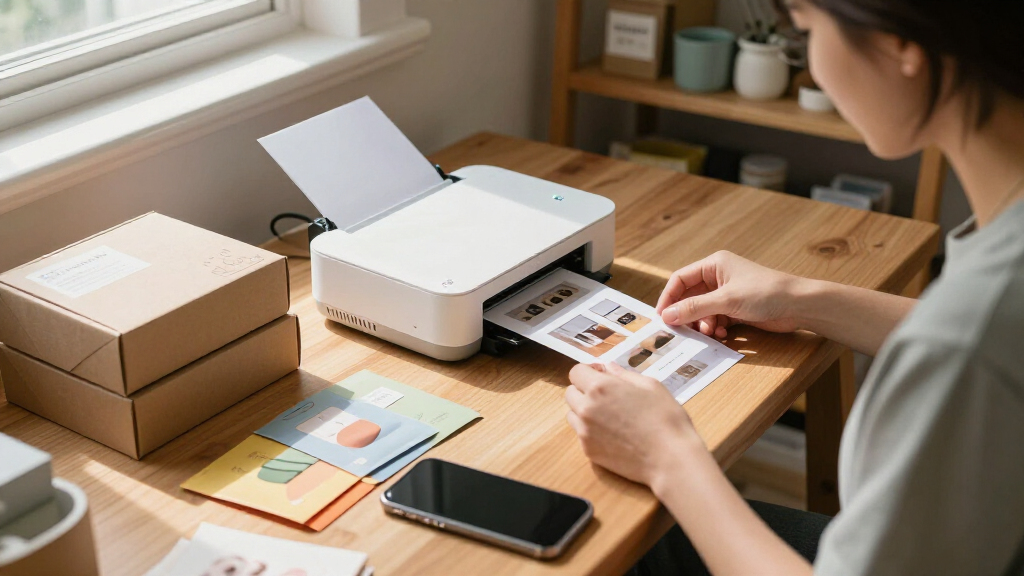
I ranked these printers around the jobs ecommerce sellers actually need them to do: print product images, create small branded inserts, prepare samples, or make quick reference photos. I gave more weight to a practical print size, a workflow that fits phone-based product photography, and a clear role in a small business setup than to portability by itself. Dye-sublimation 4×6 models lead when they offer a useful balance of output size and compact design; pocket Zink models rank lower for general product imagery but remain relevant for small, quick prints.
I also compared power and connection needs, the likely usefulness of included consumables, and how easily each model fits a home studio or mobile workflow. Bundle versions are treated as buying variations rather than assumed upgrades to the underlying printer. Ranking reflects the products’ stated formats and features, not claims of hands-on testing; sellers should check current compatibility and supply details before choosing.
Factors to Consider When Choosing Portable Photo Printers For Ecommerce Products
Choosing a printer for ecommerce is less about finding the smallest device and more about matching the print to its job. A product image for a sample pack, a branded thank-you insert, and a photo for a market stall do not need the same size or workflow. These broader checks can help prevent paying for features that do not fit your business.
Match print size to the job
Start with where each print will go: a package insert, a product display, a customer sample, or a working reference. A 4×6-inch print provides more room to show shape, texture, and small details than a 2×3-inch pocket print, but it also takes up more space in packaging. Small adhesive prints can suit quick labels or informal notes, yet they are a poor substitute for a detailed product image. A common mistake is buying a pocket printer for main product photography because the device is convenient to carry. If you need both formats, decide which one your business uses most before adding a second printer.
Choose a print technology for the workflow
Portable models in this lineup use different print formats and supply systems, so do not assume that all photo prints behave alike. Dye-sublimation 4×6 printers pair a dedicated paper-and-ribbon workflow with a larger photo format, while Zink printers produce smaller prints without a separate ribbon. Think about whether you prefer a recurring matched supply pack or a compact setup for occasional prints. Color consistency also depends on the source image, lighting, and phone display, not only on the printer. For ecommerce listings, keep a consistent lighting and editing process so printed samples match the images customers see online.
Check phone and computer compatibility before buying
A printer can be portable yet awkward for your actual setup if it does not connect the way you work. Check whether you plan to print from a phone, tablet, or computer, then confirm the model’s supported devices and connection method. Wi-Fi may suit a small studio with several devices, while Bluetooth can make quick phone printing more direct. A dock can reduce steps for a phone-first workflow, but it may be less flexible if your device or case does not fit its connection setup. Avoid choosing on connection labels alone: app support and the exact device compatibility matter more than a feature name.
Separate portability from true mobile use
Compact size does not always mean you can print wherever you are. Sellers who work at markets, pop-ups, or client locations should check whether the printer has a rechargeable battery or needs a wall outlet. A battery-powered model can reduce dependence on a table with nearby power, though it may add charging and runtime planning to the routine. If most printing happens beside a laptop or packing station, a smaller footprint may matter more than a battery. Make a realistic list of where printing will happen before paying extra for mobility you may rarely use.
Compare bundle supplies with your expected print volume
Several options here are sold with paper and ribbons or cartridges, but an included starter set does not tell you what ongoing use will cost or how often you will need to reorder. Estimate your monthly print count and check that replacement supplies are available for the exact model. A bundle can be convenient when you want to begin printing right away, while a printer-only package may make more sense if you already have compatible supplies. Do not treat a larger included sheet count as evidence that the printer itself is better. Compare the full supply setup and storage needs against how regularly your business prints.
Decide whether a photo printer is the right production tool
Portable photo printers are suited to small photo prints and inserts, not every ecommerce label or packaging task. If you need barcodes, shipping labels, or durable product tags, a dedicated label printer may fit that job better. A photo printer can still add value for visual branding, sample cards, or printed product references, but it should not be expected to replace a label workflow. Buyers often blur these needs because both involve printing for orders. Separate operational labels from customer-facing imagery, then choose equipment for each task only if both are part of your process.
Frequently Asked Questions
Is a 4×6 printer or a pocket printer better for ecommerce product photos?
A 4×6 model is generally the more useful format for showing product details or creating customer-facing photo inserts. Pocket models such as the KODAK Step and Liene Pearl K100 are easier to carry and can suit small adhesive prints, but their output leaves less room for fine features. Consider what the print needs to communicate, not just where the printer will sit. For main product imagery, the larger format is usually the safer starting point.
Can these printers replace a shipping-label printer?
No; these products are designed around photo printing, while shipping-label printers are built for labels and barcode workflows. A photo printer may be useful for inserts, samples, or printed product references, but that does not make it a practical choice for routine postage labels. Using the wrong printer type can add unnecessary steps and produce a format that does not fit shipping requirements. If labels are your primary need, shop for a dedicated label printer instead.
Should I buy a bundle with paper and cartridges or the printer by itself?
A bundle can be convenient if you want supplies on hand for initial setup, but it is not automatically the better fit. Compare the included consumables with the printer’s compatible replacement packs and your expected print volume. For example, the Canon SELPHY CP1500 appears in several bundle configurations, so the package may change while the underlying printer remains similar. Check the exact contents and model details before treating a bundle as a different-performing printer.
Which type makes the most sense if I print at markets or pop-up events?
For mobile selling, prioritize power needs and setup steps alongside printer size. The rechargeable-battery Liene M200 is more directly suited to printing away from a fixed outlet than a compact model that still depends on external power. Also check how you will connect your phone and carry enough compatible supplies for the event. If you only need a few small prints, a pocket printer may be easier to pack, but its output format is more limited.
Will a portable photo printer make my ecommerce listing photos look color-accurate?
A printed image can be useful for checking the physical appearance of a product, but it cannot guarantee that the image will look identical on every customer’s screen. Phone display settings, editing, lighting, and the printer’s supply system all affect the result. Keep a consistent capture and editing process, and compare prints under neutral lighting rather than judging color under warm indoor bulbs. For critical color matching, use a repeatable workflow and verify the final listing image on more than one display.
Conclusion
Best overall: I recommend the Canon SELPHY CP1500 for sellers who want a compact 4×6 photo workflow suited to product images and inserts. Best value: the HPRT CP4100 is a sensible option for buyers focused on straightforward 4×6 printing, while the iDPRT bundle may appeal to those who want supplies included. Best premium: the Epson PictureMate PM-400 is the pick for buyers who prioritize photo output over the smallest footprint. Best for beginners: the Canon SELPHY CP1500 bundle makes a clear starting point when an included paper-and-ink set is useful. Best for mobile use: choose the Liene M200 for its rechargeable battery; for tiny adhesive prints, look at the Liene Pearl K100 or KODAK Step instead. Match the print format and power setup to your actual selling routine, then compare compatible supplies before making the final choice.
Halloween Picks
halloween
As an affiliate, we earn on qualifying purchases.