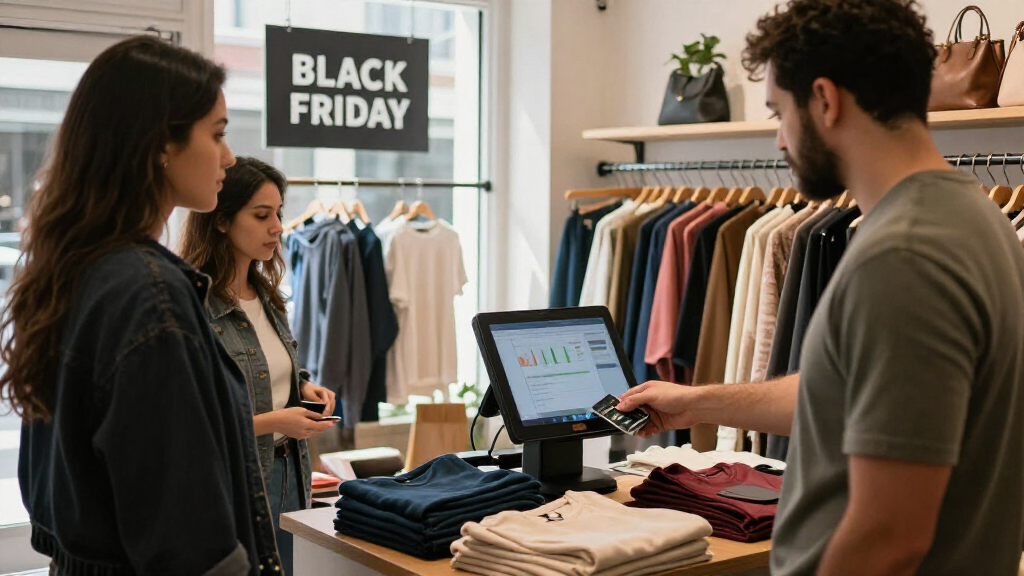
For Black Friday checkout, Square Register (2nd Generation) is my best overall pick because its integrated register design offers a more cohesive starting point than hardware bundles with less-defined software details. The SumUp POS Lite stands out for a simpler, more compact setup, while the POS STORE M9 offers dual 15.6-inch screens for businesses that want a customer-facing display. The main tradeoff is between a streamlined system with a recognizable software platform and a bundled terminal that may offer more peripherals but require closer compatibility checks. I compare all 15 options below by setup, checkout hardware, and fit for different kinds of Black Friday operations.

Get business pricing on office and shipping supplies
- Business-only prices and quantity discounts
- Tax-exempt purchasing
- Multiple users, one account, clear invoices
Key Takeaways
- Square Register is the clearest all-in-one starting point in this lineup, while buyers should still confirm that its payment, inventory, and reporting features match their operating needs.
- Dual-screen systems such as the POS STORE M9 and ZHONGJI SET03 give customers a view of the sale, but their larger footprints may be harder to fit on crowded counters.
- Bundled peripherals vary more than the product names suggest: some systems include a scanner, drawer, or kitchen printer, so compare the exact contents before buying add-ons separately.
- Software and hardware compatibility matter as much as screen size; a terminal with Windows or Android does not by itself establish which POS applications, payment services, or updates it supports.
- Compact systems and full retail kits solve different problems: SumUp POS Lite suits buyers seeking a simpler station, while the CRE software bundle is aimed at stores that need several checkout components together.
| POS STORE M9 Android 11 POS System with Dual 15.6-Inch Touchscreens and 58mm Thermal Printer |  | Best for a Dual-Screen Counter | Operating system: Android 11 | Displays: Two 15.6-inch flat touchscreens | Resolution: 1920 × 1080 Full HD | VIEW LATEST PRICE | See Our Full Breakdown |
| Volcora POS Terminal with Windows 11 Professional, 15.6-Inch Touchscreen, Black |  | Best for Windows-Based POS Software | Operating system: Windows 11 Professional | Processor: Intel Core i5 | Memory: 4GB | VIEW LATEST PRICE | See Our Full Breakdown |
| SumUp POS Lite 13-Inch Touchscreen Point-of-Sale System |  | Best for Beginners | Screen: 13-inch touchscreen | Stand: Die-cast aluminum | Software: Pre-installed POS software with automated updates | VIEW LATEST PRICE | See Our Full Breakdown |
| Retail Touchscreen POS System with Customer Display, Receipt Printer, Cash Drawer, Scanner, and Software |  | Best Complete Retail Bundle | Main display: 15-inch touchscreen | Customer display: 11.6 inches | Processor: Listing identifies Intel Celeron and also uses “I5”; specification is unclear | VIEW LATEST PRICE | See Our Full Breakdown |
| ZHONGJI All-in-One POS System with 11.6-Inch Touchscreen, Receipt Printer and Barcode Scanner |  | Best Compact All-in-One | Display: 11.6-inch touchscreen | Processor: AMD R2314 | Memory and storage: 8GB RAM; 128GB SSD | VIEW LATEST PRICE | See Our Full Breakdown |
| Touchscreen POS System with Cash Drawer, Receipt Printer, and Kitchen Order Printer |  | Best for Restaurant Bundles | Display: 15-inch touchscreen | Operating system: Linux | Connectivity: Wired or Wi-Fi connection to router or modem | VIEW LATEST PRICE | See Our Full Breakdown |
| Retail Point of Sale System with 15-Inch Touchscreen PC |  | Best for Inventory-Focused Retail | Display: 15-inch LCD touchscreen | Operating system: Windows 10 Pro | Included hardware: Touchscreen PC, USB thermal receipt printer, USB barcode laser scanner, 16-inch cash drawer, mini keyboard | VIEW LATEST PRICE | See Our Full Breakdown |
| Square Register (2nd Generation) Point-of-Sale System |  | Best for Streamlined Checkout | Model: A-SKU-0908 | Displays: Dual touchscreens | Software: Built-in POS software for sales, inventory, and customer management | VIEW LATEST PRICE | See Our Full Breakdown |
| Datio POS Base Station and Cash Register |  | Best for Existing Fire Tablet Owners | Product type: POS base station and cash register | Dimensions: 16 x 16 x 12 inches | Weight: 13 pounds | VIEW LATEST PRICE | See Our Full Breakdown |
| All-in-One POS Cash Register with 14-Inch Touchscreen |  | Best for Offline-Capable Windows Setups | Processor: Dual-core Intel Core i5 | Memory and storage: 4 GB RAM; 64 GB SSD | Operating system: Windows 10 | VIEW LATEST PRICE | See Our Full Breakdown |
| SmartPOS 129 All-in-One Point-of-Sale System for Small Businesses |  | Best for Processor Flexibility | Model: SmartPOS 129 | Cashier display: 15-inch touchscreen | Customer-facing display: 15-inch | VIEW LATEST PRICE | See Our Full Breakdown |
| ZHONGJI SET03 Retail POS System with Dual Touchscreens and Thermal Receipt Printer |  | Best for Avoiding Software Fees | Main display: 15-inch touchscreen, 1024 × 768 | Secondary display: 11.6-inch screen, 1366 × 768 | Receipt printer: Built-in 3 1/8-inch thermal printer | VIEW LATEST PRICE | See Our Full Breakdown |
| SmartPOS NX2 All-in-One POS System for Small Businesses |  | Best for Checkout Continuity | Cashier display: 15.6-inch touchscreen | Customer-facing display: 11 inches | Included hardware: Cash drawer, thermal receipt printer, 2D barcode scanner | VIEW LATEST PRICE | See Our Full Breakdown |
| All-in-One POS System with 15.6-Inch Touchscreen and Receipt Printer |  | Best for Custom Hardware Setups | Main screen: 15.6-inch touchscreen | Resolution: 1366 × 768 | Memory: 8 GB | VIEW LATEST PRICE | See Our Full Breakdown |
| Retail Point of Sale System with Touchscreen PC, CRE Software, Receipt Printer, Barcode Scanner, Cash Drawer, and Two-Line Display |  | Best for QuickBooks Desktop Retailers | Software: Cash Register Express (CRE) | Computer: 15-inch touchscreen PC with Windows 10 Pro | Included hardware: Thermal receipt printer, barcode laser scanner, 16-inch cash drawer, mini keyboard, two-line display | VIEW LATEST PRICE | See Our Full Breakdown |
More Details on Our Top Picks
POS STORE M9 Android 11 POS System with Dual 15.6-Inch Touchscreens and 58mm Thermal Printer
The M9 puts two 15.6-inch Full HD touchscreens and a 58mm receipt printer in one counter unit, a useful combination for shops that want customers to follow the checkout without adding a separate display. Its six USB ports and COM connection also give it more room for peripherals than the SumUp POS Lite, which is a smaller, software-included setup rather than a port-rich terminal. For Black Friday queues, the built-in printer and touch controls can reduce counter clutter and keep basic checkout equipment together. The tradeoff is that the customer screen only mirrors the main display, so it cannot show a distinct customer-facing interface. The listing also gives no printer-speed figure, and buyers should verify their required POS software and peripheral compatibility before choosing this hardware.
Pros:- Two 15.6-inch Full HD touchscreens provide ample space for checkout and customer viewing.
- Integrated 58mm thermal printer reduces the need for a separate printer.
- Six USB ports plus COM, VGA, and LAN connections support multiple peripherals.
- All-in-one design helps limit counter clutter.
Cons:- The second touchscreen only operates in mirror mode.
- Thermal printer speed is not specified.
- The product data does not identify included POS software.
Best for: Retailers who want a large operator screen, a mirrored customer display, and an integrated receipt printer at one checkout station.
Not ideal for: Businesses that need separate customer-facing content or want a clearly specified printer speed; the second display mirrors the main screen and print speed is not listed.
- Operating system:Android 11
- Displays:Two 15.6-inch flat touchscreens
- Resolution:1920 × 1080 Full HD
- Processor:Intel Core i3
- Memory and storage:4GB RAM; 64GB ROM
- Printer:Integrated 58mm thermal printer
- Ports:6 USB 2.0, 1 COM, 1 VGA, speaker output, LAN, DC power input
- Warranty:1 year
Our verdict“Choose the M9 if you want a dual-screen, printer-integrated counter system and can work with a mirrored customer display.”
Volcora POS Terminal with Windows 11 Professional, 15.6-Inch Touchscreen, Black
The Volcora is the hardware-first choice here: Windows 11 Professional, an Intel Core i5, and a stable metal base make it a sensible fit for merchants who already have POS software or need a Windows environment. Unlike the SumUp POS Lite, it does not arrive with POS software identified in the product details, so the buyer has more control over software selection but also more setup to handle. Its four USB ports, serial connections, HDMI, and Ethernet offer practical flexibility for existing peripherals. The 15.6-inch touchscreen is larger than the SumUp’s 13-inch display, though its 1366 × 768 resolution is lower than the M9’s Full HD panels. Only 4GB of memory is specified, which may constrain heavier software or multitasking; check the application’s requirements before buying.
Pros:- Windows 11 Professional supports buyers with an established Windows-based POS workflow.
- Intel Core i5 processor is specified.
- USB, serial, HDMI, and Ethernet ports accommodate a range of peripherals.
- Compact metal base helps keep the terminal stable while conserving counter space.
Cons:- POS software is not specified as included.
- Only 4GB of memory is listed.
- The 1366 × 768 display resolution is lower than the POS STORE M9’s Full HD screens.
Best for: Retailers or restaurants that already use Windows-compatible POS software and want a touchscreen terminal with serial and USB connectivity.
Not ideal for: New businesses seeking an out-of-box software-and-peripheral bundle, or operators whose POS software calls for more than the specified 4GB of memory.
- Operating system:Windows 11 Professional
- Processor:Intel Core i5
- Memory:4GB
- Storage:128GB hard drive
- Display:15.6-inch capacitive touchscreen
- Resolution:1366 × 768
- Ports:2 serial, 4 USB, HDMI, audio input, Ethernet, DC 12V
- Warranty:Limited lifetime warranty
Our verdict“Pick the Volcora when Windows compatibility and flexible ports matter more than bundled software or a complete checkout kit.”
SumUp POS Lite 13-Inch Touchscreen Point-of-Sale System
The SumUp POS Lite is the easiest starting point in this group for a small business that wants software included rather than a hardware-only terminal. Its 13-inch touchscreen and aluminum stand take up less counter space than the Volcora’s 15.6-inch setup, while automated software updates reduce the need to manage updates manually. It also avoids fixed monthly fees and a binding contract, which can suit a seasonal seller preparing for Black Friday without committing to an ongoing subscription. That simplicity has limits: the supplied details do not list an integrated receipt printer, scanner, or cash drawer, so this is less of a ready-made checkout bundle than the ZHONGJI all-in-one. Card-reader payments carry a 2.6% plus 10 per transaction fee; merchants should check the fee unit and their expected payment mix before committing.
Pros:- Pre-installed POS software includes automated updates.
- Compact 13-inch touchscreen setup fits smaller counters.
- No fixed monthly fees or binding contract are specified.
- Die-cast aluminum stand provides a durable base.
Cons:- Card-reader payments incur a 2.6% plus 10 transaction fee.
- The supplied product details do not specify an integrated receipt printer, scanner, or cash drawer.
- Its 13-inch display is smaller than the Volcora and POS STORE M9 screens.
Best for: Small or seasonal sellers who want pre-installed POS software, a compact touchscreen, and no fixed monthly fee or binding contract.
Not ideal for: Busy retailers seeking a complete hardware bundle or merchants who need to assess payment costs carefully before accepting card transactions.
- Screen:13-inch touchscreen
- Stand:Die-cast aluminum
- Software:Pre-installed POS software with automated updates
- Card-reader payment fee:2.6% + 10 per payment
- Monthly fees:No fixed monthly fees
- Contract:No binding contract
- Item weight:6.11 pounds
- Package dimensions:15.05 × 12.01 × 5 inches
Our verdict“Choose the SumUp POS Lite for a compact, software-included starting setup if its card transaction fee fits your sales model.”
Retail Touchscreen POS System with Customer Display, Receipt Printer, Cash Drawer, Scanner, and Software
This bundle is the most checkout-ready retail package in this set: it combines a 15-inch touchscreen, customer display, printer, cash drawer, handheld scanner, and activated POS software. That breadth can save a Black Friday retailer from sourcing each component separately, unlike the Volcora, which is hardware-only in the supplied listing. The 11.6-inch customer screen and included drawer also make it a fuller station than the ZHONGJI all-in-one, which lacks a cash drawer. There are meaningful uncertainties, however. The processor is described as both Intel Celeron and “I5,” and the scanner is called optional in the title even though it appears in the Set02 contents. Windows 10 is also listed, so buyers should confirm software support and exactly what ships before placing an order.
Pros:- Includes a touchscreen computer, customer display, thermal printer, cash drawer, scanner, and activated POS software.
- 8GB RAM and 128GB SSD are specified.
- Multiple USB and display ports support connected equipment.
- Software is described as having no monthly fees and lifetime service.
Cons:- Processor details conflict between Intel Celeron and “I5” in the listing.
- Scanner inclusion is unclear because the title calls it optional while the set contents list it.
- Windows 10 is specified, so buyers should confirm current software compatibility and support.
Best for: Retail shops that want a bundled checkout station with customer display, cash drawer, receipt printer, scanner, and activated software.
Not ideal for: Buyers who need unambiguous processor and bundle specifications, or who prefer a more current operating-system listing than Windows 10.
- Main display:15-inch touchscreen
- Customer display:11.6 inches
- Processor:Listing identifies Intel Celeron and also uses “I5”; specification is unclear
- Memory and storage:8GB RAM; 128GB SSD
- Operating system:Windows 10
- Included hardware:Thermal receipt printer, stainless steel cash drawer, handheld scanner (in Set02 contents; title says optional)
- Ports:6 USB, HDMI, VGA, LAN, 2 audio outputs
- Software:Activated retail POS software; no monthly fees stated
- Weight:22 pounds
Our verdict“Choose this set if a broad retail hardware bundle matters most and you can confirm the processor and included scanner before ordering.”
ZHONGJI All-in-One POS System with 11.6-Inch Touchscreen, Receipt Printer and Barcode Scanner
ZHONGJI packs a touchscreen, 80mm printer, and barcode scanner into one terminal, making it a space-saving choice for a small shop or food counter that needs more than a bare display. The 8GB RAM and 128GB SSD also give it a more clearly specified hardware base than the SumUp POS Lite, whose supplied details focus on its software and compact screen. MSJ POS software covers checkout functions such as orders, customers, reporting, and promotions, with no recurring software fees stated. Compared with the larger retail bundle, though, this system has a smaller 11.6-inch screen and does not include a cash drawer, so checkout setup may require an extra purchase. Buyers must also select the retail or restaurant software version that matches their operation.
Pros:- Combines an 11.6-inch touchscreen, 80mm thermal printer, and barcode scanner.
- Includes 8GB RAM and a 128GB SSD.
- MSJ POS software covers checkout, orders, customers, reporting, and promotions.
- No recurring software fees are specified, and the warranty is two years.
Cons:- Cash drawer is not included and must be purchased separately.
- Buyer must choose the retail or restaurant software version.
- The 11.6-inch display is smaller than the screens on the POS STORE M9 and Volcora.
Best for: Small retailers or restaurants seeking a compact Windows terminal with an integrated receipt printer, scanner, and POS software.
Not ideal for: Businesses that need a larger display, a cash drawer in the box, or a single software version that requires no selection at purchase.
- Display:11.6-inch touchscreen
- Processor:AMD R2314
- Memory and storage:8GB RAM; 128GB SSD
- Operating system:Windows 10
- Receipt printer:Built-in 80mm (3 1/8-inch) thermal printer
- Barcode scanner:Integrated
- Software:MSJ POS software; retail or restaurant version
- Cash drawer:Not included; available separately
- Warranty:2 years
Our verdict“Pick the ZHONGJI if counter space and integrated scanning and printing matter more than a large screen or bundled cash drawer.”
Touchscreen POS System with Cash Drawer, Receipt Printer, and Kitchen Order Printer
For a restaurant weighing Black Friday POS options, this package stands out because it includes the equipment needed at both the counter and kitchen: a 15-inch touchscreen, cash drawer, receipt printer, and kitchen order printer. That can simplify a quick-service or bar setup compared with the Square Register (2nd Generation), which has dual screens and built-in software but does not list a kitchen printer or cash drawer in this bundle. Wired or Wi-Fi router connectivity gives you setup flexibility, and remote assistance may help with installation. The tradeoff is its 37.7-pound package weight and Linux-based controller, which may limit compatibility if you need a specific POS platform. I’d shortlist it for a restaurant that wants bundled hardware, but not for a retailer seeking a Windows-based system.
Pros:- Includes a cash drawer, receipt printer, and kitchen order printer.
- 15-inch touchscreen and built-in POS software are aimed at restaurant and bar workflows.
- Supports wired or Wi-Fi connection to a router or modem.
- Includes remote setup assistance and an ongoing help line.
Cons:- The 37.7-pound package is cumbersome to move or reposition.
- Linux may not support a buyer’s preferred POS software or integrations.
- The supplied information does not specify payment processing options.
Best for: Quick-service restaurants, bars, and small dining businesses that want a touchscreen, cash handling, receipt printing, and kitchen ticket printing in one package.
Not ideal for: Retailers committed to Windows software or buyers who need a lightweight, easy-to-move checkout station.
- Display:15-inch touchscreen
- Operating system:Linux
- Connectivity:Wired or Wi-Fi connection to router or modem
- Included components:POS controller, built-in POS software, cash drawer, receipt printer, kitchen order printer
- Package dimensions:18 x 17 x 17 inches
- Item weight:37.7 pounds
- Support:30 days of premium support and remote assistance; ongoing help line
Our verdict“Choose this bundle if you need kitchen ticket printing alongside checkout hardware and can work with its Linux-based software.”
Retail Point of Sale System with 15-Inch Touchscreen PC
This bundle suits a small retailer that needs more than a payment counter: its Windows 10 Pro touchscreen PC runs software for inventory, sales, returns, and employee management, while the barcode scanner speeds up item lookup. QuickBooks Desktop integration is a useful distinction from the Datio POS Base Station and Cash Register, which requires its own software and a separate Fire tablet. The included cash drawer, thermal printer, and setup training make this a more complete starting point for a shop. The main recurring tradeoff is the monthly software subscription; the USB printer also ties placement to a cable run. I’d favor it over the Square Register when inventory and staff tracking matter more than a compact, dual-screen checkout experience.
Pros:- Bundle includes touchscreen PC, barcode scanner, thermal printer, cash drawer, and keyboard.
- Software covers inventory, sales, returns, and employee management.
- QuickBooks Desktop integration can support existing bookkeeping workflows.
- Includes setup and training support and a two-year hardware warranty.
Cons:- POS software requires a monthly subscription.
- USB printer connectivity limits placement flexibility.
- The supplied details do not specify payment processing support.
Best for: Independent retailers that need barcode-based checkout, inventory and returns tracking, employee management, and QuickBooks Desktop integration.
Not ideal for: Businesses avoiding recurring software fees or shops that need a wireless receipt printer placement.
- Display:15-inch LCD touchscreen
- Operating system:Windows 10 Pro
- Included hardware:Touchscreen PC, USB thermal receipt printer, USB barcode laser scanner, 16-inch cash drawer, mini keyboard
- Printer:USB thermal printer; maximum paper size 80 mm
- Software:Aisle POS Retail Monthly subscription
- Software features:Inventory, sales, returns, employee management, cloud-based management
- Integration:QuickBooks Desktop
- Support and warranty:30 days of standard care setup and training support; 2-year hardware warranty
Our verdict“Pick this Windows retail bundle if inventory tools and QuickBooks Desktop integration justify an ongoing software subscription.”
Square Register (2nd Generation) Point-of-Sale System
The Square Register (2nd Generation) is the most checkout-focused option in this group: its operator and customer screens are built into one counter unit, and the software handles sales, inventory, and customer management. Offline selling is a useful safeguard if a connection drops, while its IP54 rating offers protection from everyday dust and spills. Compared with the retail bundle from Retail Point of Sale System with 15-Inch Touchscreen PC, Square is less centered on bundled peripherals and QuickBooks Desktop integration, but it avoids the same kind of listed monthly software subscription in the product details. Its corded power limits where it can sit, and the hardware is approved only for its intended country. I’d choose it for a compact checkout experience, not for a shop that needs an included scanner and cash drawer.
Pros:- Dual touchscreens serve both the operator and customer.
- Built-in software supports sales, inventory, and customer management.
- Offline selling can help keep transactions moving during connection outages.
- IP54-rated design resists everyday spills and dust.
Cons:- Corded electric power restricts placement options.
- Hardware is approved only for use in its intended country.
- A cash drawer and barcode scanner are not listed among the included components.
Best for: Small shops and service counters seeking integrated operator and customer screens, built-in POS software, and offline selling capability.
Not ideal for: Businesses that need a bundled cash drawer, barcode scanner, kitchen printer, or hardware approved for use across multiple countries.
- Model:A-SKU-0908
- Displays:Dual touchscreens
- Software:Built-in POS software for sales, inventory, and customer management
- Connectivity:Bluetooth, USB cable, Wi-Fi
- Offline selling:Supported
- Power:Corded electric
- Weight:12.6 pounds
Our verdict“Choose Square Register for a tidy, dual-screen checkout with offline capability, but look elsewhere if bundled retail peripherals are a priority.”
Datio POS Base Station and Cash Register
The Datio base station makes the most sense as a hardware add-on to a compatible Amazon Fire tablet, not as a complete POS package. Its software can track inventory and associates, manage item options and discounts, and provide online reports from a PC or phone. That makes it more configurable for a small salon or quick-service counter than the Square Register (2nd Generation) if the business already has a Fire tablet and wants Datio’s specific tools. But the tablet is not included, and Datio software is required, so this is a narrower commitment than the retail bundle from Retail Point of Sale System with 15-Inch Touchscreen PC. Card processing also depends on Worldpay approval or a separate terminal. I’d skip it if you want a ready-to-run, all-in-one setup or broad software choice.
Pros:- Software supports inventory, sales associate tracking, item options, and discounts.
- Online reports can be accessed from a PC or phone.
- Can support cash-only sales or work with a separate payment terminal.
- Designed for retail, salons, and quick-service restaurant workflows.
Cons:- Requires a monthly Datio software subscription.
- Works only with Datio POS software for Amazon Fire.
- Fire tablet is not included, and Worldpay processing is subject to approval.
Best for: Small salons, retailers, and quick-service businesses that already own a compatible Amazon Fire tablet and want Datio’s inventory and reporting tools.
Not ideal for: Buyers seeking a complete out-of-box system, open software compatibility, or card processing without a separate setup or approval.
- Product type:POS base station and cash register
- Dimensions:16 x 16 x 12 inches
- Weight:13 pounds
- Software compatibility:Datio POS software for Amazon Fire
- Software subscription:Required; listed at $64 for retail, quick-service restaurant, or salon
- Payment processing:Worldpay, subject to approval; existing processor and terminal can also be used
- Tablet:Amazon Fire tablet not included
Our verdict“Choose Datio if you already have a compatible Fire tablet and accept its software and payment-processing constraints.”
All-in-One POS Cash Register with 14-Inch Touchscreen
This all-in-one register is a fit for a small business that wants Windows hardware and a cash drawer but prefers to choose its own POS software. It combines a 14-inch touchscreen, built-in 58 mm printer, customer display, and dedicated keyboard, with a broad selection of ports for adding peripherals. Its ability to process transactions without an internet connection may appeal to a counter where connectivity is unreliable. Unlike the Touchscreen POS System with Cash Drawer, Receipt Printer, and Kitchen Order Printer, it does not include POS software or a kitchen printer; unlike the Square Register (2nd Generation), it lacks built-in POS software and dual touchscreens. That makes flexibility its strength, but also leaves setup and compatibility work to the buyer. I’d avoid it if you need a ready-to-run system or included barcode scanner.
Pros:- Combines a touchscreen, built-in thermal printer, dedicated keyboard, and cash drawer.
- Can process transactions without an internet connection.
- Multiple USB and legacy ports support a range of peripherals.
- Rotating screen can be adjusted to suit different working positions.
Cons:- POS software is not included, so buyers must source and configure it separately.
- No barcode scanner is listed as an included component.
- The supplied details do not specify payment processing or software compatibility.
Best for: Small and medium-sized businesses that already have compatible Windows POS software and need an offline-capable register with room for peripherals.
Not ideal for: First-time POS buyers who want software, a barcode scanner, or a complete restaurant workflow included in the package.
- Processor:Dual-core Intel Core i5
- Memory and storage:4 GB RAM; 64 GB SSD
- Operating system:Windows 10
- Displays:14-inch HD LED capacitive touchscreen; 8-digit customer display
- Printer:Built-in 58 mm thermal printer
- Keyboard and included component:Dedicated 101-key keyboard; cash drawer
- Ports:6 USB, 1 Fast Ethernet, 1 VGA, 1 serial, 2 audio
- Offline transactions:Supported
- Item weight:17.6 pounds
Our verdict“Choose this register if you have compatible Windows POS software and value offline operation over a ready-to-use bundle.”
SmartPOS 129 All-in-One Point-of-Sale System for Small Businesses
The SmartPOS 129 suits retailers who want a complete counter setup without committing to a narrow choice of payment processor. Its bundle pairs a cashier touchscreen with a customer-facing display, cash drawer, handheld scanner, and thermal printer, so a buyer can start with the main checkout hardware together. Support for more than 50 card processor integrations gives it an advantage over the ZHONGJI SET03, whose supplied software and no-monthly-fee structure are more central to its appeal. The initial setup call and Retail360 app add help for onboarding and mobile store tasks. The tradeoff is its large, 53.9-pound footprint; it is a poor match for a cramped counter or a business that frequently moves its register. Black Friday buyers should weigh the bundled hardware against their available space and processor plans.
Pros:- Bundles cashier and customer-facing displays with a cash drawer, scanner, and thermal printer.
- Supports integrations with more than 50 card processors.
- Includes an initial setup call and access to the Retail360 mobile app.
Cons:- Its 21 x 22 x 35-inch dimensions can crowd a small checkout counter.
- At 53.9 pounds, it is cumbersome to relocate or store between selling events.
Best for: Small retailers that want a ready-to-configure checkout bundle and the flexibility to choose among many card processors.
Not ideal for: Pop-up sellers or shops with limited counter space, because the system is large and weighs 53.9 pounds.
- Model:SmartPOS 129
- Cashier display:15-inch touchscreen
- Customer-facing display:15-inch
- Included components:Cash drawer, handheld scanner, thermal printer
- Card processor integrations:More than 50
- Mobile app:Retail360
- Dimensions:21 x 22 x 35 inches
- Weight:53.9 pounds
Our verdict“Choose the SmartPOS 129 if processor choice and a broad set of included checkout hardware matter more than a compact footprint.”
ZHONGJI SET03 Retail POS System with Dual Touchscreens and Thermal Receipt Printer
The ZHONGJI SET03 is the clearest fit here for a shop that wants retail-management software included without a monthly software fee. Its POS tools cover checkout, discounts, inventory, reporting, and promotions, while the second screen can show product or promotional information to customers. That makes it more software-ready than the All-in-One POS System with 15.6-Inch Touchscreen, which does not include cash register software. The SET03 also supplies a scanner, keyboard, mouse, and thermal paper, reducing the list of accessories a buyer needs to source separately. Its 15-inch main screen is listed at 1024 × 768, a modest resolution compared with the 1366 × 768 panel on that other system. At 17.6 pounds, it is lighter than the SmartPOS 129, though it is still a desktop installation rather than a portable checkout.
Pros:- Included MSJ POS Software covers checkout, inventory, reporting, discounts, and promotions.
- Software is listed as having no monthly fees.
- Secondary display can present product, discount, or advertising information.
- Includes a desktop scanner, keyboard, mouse, and ten rolls of thermal paper.
Cons:- The main display resolution is 1024 × 768.
- At 17.6 pounds, it is less suited to frequent transport than a compact mobile checkout.
Best for: Independent retailers seeking included checkout, inventory, and reporting software without a monthly software fee.
Not ideal for: Businesses that prioritize a higher-resolution cashier screen or need a lightweight system to move between locations.
- Main display:15-inch touchscreen, 1024 × 768
- Secondary display:11.6-inch screen, 1366 × 768
- Receipt printer:Built-in 3 1/8-inch thermal printer
- Processor:Intel Core i5
- Memory:8 GB RAM
- Storage:128 GB SSD
- Included software:MSJ POS Software; no monthly fees
- Weight:17.6 pounds
Our verdict“Pick the SET03 if included retail software without a monthly fee outweighs your preference for a sharper main display.”
SmartPOS NX2 All-in-One POS System for Small Businesses
The SmartPOS NX2 stands out for retailers who cannot let an internet interruption halt every sale. It supports offline sales and later cloud syncing, a practical distinction from the SmartPOS 129, whose listed strengths center on its bundle and processor integrations rather than offline operation. The NX2 also arrives with a 15.6-inch cashier touchscreen, customer display, cash drawer, thermal printer, and 2D barcode scanner, while integration options cover more than 50 card processors. Retail360 adds mobile tools for scanning products and updating prices. The compromise is that a compatible PAX payment terminal is sold separately, and advanced services may require optional add-ons. Its 47.4-pound weight also makes it a fixed-counter choice, not an easy system to carry to temporary sales. For Black Friday traffic, offline capability may matter more than a lighter footprint.
Pros:- Supports offline sales and syncs data to the cloud when connectivity returns.
- Includes a cashier touchscreen, customer display, cash drawer, thermal printer, and 2D scanner.
- Offers integrations with more than 50 card processors.
- Retail360 app supports product scanning and price updates.
Cons:- Compatible PAX payment terminal is provided separately.
- Advanced features and services may require optional add-ons.
- At 47.4 pounds, it is not convenient for frequent relocation.
Best for: Retail shops in locations with unreliable internet that need sales to continue during a connection outage.
Not ideal for: Businesses seeking a fully self-contained payment setup or a lightweight register, since the PAX terminal is separate and the system weighs 47.4 pounds.
- Cashier display:15.6-inch touchscreen
- Customer-facing display:11 inches
- Included hardware:Cash drawer, thermal receipt printer, 2D barcode scanner
- Payment integrations:More than 50 card processors
- Connectivity:Wi-Fi or LAN
- Offline operation:Sales supported offline; data syncs to cloud when reconnected
- Payment terminal compatibility:Compatible with PAX terminals, provided separately
- Item weight:47.4 pounds
Our verdict“Choose the NX2 when keeping checkout running through internet outages is more important than minimizing setup add-ons or system weight.”
All-in-One POS System with 15.6-Inch Touchscreen and Receipt Printer
This All-in-One POS System makes the most sense for a buyer who already has a software plan and wants a screen with core counter hardware. It includes a scanner, cash box, built-in thermal printer, and six USB ports, giving a shop room to connect peripherals. That flexibility contrasts with the ZHONGJI SET03, which arrives with POS software and retail-management tools already included. Here, cash register software is not included, so buyers need to confirm compatibility and account for setup before relying on it during a busy Black Friday sale. The 15.6-inch touchscreen has a listed resolution of 1366 × 768, and its multi-angle rotation can help fit different counter positions. Although the item weight is listed as just 2.2 pounds, the package dimensions are substantial, so I would verify the installation and mounting arrangement before treating it as a portable option.
Pros:- Includes a built-in 58 mm thermal receipt printer, scanner, and cash box.
- Six USB ports and additional interfaces support a range of peripherals.
- Rotating touchscreen offers flexibility for different counter positions.
- Includes 8 GB of memory and a 128 GB SSD.
Cons:- Cash register software is not included, adding a separate selection and setup task.
- The listed 1366 × 768 display resolution may be limiting for buyers who want a sharper panel.
- Large package dimensions may complicate placement despite the listed 2.2-pound item weight.
Best for: Retailers with existing POS software who want a touchscreen register with a built-in printer, scanner, cash box, and multiple peripheral ports.
Not ideal for: First-time POS buyers who need included software, setup guidance, or a complete configured retail system.
- Main screen:15.6-inch touchscreen
- Resolution:1366 × 768
- Memory:8 GB
- Storage:128 GB SSD
- Processor:Dual-core CPU
- Printer:Built-in 58 mm thermal receipt printer
- Connectivity:Dual-band Wi-Fi; 6 USB ports, Ethernet, VGA, serial, and audio ports
- Included accessories:Scanner and cash box
Our verdict“Buy this system if you already know which POS software you will use and want adaptable hardware rather than an included software package.”
Retail Point of Sale System with Touchscreen PC, CRE Software, Receipt Printer, Barcode Scanner, Cash Drawer, and Two-Line Display
The Perfect POS CRE bundle is a strong match for a shop that wants named retail software and an established desktop accounting connection in one package. Cash Register Express tracks and reports on inventory, sales, returns, and employees, and its QuickBooks Desktop integration can fit retailers already using that accounting version. Hardware includes a 15-inch Windows 10 Pro touchscreen PC, thermal printer, barcode scanner, cash drawer, mini keyboard, and a two-line customer display. Compared with the SmartPOS NX2, this package emphasizes CRE reporting and QuickBooks Desktop rather than offline sales and broad processor integration. It also includes 60 days of setup and training support plus a one-year hardware warranty. The tradeoff is a 40-pound system, and the accounting link is specified for QuickBooks Desktop, not other versions.
Pros:- Includes Cash Register Express software for inventory, sales, returns, and employee tracking.
- Integrates with QuickBooks Desktop.
- Bundles touchscreen PC, printer, scanner, cash drawer, keyboard, and customer display.
- Includes 60 days of standard setup and training support and a one-year hardware warranty.
Cons:- The 40-pound system is cumbersome to move.
- QuickBooks integration is specified for the Desktop version.
- Its specified support period is 60 days, so buyers should plan for support needs beyond initial setup.
Best for: Established retailers using QuickBooks Desktop who want CRE inventory and sales tracking with setup and training support.
Not ideal for: Businesses using QuickBooks Online, seeking a lightweight register, or wanting a system whose listed feature set emphasizes offline sales.
- Software:Cash Register Express (CRE)
- Computer:15-inch touchscreen PC with Windows 10 Pro
- Included hardware:Thermal receipt printer, barcode laser scanner, 16-inch cash drawer, mini keyboard, two-line display
- Connectivity:USB
- Software integration:QuickBooks Desktop
- Support:60 days of standard setup and training support
- Hardware warranty:1 year
- Weight:40 pounds
Our verdict“Choose this CRE bundle if your store runs QuickBooks Desktop and values included retail software and onboarding support over portability.”
How We Picked
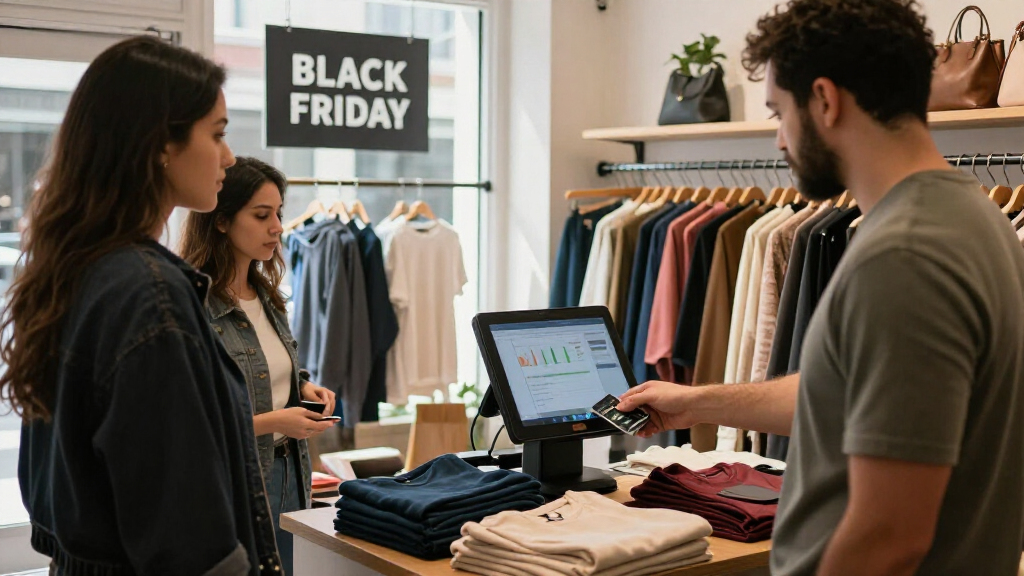
I ranked these systems for the pressure of Black Friday checkout, looking at how clearly each option presents its hardware and what a buyer can infer about getting a working station in place. I weighed screen layout, customer-facing displays, included peripherals, and whether the product is positioned as an integrated POS or a collection of components. A scanner, cash drawer, or receipt printer can reduce setup work, but only when it fits the business’s software and payment workflow.
Ranking favors clarity and practical fit, not the longest feature list. Square Register leads for its integrated register format; SumUp and the dual-display systems earn distinct places for simpler or more customer-visible setups. Broadly described bundles rank lower when the listing leaves key software, compatibility, or configuration questions unanswered. Since promotions and availability can change around Black Friday, I focus on the system’s role and tradeoffs rather than temporary deal claims.
Factors to Consider When Choosing Black Friday Point Of Sale Systems
Choosing a Black Friday POS is less about finding the biggest screen and more about avoiding bottlenecks, surprise setup work, and checkout interruptions. These broader checks can help you match the hardware to your sales flow before a busy trading day.
Map the checkout flow before choosing hardware
Write down each step from scanning an item to handing over a receipt, then identify where staff or customers need to interact. A customer display can make transaction totals easier to see, but it does not replace a barcode scanner or a clear returns process. For rapid queues, prioritize a familiar payment flow and accessible controls over extra screen area. If you sell both in-store and at pop-up locations, ask whether the system can be moved and set up without rebuilding the entire counter. Avoid buying a large bundle until you know which components your staff will actually use.
Check software, payment, and peripheral compatibility
A touchscreen terminal is only one part of a POS system: the software, payment acceptance, printer, scanner, and drawer must work together. Ask the seller which POS applications are supported, whether payment processing is included or separate, and how the listed peripherals connect. Do not assume that Android or Windows branding means an application will run properly or that a payment service is available in your region. Compatibility checks are especially important for broad bundles that list hardware without naming the software version or setup requirements. Get these answers in writing before scheduling the system for a high-volume sales event.
Choose the right degree of bundling
A full kit can save time when you need a drawer, printer, and scanner at one station, while a base station may be a better fit if you already own compatible hardware. Bundled accessories are not automatically a better value: duplicate peripherals can add clutter, and mismatched devices can create more work than buying components individually. Compare the exact model numbers and connection types, not just the accessory names. For a restaurant or food counter, a kitchen order printer may matter more than a customer display. For a simple service counter, a smaller setup can keep the workspace clearer.
Plan for peak-volume reliability and backup
Black Friday puts pressure on the full checkout process, including network access, power, receipt printing, and staff handoffs. Ask what happens to transactions if internet access drops, and verify whether the system supports offline sales or a manual backup process. Keep spare receipt rolls and any required cables on hand, and test the printer and scanner with the actual products you sell. A spare terminal is useful only if it is configured, charged, and connected to the right account. Build a fallback plan before the event rather than relying on a last-minute software or hardware change.
Budget for ownership, not just the terminal
The purchase decision should include payment processing, software subscriptions, accessories, installation, and ongoing support. A terminal that appears straightforward can require extra spending if its listed kit omits a drawer, printer, or compatible payment device. Conversely, an all-in-one system may include hardware you do not need, so check what is actually in the box. Ask about software updates, warranty coverage, replacement parts, and support hours during peak retail periods. Paying more can make sense when it buys a supported workflow your staff can learn quickly, rather than simply a larger display.
Frequently Asked Questions
Is Square Register a good fit if I already use another POS platform?
It may not be the easiest choice if your inventory, reporting, and payment workflow are already tied to a different platform. Before switching, verify whether your product catalog and customer records can be transferred and whether the payment service suits your business. A hardware purchase alone does not guarantee that your existing software will run on the register. If preserving your current setup matters most, compare compatible terminals before replacing the system. For a new checkout station, Square Register’s integrated format makes it a more straightforward starting point.
Should I choose a dual-screen POS for Black Friday?
A customer-facing screen can make totals and transaction steps more visible, which may help at a staffed retail counter. It is less useful if it blocks the cashier’s workspace, creates a crowded counter, or does not display the information customers need. Compare the physical footprint and screen placement with your checkout layout before choosing a dual-screen unit such as the POS STORE M9 or ZHONGJI SET03. Also check that the software supports the customer display; a second screen does not guarantee a useful customer view. For a small pop-up, a compact setup may be easier to position.
What should I verify before buying a bundled POS kit?
Confirm the exact included components, their model numbers, and whether the kit includes software and payment processing or only hardware. Ask how the printer, scanner, cash drawer, and display connect, and whether they are supported by the intended POS application. Check the operating system and update policy, along with setup instructions and support availability. A bundle can shorten procurement, but missing compatibility details may lead to extra purchases or delays. If you already own peripherals, compare a base station against a full kit to avoid paying for duplicates.
Can I safely install a new POS system right before Black Friday?
That is risky if the system has not been configured and tested with your inventory, payment account, and peripherals. Allow time for staff training, test transactions, receipt printing, returns, and any promotions you plan to run. Confirm that your business and payment provider can complete any required account setup before the event. Keep your existing checkout process available until the replacement has passed a full test during normal operations. If timing is tight, adding a compatible station may create less disruption than replacing the entire system.
Which POS setup makes the most sense for a small pop-up shop?
A pop-up usually benefits from a compact station, simple setup, and minimal accessory clutter, which makes a smaller system such as SumUp POS Lite worth comparing with larger retail bundles. Your choice still depends on how you accept payments, track inventory, and issue receipts. Check power needs, connectivity options, and whether the system can be transported and secured between events. A full cash-drawer and scanner kit may be useful if you handle substantial cash or many barcoded products, but it adds bulk. Choose the smallest configuration that supports your actual sales flow, with a tested backup for connectivity problems.
Conclusion
Square Register is my best overall choice for buyers who want an integrated register format, while SumUp POS Lite is the best value-style fit for shoppers prioritizing a simpler, more compact station rather than a large hardware bundle. For a premium-feeling counter setup with customer visibility, compare the POS STORE M9 and its dual displays, but confirm software and peripheral compatibility first. Square Register is also the easiest starting point for many beginners in this lineup, provided its services suit the business. For retail counters needing more components together, the CRE software bundle or the retail kit with customer display, printer, drawer, and scanner may fit better; restaurants should focus on the system that includes a kitchen order printer. Before buying any of them for Black Friday, verify what is included and test the complete checkout flow.
Black Friday Picks

Vitamix Propel Series 510 Professional-Grade Blender, Black
As an affiliate, we earn on qualifying purchases.