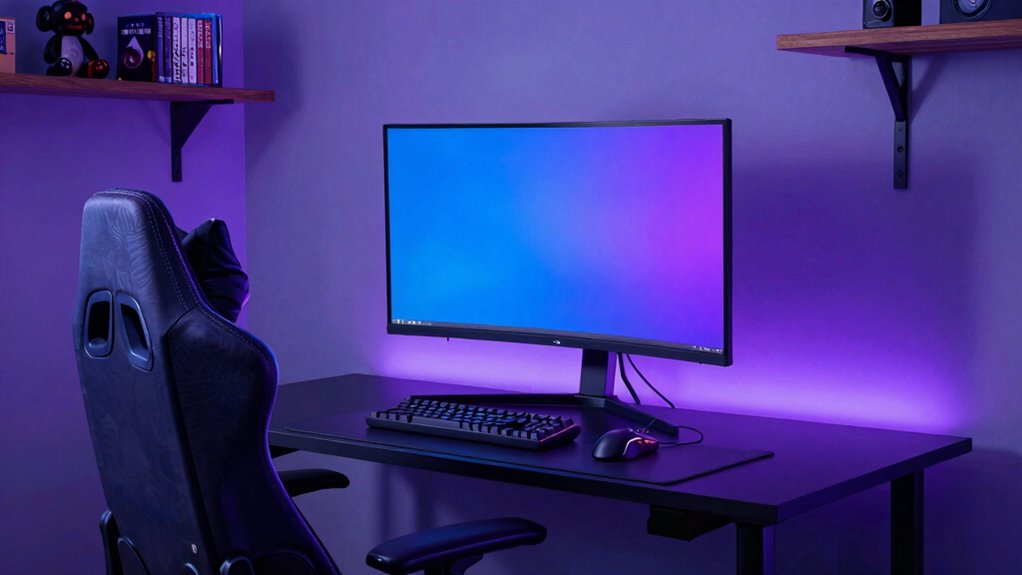

You don’t need to spend a lot to upgrade your gaming space. Simple changes like adjustable LED lighting and ergonomic chairs can drastically improve comfort and ambiance. Clearing clutter, organizing cables, and adding personal touches make your setup more inviting. Good airflow and ventilation keep you comfortable during long sessions. These affordable tweaks enhance your gaming experience without breaking the bank. Stay tuned—you’ll find more tips to transform your room into the perfect gaming sanctuary.

Get business pricing on office and shipping supplies
- Business-only prices and quantity discounts
- Tax-exempt purchasing
- Multiple users, one account, clear invoices
Key Takeaways
- Simple lighting adjustments like LED strips can create a more immersive atmosphere at a low cost.
- Ergonomic chairs with adjustable features improve comfort without high expenses.
- Organizing cables and decluttering enhances space and aesthetics cheaply.
- Proper ventilation and airflow prevent overheating and increase comfort affordably.
- Personal touches like posters and collectibles personalize the space without significant spending.

Transforming your gaming room into the ultimate setup doesn’t have to be complicated or expensive. Small changes can make a huge difference, especially when it comes to creating the right atmosphere and ensuring comfort. One of the easiest upgrades is improving your lighting ambiance. Instead of relying solely on your monitor or a harsh ceiling light, consider adding adjustable LED strips or smart bulbs. These let you customize the mood with colors and brightness, making your gaming sessions more immersive. You don’t need to break the bank—simple lighting changes can elevate your space instantly. Plus, they prevent eye strain by providing balanced, indirect light that complements your screen. Experiment with different colors or dimming options to find what energizes or relaxes you best. Incorporating lighting ambiance can truly transform the feel of your gaming space. Another vital, yet often overlooked upgrade is ergonomic seating. Spending hours in an uncomfortable chair can lead to fatigue and even long-term health issues. Investing in a quality ergonomic chair might seem costly at first, but it pays off by providing proper lumbar support, adjustable height, and comfortable padding. You’ll stay focused longer and avoid discomfort that distracts from gameplay. If a high-end chair isn’t in your budget, look for affordable options with good reviews that prioritize support. Remember, your chair’s position should promote good posture—feet flat on the ground, back supported, and arms at a comfortable angle. This simple upgrade keeps you gaming longer without aches and pains. Beyond lighting and seating, small organizational upgrades can dramatically improve your gaming environment. Clear clutter from your desk, store cables neatly, and add some personal touches like posters or collectibles. These enhancements don’t have to cost much but can make your space feel more inviting and tailored to your style. Implementing space optimization strategies can help maximize limited room space and create a more efficient setup. Additionally, proper air circulation can significantly boost comfort, especially during extended gaming marathons. To further enhance your gaming zone, consider proper ventilation to keep the area comfortable during long sessions and prevent overheating of equipment. When considering lab safety tips, it’s also wise to keep your gaming area free from any hazards or clutter that could cause accidents. Creating a dedicated gaming zone that feels good to be in keeps your focus sharp and your motivation high. Ultimately, the best gaming room upgrades are those that deliver comfort, atmosphere, and function without draining your wallet. By focusing on lighting ambiance and ergonomic seating, you improve your experience significantly. These changes make your setup more enjoyable, less stressful, and more personalized. You’ll find yourself more immersed in your favorite games and less distracted by discomfort or poor lighting. Upgrades don’t need to be complicated or expensive—sometimes, the simplest tweaks make the biggest difference in transforming your gaming space into a true sanctuary.
adjustable LED strip lights for gaming room
As an affiliate, we earn on qualifying purchases.
As an affiliate, we earn on qualifying purchases.
Frequently Asked Questions
How Can I Improve Sound Quality Without Expensive Equipment?
To improve sound quality without spending much, try soundproofing techniques like adding rugs, curtains, or foam panels to absorb echo and reduce noise leakage. You can also use simple audio calibration tips, such as adjusting your speaker placement and settings for the best sound. These steps enhance clarity and immersion, making your gaming experience better without breaking the bank. Small changes can make a noticeable difference in your room’s acoustics.
What Lighting Options Enhance Gaming Ambiance on a Budget?
Lighting can turn your gaming space into an immersive haven. To boost ambiance on a budget, add ambient lighting with LED strips along walls or behind your monitor. These strips are affordable, versatile, and easy to install, creating a dynamic glow that enhances your gaming experience. Think of LED strips as the pulse of your room, transforming ordinary into extraordinary without breaking the bank.
Are There Space-Saving Solutions for Small Gaming Rooms?
Yes, you can maximize space with compact furniture that fits snugly in your small gaming room. Opt for vertical storage solutions like wall-mounted shelves or tall bookcases to free up floor space. These options keep your gaming essentials organized and accessible without cluttering the room. By integrating smart, space-saving furniture and storage, you create a comfortable, functional gaming area that feels larger and more inviting.
How Do I Organize Cables to Reduce Clutter Effectively?
You can organize cables to reduce clutter effectively by using cable management solutions like zip ties, cable clips, or sleeves. Start by bundling cables together and securing them along your desk or walls to keep them out of sight. Labeling cables helps identify them easily, reducing mess during setup or troubleshooting. This simple approach improves clutter reduction and keeps your gaming space neat, enhancing both aesthetics and functionality.
What Ergonomic Accessories Prevent Gaming Fatigue?
Did you know that prolonged gaming can cause fatigue and discomfort? To prevent this, invest in ergonomic accessories like an ergonomic chair, which provides proper back support, and wrist support pads that reduce strain during long sessions. These accessories help maintain good posture, decrease fatigue, and enhance your gaming experience. Prioritizing comfort with ergonomic gear guarantees you stay focused and enjoy gaming longer without discomfort or injury.
Conclusion
Think of your gaming room as a garden—you don’t need the priciest tools to make it flourish. Sometimes, the simplest upgrades, like better lighting or a comfy chair, can transform your space into a haven. It’s not about spending a fortune, but about nurturing what you already have with thoughtful touches. With a little care and creativity, your gaming sanctuary will bloom into the ultimate retreat—proof that the best upgrades come from the heart, not the wallet.
Halloween Picks
halloween
As an affiliate, we earn on qualifying purchases.