
Gimbals are great at stabilizing your footage, making your shots look smooth and professional. However, they don’t automatically improve video quality on their own. Your skill, technique, and how you handle the device matter just as much as the equipment itself. If you rush or neglect proper balancing and smooth movements, your footage won’t reach its full potential. Keep exploring these tips to unleash the true power of your gimbal and elevate your videos.

Get business pricing on office and shipping supplies
- Business-only prices and quantity discounts
- Tax-exempt purchasing
- Multiple users, one account, clear invoices
Key Takeaways
- Gimbals stabilize footage but do not inherently improve video quality or content.
- Proper handling and technique are essential for maximizing stabilization benefits.
- Skillful operation, including smooth movements, enhances overall footage quality.
- Gimbals amplify user skill, but cannot compensate for poor planning or shaky handling.
- Consistent practice is necessary to unlock the full potential of gimbals for smooth footage.
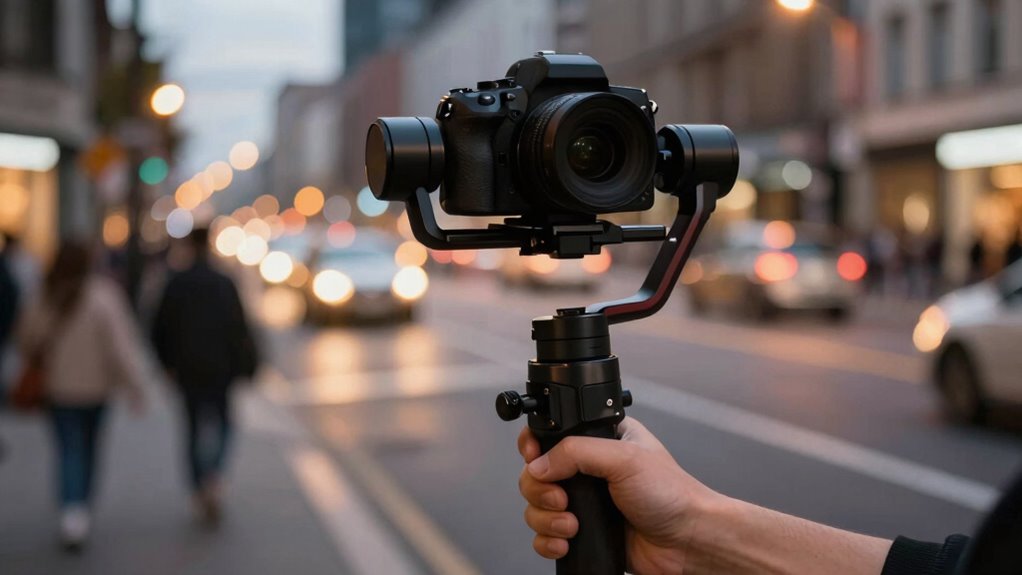
Gimbals are popular tools for stabilizing camera footage, but they don’t automatically make your videos better. While they excel at providing smooth, steady shots, the quality of your footage still depends heavily on your camera stabilization skills and how you operate the device. Just owning a gimbal doesn’t guarantee professional-looking footage; it’s how you use it that truly counts. If you’re new to gimbals, you might expect flawless results instantly, but in reality, mastering the device takes practice. The more you understand its mechanics and limitations, the better your footage will become.
Your user skill directly impacts the effectiveness of a gimbal. Even with the most advanced stabilization technology, shaky movements, jerks, or uneven panning can still occur if you don’t handle the device properly. Smooth operation involves more than just pressing the start button. You need to learn how to balance the gimbal correctly before shooting, maintain a steady hand, and move intentionally. Small adjustments in your grip and movement can considerably improve your footage’s quality. If you rush or ignore these fundamentals, the camera stabilization benefits of the gimbal are diminished, and your footage might look less professional.
Additionally, understanding how to execute different shots with a gimbal enhances your overall results. Techniques like smooth pans, controlled tilts, and deliberate tracking shots require practice. As you develop your user skill, you’ll notice your footage becoming more polished and cinematic. The more familiar you are with the gimbal’s functions—such as adjusting sensitivity, controlling motor speed, or switching modes—the more versatile your shots will be. Remember, a gimbal is a tool that amplifies your ability to capture stable footage, but it can’t compensate for shaky hands or poor planning. Developing camera stabilization skills is crucial for maximizing the potential of your equipment and creating professional-quality videos.
Moreover, understanding basic technique and movement can significantly influence your results, making your videos appear more intentional and cinematic.
In essence, a gimbal provides a foundation for camera stabilization, but it’s your skill that elevates your footage from decent to professional. Focus on mastering the basics of operating and balancing your device, and don’t be discouraged by initial results. With consistent practice, you’ll learn to harness the full potential of your gimbal, ensuring that your footage looks smooth, intentional, and engaging. Ultimately, the key to better videos lies in your ability to control the device effectively, making the most of the stability it offers rather than relying solely on its technology.
As an affiliate, we earn on qualifying purchases.
Frequently Asked Questions
Can Gimbals Improve Footage Quality Without Proper Technique?
Gimbals can’t improve footage quality without proper technique; automatic stabilization helps, but your user skill is essential. If you don’t know how to operate the gimbal correctly, you might still get shaky footage despite its capabilities. Practice smooth movements and proper balancing to maximize stabilization. Without mastering these skills, the gimbal’s potential is limited, and your footage won’t look as professional as it could.
Are Expensive Gimbals Worth the Investment for Beginners?
Expensive gimbals can be worth it if you’re serious about filmmaking, but for beginners, budget options often suffice. Did you know 60% of new videographers start with affordable gear? With beginner tips, you can get smooth footage without breaking the bank. Consider your needs and skill level first—sometimes, learning good technique with a budget gimbal offers better value than splurging early.
How Do Gimbals Perform in Extreme Weather Conditions?
Gimbals can perform surprisingly well in extreme weather if they’re designed with weather resilience and durability testing in mind. Look for models with weatherproof or water-resistant features, and check reviews for real-world performance. While they may handle light rain or dust, heavy storms or freezing temperatures could still pose challenges. Always protect your gear with covers or cases, and avoid exposing your gimbal to harsh conditions for prolonged periods.
Do Gimbals Require Regular Maintenance or Calibration?
Yes, gimbals do require regular maintenance and calibration to keep them performing at their best. Depending on your usage, calibration frequency can vary, but it’s generally recommended every few weeks or after any significant impacts. Gimbal durability affects how well it withstands frequent use and harsh conditions, so inspecting for wear and tear is essential. Proper maintenance ensures your gimbal stays reliable, providing smooth footage and extending its lifespan.
Can Gimbals Be Used With Smartphones Effectively?
Absolutely, you can effectively use gimbals with smartphones, even if it feels like a leap in a time machine. Modern gimbals are designed for smartphone stabilization and boast broad compatibility, making them user-friendly. Just confirm your gimbal supports your phone’s size and weight. With the right setup, you’ll find smooth, professional-looking footage is well within reach, turning your smartphone into a mini film studio.
Conclusion
Remember, a gimbal is like a steady hand guiding your camera through chaos. It helps you achieve smooth footage, but it doesn’t turn your shaky shots into cinematic gold on its own. You still need to focus on framing, movement, and storytelling. Think of the gimbal as a helpful tool, not a magic wand. When used thoughtfully, it’s like adding a steady heartbeat to your footage—making it better, but only if you put in the effort.
Fall Picks
fall essentials
As an affiliate, we earn on qualifying purchases.