
If your streaming looks less sharp, it’s often due to compression, limited bandwidth, or file quality, which lower resolution and cause blurriness. 4K upscaling works by analyzing lower-res content, filling in missing pixels with advanced algorithms to create sharper, more detailed images. How well your TV handles upscaling depends on its hardware and software. To understand why some TVs make streaming look better and how upscaling truly works, keep exploring these key factors.
Key Takeaways
- 4K upscaling enhances lower-resolution content by filling in missing pixels, improving perceived sharpness and detail on high-resolution displays.
- The quality of upscaling depends on advanced hardware processing and software algorithms, including AI-driven techniques.
- Better upscaling reduces blurriness and artifacts, making streaming images appear clearer and more vibrant.
- TVs with sophisticated upscaling technology analyze content patterns to optimize image enhancement dynamically.
- Effective upscaling compensates for compression and bandwidth limitations, resulting in a more immersive viewing experience.

LG 65-Inch Class QNED QNED82A Series Smart TV w/AI Sound, HDR10, 4K Super Upscaling, Filmmaker Mode, Wow Orchestra, Alexa Built-in (65QNED82AUA, 2025)
DYNAMIC QNED COLOR: LG's Dynamic QNED Color with 100% Color Volume¹ and next-gen AI provides vivid color on…
As an affiliate, we earn on qualifying purchases.
As an affiliate, we earn on qualifying purchases.
Why Does Your Streaming Look Less Sharp?
Have you ever noticed that your streaming videos sometimes look softer or less detailed than expected? This often happens because of video compression, which reduces file sizes to make streaming smoother. While compression helps your internet bandwidth, it can also sacrifice image quality, leading to less sharp visuals. When your connection isn’t fast enough, streaming services lower the video quality automatically, resulting in a blurry or fuzzy picture. Limited internet bandwidth prevents your device from receiving high-resolution streams consistently, causing compression artifacts and reducing clarity. As a result, even if your TV supports 4K, your viewing experience may be compromised by these factors. To improve sharpness, a stable, high-speed internet connection and less aggressive compression are key. Additionally, utilizing 4K upscaling technology can help enhance the perceived resolution of lower-quality streams.

Sony UBP-X700U 4K Ultra HD Home Theater Blu-ray DVD Player 4K upscaling, HDR10, Hi Res Audio, Dolby Digital TrueHD/DTS, Dolby Vision, with Included HDMI Cable, 2025 Model
See the unrivalled visual clarity of 4K Ultra HD Blu-ray
As an affiliate, we earn on qualifying purchases.
As an affiliate, we earn on qualifying purchases.
What Is 4K Upscaling and How Does It Improve Your Viewing?

Ever wonder how your TV enhances lower-resolution content to look closer to 4K? 4K upscaling is a process where your device intelligently increases the resolution of standard or HD videos, making them appear sharper and more detailed on a 4K screen. This resolution enhancement improves your viewing experience by filling in missing pixels and smoothing out image details. The TV analyzes the original picture and applies algorithms to create new pixels, resulting in a picture that seems more refined. While it doesn’t add true 4K detail, upscaling makes lower-resolution content look better and more consistent with native 4K images. As a result, your streaming and broadcast content appears clearer, more vibrant, and more immersive without needing actual 4K source material. Additionally, image processing techniques play a crucial role in how effectively upscaling improves picture quality.

Samsung 43-Inch Class Crystal UHD U8000F 4K Smart TV (2025 Model) Endless Free Content, Crystal Processor 4K, MetalStream Design, Knox Security, Alexa Built-in
POWERS 3D COLOR MAPPING AND UPSCALING FOR A CLEAR PICTURE: Experience every shade of color as it was…
As an affiliate, we earn on qualifying purchases.
As an affiliate, we earn on qualifying purchases.
How Does 4K Upscaling Work?

You might wonder how 4K upscaling enhances your viewing experience. It relies on advanced image processing algorithms and pixel interpolation techniques to fill in missing details. These methods work together to convert lower-resolution images into sharp, high-resolution visuals. Additionally, some TVs incorporate boosting performance features, similar to automotive upgrades, to improve image clarity and responsiveness during upscaling.
Image Processing Algorithms
4K upscaling relies on sophisticated image processing algorithms that analyze and enhance lower-resolution images to match the higher pixel density of 4K displays. These algorithms focus on image enhancement, sharpening details, and reducing noise to improve clarity. They continuously optimize their processes—known as algorithm optimization—to deliver smoother, more natural-looking images. The algorithms identify patterns and edges within the video, filling in missing details and refining textures without introducing artifacts. This process requires a delicate balance to avoid over-processing, which can cause unnatural appearances. By intelligently analyzing the source content, these algorithms improve picture quality, making streaming and broadcasts look sharper and more vibrant on 4K screens. Additionally, content analysis techniques play a crucial role in adapting the upscaling process to different types of footage, ensuring consistent quality across various sources. This technology is essential for achieving high-quality upscale results.
Pixel Interpolation Techniques
Pixel interpolation techniques are at the core of how 4K upscaling expands lower-resolution images to fit high-resolution screens. These techniques analyze existing pixels and generate new ones to fill in missing details, making the image appear sharper. You’ll find that advanced pixel interpolation methods consider pixel patterns and color data to improve accuracy. Edge enhancement is often integrated to accentuate boundaries between objects, making the image look clearer and more defined. This process reduces blurriness and enhances fine details, giving you a more life-like viewing experience. Different TVs use various algorithms for pixel interpolation, which directly impacts the quality of upscaled content. By intelligently estimating missing pixels, these techniques help movies and shows look better, even when originally shot in lower resolutions.
LG 65-Inch Class QNED QNED82A Series Smart TV w/AI Sound, HDR10, 4K Super Upscaling, Filmmaker Mode, Wow Orchestra, Alexa Built-in (65QNED82AUA, 2025)
DYNAMIC QNED COLOR: LG's Dynamic QNED Color with 100% Color Volume¹ and next-gen AI provides vivid color on…
As an affiliate, we earn on qualifying purchases.
As an affiliate, we earn on qualifying purchases.
How Do Different TVs Handle Upscaling?

Different TVs use various processing algorithms to upscale content, affecting the picture quality you see. Some models have advanced hardware that handles upscaling more efficiently, delivering sharper images. Understanding these differences helps you choose a TV that best enhances your viewing experience. Additionally, essential airless paint spraying tips and gear can improve your DIY projects by ensuring a smooth finish—just as choosing the right TV ensures a better viewing experience.
Processing Algorithms Variance
When it comes to upscaling, the algorithms that TVs use can considerably impact image quality, and not all are created equal. Algorithm variability means some models apply advanced techniques to enhance detail, while others rely on basic methods. Processing diversity ensures different TVs interpret and upscale content uniquely, affecting sharpness and clarity. You’ll notice that:
- Some TVs use AI-driven algorithms for more natural images
- Others prioritize edge enhancement for crisper details
- Processing methods can introduce artifacts or smoothness
- The sophistication level varies widely across brands and models
- Understanding content interpretation helps you select a TV that handles upscaling effectively, making streaming look sharper and more vibrant. Recognizing the impact of processing diversity allows you to appreciate why two 4K TVs may display the same content so differently.
Hardware Upscaling Capabilities
The hardware capabilities of a TV play a crucial role in how effectively it can upscale lower-resolution content. Better hardware enhancement and advanced chip integration enable more precise upscaling, resulting in sharper images. Different TVs vary in their processing power and internal components, impacting performance. High-end models often feature dedicated chips designed specifically for upscaling, improving image clarity and reducing artifacts. Lower-end TVs may rely on basic processing, leading to less detailed results. Here’s a quick comparison:
| Model Type | Chip Integration | Upscaling Quality |
|---|---|---|
| Premium | Advanced dedicated chip | Superior detail and clarity |
| Mid-range | Moderate chip integration | Good, but less refined |
| Budget | Basic processing | Limited enhancement |
Your choice of TV determines how well it handles hardware enhancement for upscaling. Processing power plays a significant role in achieving optimal results.
What Features Signal Better Upscaling?
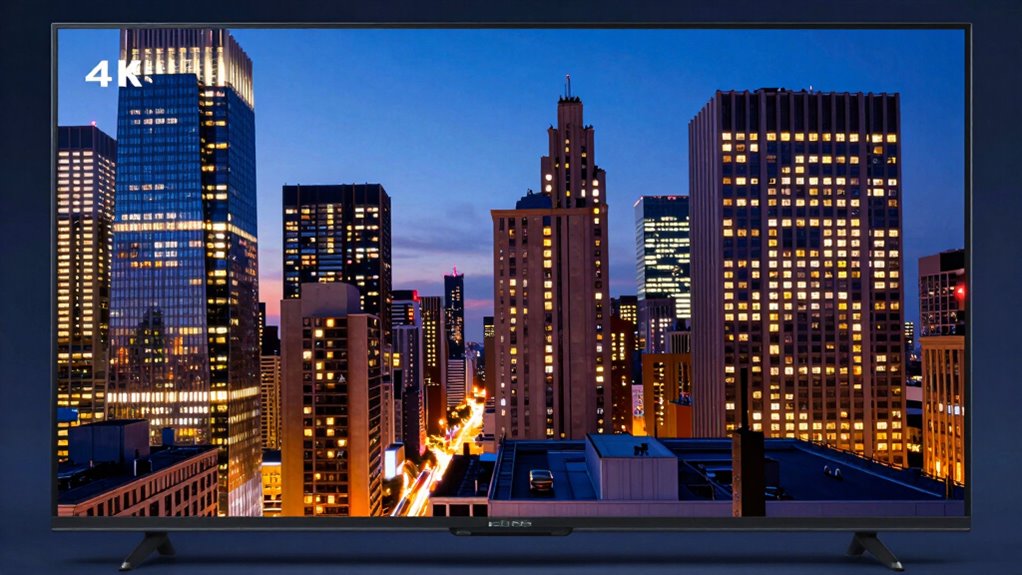
To identify features that signal better upscaling, focus on the clarity and detail the technology can reproduce. Key indicators include advanced resolution enhancement, which improves picture sharpness, and sophisticated signal processing that refines image quality. Look for TVs with these features:
- Enhanced algorithms for finer resolution enhancement
- AI-driven signal processing for more accurate detail reproduction
- Multi-step upscaling techniques that reduce artifacts
- Dynamic contrast and noise reduction for clearer images
These features work together to optimize how your TV converts lower-resolution content into near-4K quality. The better the resolution enhancement and signal processing capabilities, the more seamless and crisp your streaming experience will be, making your content look sharper and more vibrant. Additionally, image quality optimization features can further elevate the viewing experience by tailoring the output to your specific content and environment.
Myths About 4K Upscaling, Debunked?

Many people assume that 4K upscaling automatically turns lower-resolution content into perfect, high-quality images. However, that’s a myth. Software optimization plays a vital role in how well your TV enhances content resolution. Upscaling isn’t just about adding pixels; it involves complex processing that guesses and fills in missing details. If the software isn’t optimized, the image can appear blurry or artificial, no matter how advanced the hardware. Higher content resolution isn’t always better if the upscaling technology isn’t effective. Remember, 4K upscaling improves lower-resolution images, but it can’t create perfect detail from scratch. So, don’t fall for the myth that all upscaled content looks just as good as native 4K. Quality depends on both hardware and software finesse, and understanding the important role of content quality can help you make better viewing choices.
Frequently Asked Questions
Can 4K Upscaling Fix Poor Original Video Quality?
Yes, 4K upscaling can improve poor original video quality by reducing video noise and enhancing pixels. When you watch lower-resolution content on a 4K TV, the upscaler sharpens images and smooths out noise, making the picture appear clearer. While it can’t replace true 4K resolution, it markedly enhances your viewing experience by making details more defined and reducing distortions caused by low-quality sources.
Does 4K Upscaling Increase Your Internet Bandwidth Needs?
Yes, 4K upscaling can increase your bandwidth impact because streaming 4K content requires more data. Even if your TV upscales lower-resolution videos, streaming in true 4K demands higher bandwidth to maintain ideal streaming quality. If your internet connection isn’t fast enough, you might experience buffering or lower quality. So, to enjoy the best streaming quality with 4K upscaling, make certain your internet plan can handle the increased bandwidth needs.
Are All 4K TVS Equally Effective at Upscaling?
Imagine a master painter, skillfully blending colors—not all painters achieve the same level of detail. Not all 4K TVs are equally effective at resolution enhancement and image sharpening. Some use advanced upscaling algorithms, delivering sharper, more vibrant images, while others fall short. Your experience depends on the TV’s processing power, so choose a model that excels in upscaling technology for the best streaming picture quality.
How Does Screen Size Influence Upscaling Effectiveness?
Your screen size directly influences upscaling effectiveness because larger screens require more detail to look sharp. If you sit close to a big screen, upscaling struggles to fill in detail, making images appear softer. Conversely, smaller screens let you sit closer without losing clarity. To optimize upscaling, consider your viewing distance; the right balance between screen size and how close you sit ensures the best picture quality.
Is Upscaling Beneficial for Non-4k Content?
Upscaling can be beneficial for non-4K content because it improves image clarity and detail, making visuals look sharper on your 4K TV. It helps reduce compression artifacts and enhances color accuracy, providing a better viewing experience. While it doesn’t create true 4K, it makes lower-resolution content appear more refined, so you enjoy streaming with improved picture quality even when watching HD or Full HD videos.
Conclusion
Now that you know how 4K upscaling works, you realize it’s not magic, but a clever trick to boost your streaming quality. While it can’t turn low-res content into true 4K, choosing a TV with good upscaling features makes all the difference. Don’t fall for myths or hype—do your homework and pick wisely. Remember, knowledge is power, and with the right TV, you’ll see your favorite shows in a whole new light.