
If you place your expensive TV in a bright room without managing ambient light, it can look washed out, with poor contrast and visible glare. Bright environments cause screen washout, making dark scenes hard to see and reflections distracting. Simply increasing brightness doesn’t solve these issues—adjusting your surroundings is key. Want to learn how to improve your viewing setup and get the best picture quality, even in a bright space? Keep exploring for more tips.

Get business pricing on office and shipping supplies
- Business-only prices and quantity discounts
- Tax-exempt purchasing
- Multiple users, one account, clear invoices
Key Takeaways
- Increasing TV brightness in bright rooms causes glare and reflections, impairing image clarity rather than improving visibility.
- Relying solely on picture settings cannot counteract the negative effects of ambient light.
- Poor TV placement and uncontrolled ambient lighting lead to washout and reduced contrast on high-end screens.
- Ignoring ambient light management causes expensive screens to appear dull and less vibrant.
- Proper room setup and light control are more effective than adjusting TV brightness alone.
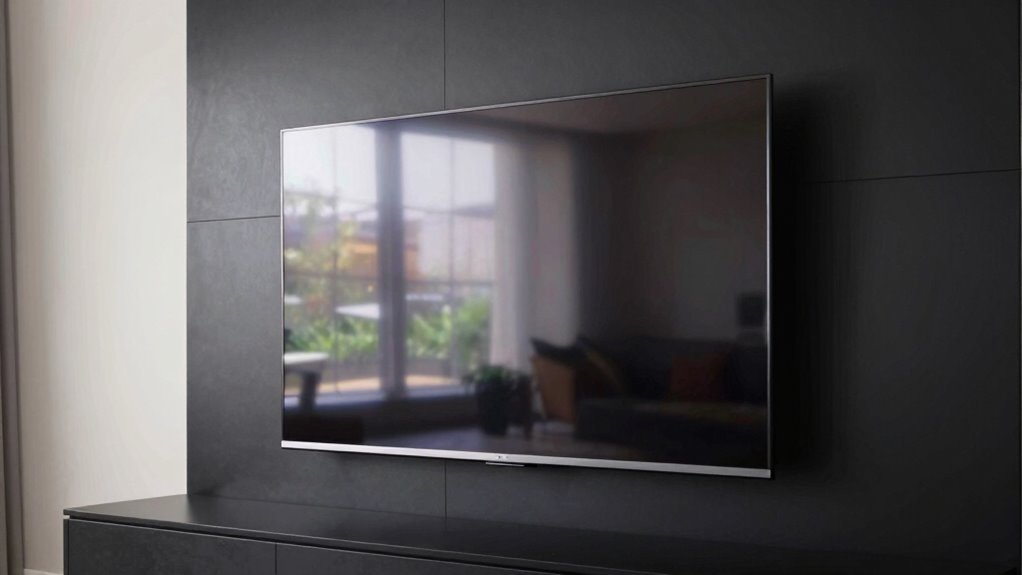
When setting up your TV in a bright room, it’s easy to assume that simply turning up the brightness or contrast will improve picture quality. But in reality, these adjustments often do more harm than good. The real issue isn’t just the screen’s settings—it’s the ambient lighting around your TV. Bright rooms introduce a lot of ambient light, which can wash out the picture and make details hard to see. Instead of improving your viewing experience, increasing brightness or contrast in a well-lit space can cause glare and reflections that distract you from what’s on the screen.
Screen glare is one of the biggest problems you’ll face in a bright room. When sunlight or artificial lights hit your TV’s surface, they create reflections that compete with the image. This makes it difficult to see dark scenes or fine details, reducing the overall picture quality. If you’ve ever squinted at a bright reflection on your screen, you know how frustrating it can be. Simply turning up the brightness doesn’t eliminate glare; it can actually make the image look washed out, reducing contrast and muddying picture clarity. Understanding ambient lighting is crucial to optimizing your viewing environment for the best picture quality. Proper placement and controlling the ambient light sources are more effective than just cranking up the TV’s settings. Using blackout curtains or adjusting the position of your TV can greatly improve your viewing experience. Additionally, choosing the right screen placement can help minimize unwanted reflections and glare, enhancing overall picture clarity. Being aware of lighting control techniques can significantly reduce glare and improve your overall viewing comfort. Paying attention to how ambient light interacts with your screen can make a noticeable difference in your enjoyment and the longevity of your TV.
Popular right now

Vitamix 5200 Professional-Grade Blender, 64 oz. Container, Black

Shark Navigator Robot Vacuum with 30-Day Self-Emptying Base, White (AV2110S)

Breville BES870XL Barista Express Espresso Machine, Brushed Stainless Steel
As an affiliate, we earn on qualifying purchases.
Frequently Asked Questions
How Can I Detect if My Room Lighting Is Affecting TV Picture Quality?
You can detect if your room lighting affects your TV picture by observing how the screen looks in different lighting conditions. Notice if ambient lighting causes glare or washes out colors. Adjust the room’s ambient lighting and check for changes in picture quality. Pay attention to color temperature—warmer light can make images look dull, while cooler light might enhance contrast. These steps help you see how lighting impacts your viewing experience.
Are There Specific Screen Settings to Optimize in Bright Rooms?
Think of your TV as a mirror trying to reflect a bright, bustling street. To optimize it, boost your screen’s brightness and contrast to match the ambient light, but avoid overdoing it. Use screen calibration settings to reduce glare and enhance clarity. Dimming the backlight and enabling local dimming features help your TV adapt to bright rooms, making pictures pop without washing out. Keep ambient light in check for the best viewing experience.
Does Wall Color Impact TV Display Performance in Bright Environments?
Wall color definitely impacts your TV’s display in bright environments. Lighter, reflective wall paint can bounce ambient light onto the screen, causing glare and reducing picture clarity. To improve performance, opt for darker, matte wall colors that absorb excess light. Managing ambient light is key, so consider adjusting your room’s wall paint to minimize reflections. This simple change helps your TV look its best, even in brightly lit spaces.
What Type of Curtains or Blinds Reduce Glare Most Effectively?
You’ll want curtains made from blackout fabrics or matte-finish blinds to reduce glare effectively. Blackout curtain fabrics block most sunlight and reflections, improving your viewing experience. Alternatively, choose blind materials like vinyl or woven wood with matte finishes that minimize light reflections. These options work best in bright rooms, helping you enjoy your TV without annoying glare or reflections that can distort picture quality.
Can Screen Reflectivity Be Minimized Without Sacrificing Image Quality?
Did you know that anti-reflective coatings can reduce glare by up to 70%? You can minimize screen reflectivity without sacrificing image quality by choosing screens with high-quality anti-reflective coatings or screen coatings designed for glare reduction. These coatings work by diffusing light and reducing reflections, so you enjoy clear, vibrant images even in bright rooms. Just make certain your screen’s coating balances glare reduction with minimal impact on brightness and color accuracy.
Conclusion
If you’re not mindful of your room’s brightness, your stunning screen can seem dull, like a vibrant painting lost in the shadows. By adjusting your lighting or screen settings, you can bring out the true colors and details, letting your TV shine as it was meant to. Think of your space as a cozy gallery where every hue glows softly, inviting you to enjoy every scene in its full, glorious splendor.