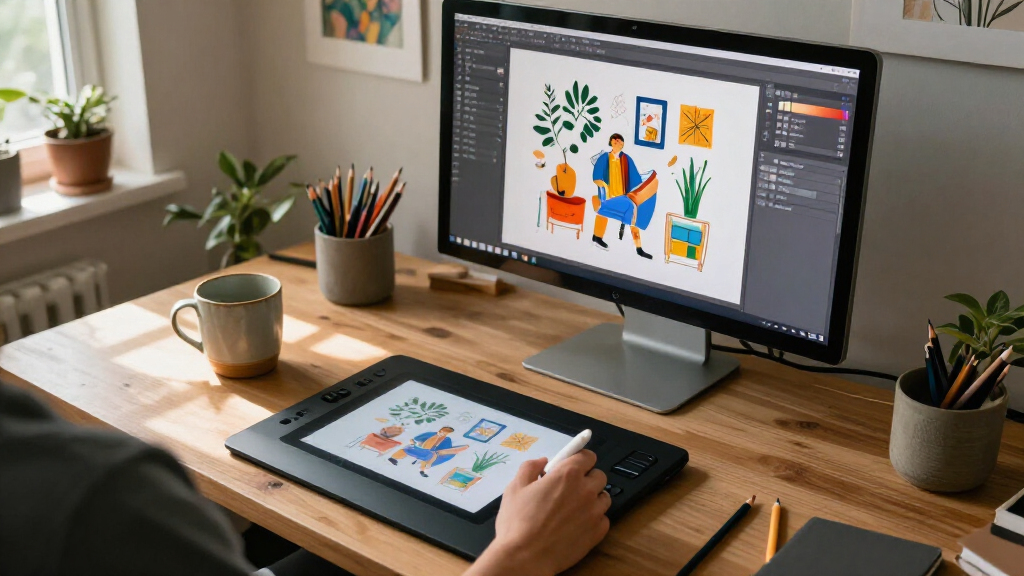
🔍 Read the full analysis: From Sketching To Illustration: 8 Drawing Tablets For Digital Art on ThorstenMeyerAI.com

Get business pricing on office and shipping supplies
- Business-only prices and quantity discounts
- Tax-exempt purchasing
- Multiple users, one account, clear invoices
TL;DR
This buyer’s guide compares eight drawing tablets across three setups: screen tablets connected to a computer, screenless pen tablets, and standalone devices. The source ranks the HUION Kamvas 13 (Gen 3) first overall, but says buyers should verify compatibility, workspace, and the exact product package before choosing.
As detailed in the original drawing tablet guide, ThorstenMeyerAI.com has published a guide comparing eight drawing tablets for digital art, with options for computer-connected displays, screenless tablets, and standalone use. The guide names the HUION Kamvas 13 (Gen 3) its best overall pick, while stressing that software compatibility, drawing area, and setup requirements may matter more to an individual buyer than advertised pen specifications.
The guide’s leading choice, the Kamvas 13 (Gen 3), combines an on-screen drawing surface with dual dial controls. It connects to a compatible computer, however, so buyers need to check the computer’s support and the display connection required by their setup. The source presents the HUION Inspiroy H1060P as a value option for people who already use a computer and want a larger screenless work area.
For artists who want to draw without connecting a computer for supported tasks, the comparison includes the Frunsi RubensTab T11 Pro and the PicassoTab A10. The source says standalone use can mean fewer cables, while noting that app availability and workflow may differ from a computer-based setup. It does not provide independent testing results or a detailed app-by-app compatibility list.
The remaining choices include the HUION Inspiroy H640P, Wacom Intuos Small, and two listings named XP-Pen Artist 13.3 Pro V2. The guide describes the H640P and Intuos Small as compact options that trade workspace for portability. It cautions that the two XP-Pen listings may be closely related and advises checking the exact version, specifications, and included accessories rather than inferring a meaningful difference from listing names.
The 8 picks
- 1
 HUION Kamvas 13 (Gen 3) 13.3-Inch Drawing Pen Display with Dual Dial and StandView on Amazon →
- 2
 PicassoTab 10" Standalone Drawing Tablet (A10)View on Amazon →
- 3
 XP-Pen Artist 13.3 Pro V2 Drawing Tablet with Screen, 16K Pressure Levels, Re…View on Amazon →
- 4
 XPPen Artist 13.3 Pro V2 Drawing Tablet with ScreenView on Amazon →
- 5
 Frunsi RubensTab T11 Pro Standalone Drawing TabletView on Amazon →
- 6
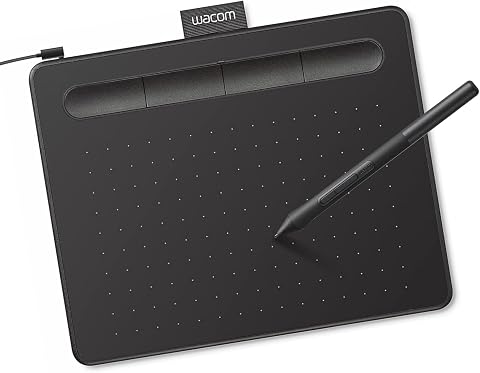 Wacom Intuos Small Wired Drawing Tablet with PenView on Amazon →
- 7
 HUION Inspiroy H1060P Graphics Drawing Tablet, 10 x 6.25 inView on Amazon →
- 8
 HUION Inspiroy H640P 6 × 4-Inch Drawing Tablet with Battery-Free StylusView on Amazon →
How Setup Shapes the Choice
The comparison matters because these devices are not interchangeable just because each is marketed for digital art. A screen tablet requires a computer and a suitable connection; a pen tablet also relies on a computer but separates the hand’s drawing surface from the display; a standalone device can work without a computer for supported tasks. That choice affects portability, software options, and how a user interacts with the canvas.
Workspace is another practical difference. The source says the H1060P offers more drawing area than the H640P and Intuos Small, which may suit broad hand movements but needs more desk space. Compact surfaces may be easier to carry but can feel restrictive for larger gestures. Shortcut keys and dials can also help with repeated commands, though their value depends on whether users configure and reach them comfortably.
The rankings are the source’s assessment, not a universal measure of performance. A top-ranked model may be a poor fit for someone who needs a portable standalone device, while a lower-ranked compact tablet may better suit a small desk or travel routine. Buyers can use the guide as a shortlist, then verify requirements for their own devices and software.
Popular right now

Apple AirPods Pro (1st Generation) with MagSafe Charging Case

Vitamix 5200 Professional-Grade Blender with 64 oz Container, Black

Samsung 65-Inch M70H Series 4K Mini LED Smart TV (2026)
As an affiliate, we earn on qualifying purchases.
Three Ways to Draw Digitally
The article organizes the eight products by how they fit into a working setup. Screen tablets show the artwork beneath the pen, while screenless pen tablets require users to look at a separate computer monitor. The latter arrangement can take practice, according to the source, but may suit people already comfortable working at a computer.
Standalone tablets avoid a computer connection for supported apps, but that does not mean they provide the same software flexibility as a desktop workflow. The guide says its ordering reflects practical fit—including controls, portability, and learning curve—rather than treating any single pen specification as decisive. Its product descriptions do not include a full benchmark methodology or verified compatibility matrix.
“The HUION Kamvas 13 (Gen 3) is my best overall drawing tablet pick for artists who want a screen, useful dial controls, and room to grow.”
— ThorstenMeyerAI.com guide
Compatibility and Listing Details
The source does not state when the comparison was published, provide prices, or set out a detailed test procedure. It also does not establish that every listed tablet supports a particular operating system, drawing app, or connection method. Those details may vary by model version and package, so readers should check current manufacturer specifications before buying.
The two XP-Pen entries are not clearly distinguished in the material. It remains unclear whether they represent different configurations, retailers’ packages, or duplicate listings. The guide also does not give enough detail to compare the standalone devices’ app libraries or performance directly with computer-based models.
Checks Before You Buy
The next step for buyers is to match a product to the computer or mobile setup they already use, then verify the required cable, adapter, driver, operating system, and drawing app. For screenless models, consider whether the separate-screen workflow feels comfortable; for screen tablets, check display connections and available desk space. For standalone options, confirm that preferred apps run on the device.
Before ordering, compare the exact model version, current price, warranty, and included accessories across listings—especially for the two XP-Pen entries. The source provides a shortlist and general tradeoffs, but does not confirm current availability or package contents; those details need to be checked with the seller or manufacturer.
Key Questions
Which tablet does the guide rank highest?
The source names the HUION Kamvas 13 (Gen 3) its best overall pick, citing its display and dual dials. It still requires a compatible computer and suitable connection.
Which option is designed for standalone use?
The guide includes the Frunsi RubensTab T11 Pro and PicassoTab A10 as standalone options for supported tasks. Check that the apps and workflow you need are available on the specific device.
Are the two XP-Pen listings different products?
The source says the two Artist 13.3 Pro V2 listings appear closely related, but does not explain their differences. Compare exact specifications and included accessories before choosing.
What should buyers check before ordering?
Verify software and operating-system compatibility, connection requirements, drawing area, and package contents. For standalone tablets, check app availability; for screen tablets, confirm computer and display support.
Source: ThorstenMeyerAI.com