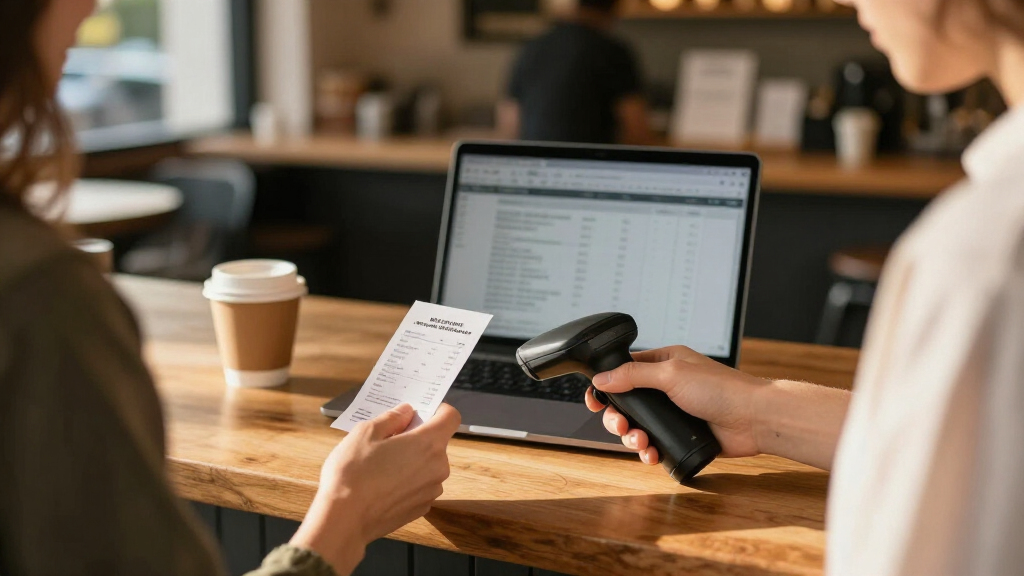
For most small businesses, the Epson RapidReceipt RR-600W is the best overall choice because its duplex scanning and wireless setup suit a shared office workflow. The ScanSnap iX2500 Receipt Edition is a stronger fit for a polished, high-volume desk setup, while the Epson WorkForce ES-50 keeps scanning simple for owners who work on the go. The main tradeoff is between portable, single-page convenience and a larger scanner that can handle batches with less hands-on effort. Software compatibility and how scanned files reach your bookkeeping system matter as much as speed. Read on for the full comparison and recommendations by business type.

Get business pricing on office and shipping supplies
- Business-only prices and quantity discounts
- Tax-exempt purchasing
- Multiple users, one account, clear invoices
Key Takeaways
- The RR-600W leads for shared office use: its wireless duplex design is better suited to recurring batches than compact, single-sheet models.
- The iX2500 favors a desk-based workflow: it is the premium pick for businesses that want a dedicated, high-speed scanner rather than a travel-friendly device.
- Portable models solve a different problem: the ES-50, RR-60, RR-70W, HPPS100, and Brother DS-640 prioritize carrying ease over unattended batch processing.
- Duplex and an automatic feeder reduce handling: models such as the Doxie Pro and Epson RR-400W are more practical when receipts arrive in stacks or include two-sided documents.
- Model names do not tell the whole story: wireless features, included software, feeder capacity, and renewed condition vary, so check the exact listing and your computer setup before choosing.
| Epson WorkForce ES-50 Portable Document Scanner |  | Best for Occasional Mobile Scanning | Scanner type: Portable, single-sheet-fed document scanner | Scan speed: As little as 5.5 seconds per page | Maximum document size: 8.5 × 72 inches | VIEW LATEST PRICE | See Our Full Breakdown |
| ScanSnap iX2400 One-Touch Color Document Scanner, Black |  | Best for Fast Batch Scanning | Scanning speed: Up to 45 pages per minute | Feeder capacity: 100 sheets | Connection: Wired USB | VIEW LATEST PRICE | See Our Full Breakdown |
| ScanSnap iX1300 Wireless or USB Duplex Color Document Scanner, Black |  | Best Compact Wireless Pick | Model: iX1300 | Scanning speed: Up to 30 pages per minute | Scanning: Duplex | VIEW LATEST PRICE | See Our Full Breakdown |
| HPPS100 Portable USB Document and Photo Scanner |  | Best Portable Pick for Mixed Paperwork | Model: HPPS100 | Scanner type: Portable sheetfed, one-sided (simplex) | Scanning speed: Up to 15 pages per minute | VIEW LATEST PRICE | See Our Full Breakdown |
| ScanSnap iX2500 Receipt Edition Wireless or USB High-Speed Scanner, Black |  | Best for QuickBooks Receipt Workflows | Scanning speed: Up to 45 double-sided pages per minute | Document feeder capacity: 100 sheets | Connectivity: Wi-Fi and USB-C | VIEW LATEST PRICE | See Our Full Breakdown |
| Epson RapidReceipt RR-70W Compact Mobile Document Scanner |  | Best for Wireless Portability | Model: RR-70W | Power: USB or battery | Weight: Under 11 oz | VIEW LATEST PRICE | See Our Full Breakdown |
| Doxie Pro Duplex Document and Receipt Scanner |  | Best for Two-Sided Paperwork | Scanner type: Document | Scanning: Automatic duplex | Resolution: 600 dpi | VIEW LATEST PRICE | See Our Full Breakdown |
| Epson RapidReceipt RR-60 Compact Mobile Document Scanner |  | Best for Simple, Lightweight Receipt Capture | Power: USB-powered | Weight: Under 10 oz | Scanning speed: Up to 10 pages per minute | VIEW LATEST PRICE | See Our Full Breakdown |
| Epson RapidReceipt RR-600W Wireless Duplex Document Scanner |  | Best for High-Volume Receipt Batches | Model: RR-600W | Type: Wireless desktop color document and receipt scanner | Scanning: Duplex, up to 35 pages per minute | VIEW LATEST PRICE | See Our Full Breakdown |
| Epson RapidReceipt RR-400W Wireless Business Receipt Scanner |  | Best Compact Desktop Pick | Model: RR-400W | Connectivity: Wireless | Document feeder capacity: 20 pages | VIEW LATEST PRICE | See Our Full Breakdown |
| Xerox Visioneer D35 USB Document Scanner |  | Best for High-Volume USB Scanning | Scanner type: Document and ID card | Connection: USB | Duplex scan speed: Up to 45 ppm / 90 ipm | VIEW LATEST PRICE | See Our Full Breakdown |
| Epson RapidReceipt RR-400W Wireless Color Duplex Scanner with 20-Page Feeder (Renewed) | | Best for Flexible Wireless Receipt Workflows | Model: RR-400W | Scanner type: Wireless desktop color document and receipt scanner | Scanning: Two-sided, single-pass | VIEW LATEST PRICE | See Our Full Breakdown |
| Epson RapidReceipt RR-620W Wireless Color Duplex Receipt and Document Scanner |  | Best for Growing Businesses | Model: RR-620W | Connectivity: Wi-Fi and USB | Scanning: Color duplex, single-pass | VIEW LATEST PRICE | See Our Full Breakdown |
| Brother DS-640 Compact Mobile Document Scanner |  | Best Compact Pick | Model: DS-640 | Scanning speed: Up to 16 pages per minute | Weight: Approximately 1.5 pounds | VIEW LATEST PRICE | See Our Full Breakdown |
| receipt scanners for small businesse | Connectivity | Scanning speed | Model | Compatibility |
|---|---|---|---|---|
| Epson WorkForce ES-50 Portable | USB 2.0 | — | — | Windows and Mac |
| ScanSnap iX2400 One-Touch Colo | — | Up to 45 pages per minute | — | — |
| ScanSnap iX1300 Wireless or US | USB or Wi-Fi | Up to 30 pages per minute | iX1300 | — |
| HPPS100 Portable USB Document | USB 2.0 | Up to 15 pages per minute | HPPS100 | Windows and macOS |
| ScanSnap iX2500 Receipt Editio | Wi-Fi and USB-C | Up to 45 double-sided pages per minute | — | PC, Mac, mobile devices, cloud services, and QuickBooks |
| Epson RapidReceipt RR-70W Comp | — | Up to 15 pages per minute in Automatic Feeding Mode | RR-70W | — |
| Doxie Pro Duplex Document and | Wired | — | — | — |
| Epson RapidReceipt RR-60 Compa | — | Up to 10 pages per minute | — | Windows and Mac |
| Epson RapidReceipt RR-600W Wir | Wireless; USB flash drive scanning | — | RR-600W | Windows and Mac |
| Epson RapidReceipt RR-400W Wir | Wireless | Up to 30 pages per minute | RR-400W | — |
| Xerox Visioneer D35 USB Docume | — | — | — | — |
| Epson RapidReceipt RR-400W Wir | — | — | RR-400W | Windows, Mac, smartphones, and tablets |
| Epson RapidReceipt RR-620W Wir | Wi-Fi and USB | — | RR-620W | Mac and PC |
| Brother DS-640 Compact Mobile | — | Up to 16 pages per minute | DS-640 | — |
More Details on Our Top Picks
Epson WorkForce ES-50 Portable Document Scanner
The Epson WorkForce ES-50 suits a small business that scans receipts one at a time while away from its desk. At 5.5 seconds per page, it can capture an expense slip quickly, and its USB power means there is no separate adapter to carry. Epson ScanSmart and Nuance OCR can turn scans into searchable PDFs, which helps when receipts need to be found later. Compared with the HPPS100, the ES-50 supports longer documents and combines scans into one file, but both require individual page feeding. The tradeoff is workflow: this is a portable helper for occasional paperwork, not a batch scanner. It also depends on a computer connection, so it is a poor fit for staff who need standalone or mobile-device scanning.
Pros:- Compact, lightweight design for travel or a crowded desk
- USB power avoids carrying a separate power supply
- Creates searchable PDFs with included OCR software
- Supports receipts, ID cards, and documents up to 72 inches long
Cons:- Single-sheet feeding makes batch receipt capture slow
- Requires a computer connection and has no wireless scanning
Best for: Owners or traveling employees who need to digitize a few receipts at a time using a Windows or Mac computer
Not ideal for: Businesses processing daily stacks of receipts or staff who need wireless, phone-based, or computer-free scanning
- Scanner type:Portable, single-sheet-fed document scanner
- Scan speed:As little as 5.5 seconds per page
- Maximum document size:8.5 × 72 inches
- Connectivity:USB 2.0
- Power:USB-powered
- Compatibility:Windows and Mac
- Software:Epson ScanSmart, TWAIN driver, and Nuance OCR
- Supported media:Documents, receipts, and ID cards
Our verdict“Choose the ES-50 for occasional receipt capture on the move; choose a feeder model when paperwork arrives in batches.”
ScanSnap iX2400 One-Touch Color Document Scanner, Black
For a small office that regularly turns paper receipts into digital files, the ScanSnap iX2400 prioritizes throughput. Its 100-sheet feeder and rated speed of up to 45 pages per minute can clear a stack with less hands-on feeding than the single-page Epson WorkForce ES-50. One-touch operation and automatic cleanup, including blank-page removal and deskewing, reduce steps between loading a batch and organizing the results in ScanSnap Home. It also handles business cards, photos, and envelopes, giving it broader office use than a receipt-only workflow. The main compromise is its wired USB connection; it lacks the Wi-Fi flexibility offered by the ScanSnap iX1300. Choose it when speed and a large feeder matter more than scanning from mobile devices or across a wireless setup.
Pros:- 100-sheet feeder reduces repeated loading during batch work
- Rated speed of up to 45 pages per minute
- One-touch operation and automatic image cleanup simplify routine scanning
- Handles receipts alongside cards, photos, envelopes, and documents
Cons:- Wired USB connection limits placement and mobile workflows
- Larger feeder-based workflow is less suited to travel than the Epson WorkForce ES-50
Best for: Small offices with a computer at the scanning station and recurring batches of receipts, invoices, and mixed paperwork
Not ideal for: Owners who need wireless or computer-free scanning, or who only scan an occasional receipt and prefer a portable device
- Scanning speed:Up to 45 pages per minute
- Feeder capacity:100 sheets
- Connection:Wired USB
- Software:ScanSnap Home
- Supported media:Documents, business cards, receipts, photos, and envelopes
- Automatic adjustments:Size and color detection, streak and blank-page removal, deskewing, and rotation
- Color:Black
Our verdict“Pick the iX2400 when a wired desktop station needs to process receipt batches quickly with minimal manual cleanup.”
ScanSnap iX1300 Wireless or USB Duplex Color Document Scanner, Black
The ScanSnap iX1300 brings duplex and wireless scanning to businesses that cannot spare much desk space. It captures both sides at up to 30 pages per minute, a useful advantage over the one-sided HPPS100 when receipts or supporting documents have information on the back. Wi-Fi and computer-free scanning also give it a more flexible setup than the wired ScanSnap iX2400, including workflows with mobile devices and cloud services. ScanSnap Home helps keep files organized, while support for thick items and plastic cards broadens its use beyond receipts. The tradeoff is capacity: the provided product data does not list a feeder size, and its speed is below the iX2400’s rated 45 pages per minute. It fits compact, mixed-use workflows better than heavy receipt processing.
Pros:- Compact design suits small work areas
- Duplex scanning captures both sides without turning pages manually
- Wi-Fi supports flexible computer, mobile, and cloud workflows
- Handles plastic cards and thick items as well as documents and photos
Cons:- Rated speed of up to 30 pages per minute is below the ScanSnap iX2400
- Feeder capacity is not specified in the provided product data
Best for: Small teams with limited desk space that scan two-sided receipts and want wireless or mobile-device workflows
Not ideal for: Businesses that regularly process large receipt batches and need the highest rated page throughput
- Model:iX1300
- Scanning speed:Up to 30 pages per minute
- Scanning:Duplex
- Connectivity:USB or Wi-Fi
- Computer-free scanning:Supported
- Compatible media:Documents, photos, cards, thick items, and plastic cards
- Software:ScanSnap Home
- Color:Black
Our verdict“Choose the iX1300 when a compact footprint and wireless duplex scanning matter more than maximum batch speed.”
HPPS100 Portable USB Document and Photo Scanner
The HPPS100 is a portable choice for a small business that scans receipts alongside photos and business cards. Its listed speed of up to 15 pages per minute gives it more throughput than the single-page Epson WorkForce ES-50, while HP WorkScan provides preview and editing tools before files are saved. The broad paper-size range includes small items as well as standard documents, making it adaptable to varied paperwork. At up to 1200 dpi, it can also capture detail when image clarity matters. Those strengths come with limits: it scans one side at a time, and the product is described for small to medium batches rather than sustained office volume. Compared with the wireless ScanSnap iX1300, it is less flexible for mobile or cloud workflows, but its USB-powered portable format keeps the setup straightforward.
Pros:- Portable, lightweight format with USB power
- Rated speed of up to 15 pages per minute
- Supports receipts, business cards, photos, and documents
- HP WorkScan includes preview, editing, and image cleanup tools
Cons:- Simplex scanning requires a separate pass for the back side
- Designed for small to medium batches rather than high-volume work
- USB connection does not provide the wireless flexibility of the ScanSnap iX1300
Best for: Mobile professionals and very small businesses that scan modest batches of receipts, cards, and occasional photos to a computer
Not ideal for: Teams with high daily receipt volume or a need for duplex, wireless, or computer-free scanning
- Model:HPPS100
- Scanner type:Portable sheetfed, one-sided (simplex)
- Scanning speed:Up to 15 pages per minute
- Resolution:Up to 1200 dpi
- Paper size range:2 × 2.9 inches to 8.5 × 14 inches
- Connectivity:USB 2.0
- Power:USB-powered
- Compatibility:Windows and macOS
- Software and formats:HP WorkScan; PDF, JPG, and other formats
Our verdict“Choose the HPPS100 for portable, modest-volume scanning of mixed paperwork when one-sided USB operation is sufficient.”
ScanSnap iX2500 Receipt Edition Wireless or USB High-Speed Scanner, Black
The ScanSnap iX2500 Receipt Edition is the most purpose-built choice here for businesses that need receipts to flow into bookkeeping. Its QuickBooks integration and automatic receipt and invoice data extraction can reduce manual entry after scanning, while OCR makes documents easier to search. The 100-sheet feeder and rated speed of up to 45 double-sided pages per minute also make it better suited to batches than the portable HPPS100. A touchscreen with profiles can simplify repeat tasks, and Wi-Fi plus USB-C offer more placement options than the wired-only ScanSnap iX2400. The tradeoff is specialization: its strongest case depends on using the supported bookkeeping workflow, and the product data does not identify supported operating systems or provide a detailed software list. Choose it when receipt capture and accounting handoff are central needs.
Pros:- QuickBooks integration with automatic receipt and invoice data extraction
- 100-sheet feeder and fast double-sided scanning support batch work
- Wi-Fi and USB-C offer wired and wireless setup options
- Touchscreen profiles and feed safeguards support repeatable scanning
Cons:- Its accounting advantage is less useful for businesses outside the QuickBooks workflow
- The provided data does not specify supported operating systems or a detailed software list
Best for: Small business owners or bookkeepers who process recurring receipt and invoice batches directly into QuickBooks
Not ideal for: Businesses that do not use QuickBooks or need a simple portable scanner for occasional single receipts
- Scanning speed:Up to 45 double-sided pages per minute
- Document feeder capacity:100 sheets
- Connectivity:Wi-Fi and USB-C
- Receipt workflow:QuickBooks integration with automatic receipt and invoice data extraction
- Scanning features:OCR and touchscreen profiles
- Feed safeguards:Multi-feed and skew detection
- Compatibility:PC, Mac, mobile devices, cloud services, and QuickBooks
Our verdict“Pick the iX2500 Receipt Edition when fast batch capture and QuickBooks handoff are more valuable than a basic portable scanning setup.”
Epson RapidReceipt RR-70W Compact Mobile Document Scanner
The RR-70W suits owners who scan receipts away from a fixed desk: its battery or USB power and weight under 11 ounces make it easier to carry than the desktop RR-600W. Wireless scanning can send files to computers, phones, tablets, and cloud services, while receipt and invoice data extraction helps reduce manual bookkeeping. Its stated speed of up to 15 pages per minute is a fit for regular batches, though a business processing stacks all at once may prefer the RR-600W’s 100-page feeder and faster duplex scanning. Some cloud and software connections depend on a computer or Epson’s mobile app, so the wireless workflow is not always direct. Choose it for mobile flexibility; skip it if high-volume desk scanning is the priority.
Pros:- Battery or USB power supports scanning away from a desk
- Wireless sending to computers, mobile devices, and cloud services
- Extracts and categorizes receipt and invoice data for financial applications
- Creates searchable, editable PDFs
Cons:- Automatic Feeding Mode is limited to up to 15 pages per minute
- Some cloud and software integrations require a computer or Epson mobile app
Best for: Owners and bookkeepers who travel between job sites and need to digitize receipts and invoices without carrying a desktop scanner
Not ideal for: Businesses that regularly scan large batches or need a high-capacity automatic document feeder
- Model:RR-70W
- Power:USB or battery
- Weight:Under 11 oz
- Scanning speed:Up to 15 pages per minute in Automatic Feeding Mode
- Maximum page length:8.5 × 72 in
- Wireless scanning:Cloud services, smartphones, tablets, Windows PC, and Mac
- Document types:Receipts, invoices, documents, business cards, and ID cards
- Software compatibility:Windows and Mac
Our verdict“Choose the RR-70W for portable receipt capture and wireless flexibility; pick the RR-600W for faster, larger desk-based batches.”
Doxie Pro Duplex Document and Receipt Scanner
The Doxie Pro is a practical fit for small businesses whose paperwork often has useful information on both sides. Automatic duplex scanning captures both sides in one pass, and text recognition plus automatic cropping, rotation, and contrast adjustment can make records easier to search and read. Compared with the mobile Epson RapidReceipt RR-60, it adds a feeder and duplex capability but weighs 3 pounds and requires a wired connection, making it less convenient to move between workspaces. Its software can send scans to services including Dropbox, Evernote, OneNote, and iCloud. The supplied dimensions are listed with a conflict, so confirm its fit before setting aside desk space. Choose it for two-sided batches; skip it if portability or wireless operation matters more.
Pros:- Automatic duplex scanning captures both sides in one pass
- Text recognition supports searchable records
- Automatic cropping, rotation, and contrast adjustment improve scan readability
- Includes a collapsible feeder and direct feed slot
Cons:- Wired connectivity limits placement flexibility
- At 3 pounds, it is less suitable for regular travel than the Epson RR-60
- Provided dimensions conflict, making desk-fit planning uncertain
Best for: Small offices that scan two-sided receipts and documents in recurring batches from a fixed workstation
Not ideal for: Mobile bookkeepers or businesses that need wireless scanning and verified space requirements
- Scanner type:Document
- Scanning:Automatic duplex
- Resolution:600 dpi
- Color depth:24 bits
- Dimensions:11.75 × 4 × 3 in (source lists conflicting dimensions)
- Weight:3 pounds
- Connectivity:Wired
- Software compatibility:Mac and PC
- Warranty:1 year limited
Our verdict“Choose the Doxie Pro for wired, two-sided office scanning with built-in image cleanup, provided its listed size fits your workspace.”
Epson RapidReceipt RR-60 Compact Mobile Document Scanner
For a small business that mainly needs a compact way to digitize receipts and invoices, the RR-60 keeps the setup straightforward: it weighs under 10 ounces, runs on USB power, and scans up to 10 pages per minute. Its software creates searchable, editable PDFs and can organize documents for export to financial applications, helping turn loose paper into records that are easier to find. Compared with the wireless RR-70W, this model is lighter and simpler, but it gives up battery-powered use and the higher stated speed. It can scan to OneDrive, Dropbox, and Google Drive, while financial software export depends on an internet-enabled compatible application. It makes sense for occasional small batches; businesses scanning frequently on the move may prefer the RR-70W.
Pros:- Weighs under 10 ounces for easy storage and transport
- USB power avoids a separate battery requirement
- Creates searchable and editable PDFs
- Supports cloud scanning and export to financial software
Cons:- Scanning speed is up to 10 pages per minute
- Requires USB power, unlike the battery-capable RR-70W
- Financial software export depends on an internet-enabled compatible application
Best for: Sole proprietors and very small offices that scan modest receipt batches at a USB-equipped desk
Not ideal for: Traveling bookkeepers who need battery power or businesses that scan large batches throughout the day
- Power:USB-powered
- Weight:Under 10 oz
- Scanning speed:Up to 10 pages per minute
- Maximum long-page size:8.5 × 72 in
- Compatibility:Windows and Mac
- Cloud services:OneDrive, Dropbox, and Google Drive
- Document organization:Receipt and invoice organization
- File output:Searchable and editable PDFs
Our verdict“Choose the RR-60 for lightweight, occasional receipt capture at a USB-equipped workstation, and the RR-70W if you need battery-powered mobility.”
Epson RapidReceipt RR-600W Wireless Duplex Document Scanner
For a small business with a steady backlog of receipts, invoices, and forms, the RR-600W offers the strongest batch workflow in this group: it scans both sides in one pass at up to 35 pages per minute and feeds up to 100 pages. Its 4.3-inch touchscreen can start scans to email, cloud storage, or USB without a PC, which helps when staff need a repeatable process at a shared desk. Compared with the compact RR-70W, it trades easy portability for speed and capacity. The tradeoff is its desktop footprint, and some cloud or financial software connections may still require a computer or mobile app. This listing is identified as renewed, so it may not suit buyers seeking a new unit.
Pros:- Duplex scanning captures both sides in one pass
- 100-page automatic document feeder supports larger batches
- Scans at up to 35 pages per minute
- Touchscreen supports PC-free scanning to email, cloud storage, or USB
Cons:- Desktop format is less portable than the RR-70W
- Some cloud and financial software integrations may require a computer or mobile app
- The supplied listing identifies the product as renewed
Best for: Small offices with frequent, sizable receipt and document batches that want a shared desktop scanner
Not ideal for: Mobile owners who need a lightweight scanner, or buyers who specifically require a new product
- Model:RR-600W
- Type:Wireless desktop color document and receipt scanner
- Scanning:Duplex, up to 35 pages per minute
- Automatic document feeder:100 pages
- Display:4.3-inch color touchscreen
- Connectivity:Wireless; USB flash drive scanning
- Software features:Searchable and editable PDFs, receipt management, and business card organization
- Compatibility:Windows and Mac
Our verdict“Choose the RR-600W when receipt volume and batch speed matter more than portability and renewed-product status is acceptable.”
Epson RapidReceipt RR-400W Wireless Business Receipt Scanner
The RR-400W balances a compact footprint with the speed and two-sided capture many small offices need. Its single-pass duplex scanning reaches up to 30 pages per minute, and the 20-page feeder can handle a short stack without demanding the desk space or capacity of the RR-600W. Receipt and invoice data organization for compatible financial software, including QuickBooks and TurboTax, helps make it more business-focused than a basic document scanner. It is a better fit for routine small batches than a mobile unit such as the RR-60, but its smaller feeder means more reloading when paperwork piles up. The supplied product data gives no stated drawbacks, so buyers should confirm the workflow and software compatibility they need before choosing it.
Pros:- Two-sided scanning captures both sides in one pass
- 20-page automatic document feeder handles short batches
- Organizes receipt and invoice data for compatible financial software
- Compact design is described as saving desk space
Cons:- The 20-page feeder requires more reloading than the RR-600W’s 100-page feeder
- No product-specific drawbacks were supplied, so workflow limitations are not fully documented
Best for: Small offices that want wireless, two-sided receipt scanning in recurring batches but have limited desk space
Not ideal for: Businesses processing large stacks at once or buyers who need a battery-powered scanner for field work
- Model:RR-400W
- Connectivity:Wireless
- Document feeder capacity:20 pages
- Scanning speed:Up to 30 pages per minute
- Scanning:Two-sided, single-pass
- Software integration:QuickBooks and TurboTax
- Space savings:Up to 60%
Our verdict“Choose the RR-400W for compact wireless duplex scanning of regular small batches, and the RR-600W if your office needs greater feeder capacity.”
Xerox Visioneer D35 USB Document Scanner
The Visioneer D35 suits a small business that batches receipts with invoices, forms, or ID cards and wants to clear a sizable stack quickly. Its 50-sheet feeder and duplex scanning up to 45 pages per minute put it closer to the Epson RapidReceipt RR-620W in throughput than to the more compact Brother DS-640. The D35 also handles varied media, including photos and plastic cards, which helps when records go beyond receipts. One-touch scanning and image enhancement can simplify repeat office routines. The tradeoff is a USB-only connection: it lacks the wireless and cloud workflow options offered by the Epson models. Its listed minimum system requirement is Windows 7, so buyers should confirm current software compatibility before relying on it.
Pros:- 50-sheet automatic feeder supports larger scanning batches
- Duplex speed reaches up to 45 pages per minute
- Handles receipts, photos, business cards, paper, and plastic cards
- One-touch scanning and image enhancement support repeat workflows
Cons:- USB connection only, with no listed Wi-Fi or mobile scanning
- Listed minimum system requirement is Windows 7, so compatibility should be checked
- Larger footprint than a portable scanner such as the Brother DS-640
Best for: Small offices that regularly batch-scan receipts, forms, and cards at a USB-connected workstation
Not ideal for: Owners who need wireless scanning, mobile capture, or a compact scanner they can carry between locations
- Scanner type:Document and ID card
- Connection:USB
- Duplex scan speed:Up to 45 ppm / 90 ipm
- Resolution:Up to 300 dpi
- Automatic document feeder:50 sheets
- Daily duty cycle:8,000 pages
- Supported media:Business cards, paper, photos, receipts, and plastic cards
- Dimensions and weight:18.5 × 11.2 × 12.8 inches (D × W × H); 5.1 pounds
Our verdict“Choose the D35 if your small business needs fast, high-volume scanning at a wired workstation and does not need wireless access.”
Epson RapidReceipt RR-400W Wireless Color Duplex Scanner with 20-Page Feeder (Renewed)
The renewed RR-400W is a fit for a small business that wants receipt management and wireless scanning without setting aside room for a large feeder. It scans both sides in one pass at up to 30 pages per minute, and its software supports searchable PDFs, receipt organization, and business cards. Compared with the Epson RapidReceipt RR-620W, its 20-page feeder means more frequent reloading, but the smaller batch size may suit a lighter daily paper flow. Wireless scanning to computers, phones, tablets, and cloud services gives it more flexibility than the USB-only Xerox Visioneer D35. The tradeoffs are its renewed condition and the fact that some functions depend on a computer or the Epson Smart Panel app. Buyers should check the renewal details and preferred workflow before choosing it.
Pros:- Single-pass duplex scanning reaches up to 30 pages per minute
- Wireless scanning supports computers, mobile devices, and cloud services
- Includes receipt and business card software plus searchable PDF creation
- Feeder includes paper skew and staple protection
Cons:- 20-page feeder requires reloading more often than the RR-620W’s 100-sheet feeder
- Some features require a computer or the Epson Smart Panel app
- Renewed condition may not suit buyers seeking a new scanner
Best for: Small-business owners with moderate receipt batches who want wireless capture and receipt organization across computers or mobile devices
Not ideal for: Businesses that scan large stacks daily, require a 100-page feeder, or prefer buying a new unit
- Model:RR-400W
- Scanner type:Wireless desktop color document and receipt scanner
- Scanning:Two-sided, single-pass
- Maximum speed:Up to 30 pages per minute
- Automatic document feeder:20 pages
- Software:ScanSmart AI PRO, PDF creation and editing, and business card software
- Compatibility:Windows, Mac, smartphones, and tablets
- Condition:Renewed
Our verdict“Pick this renewed RR-400W for flexible wireless receipt handling in a small office with moderate scanning volume.”
Epson RapidReceipt RR-620W Wireless Color Duplex Receipt and Document Scanner
For a small business moving from occasional receipt capture to regular bookkeeping batches, the RR-620W combines 45 ppm duplex scanning with a 100-sheet feeder. That capacity can cut down on reloading compared with the RR-400W, whose feeder holds 20 pages. Wi-Fi and USB give it more connection choices than the Xerox Visioneer D35, while the 4.3-inch touchscreen allows computer-free scanning. Receipt data extraction and integrations with QuickBooks, TurboTax, and Excel make it the most workflow-oriented option in this group. Those features come with a larger desktop commitment than the portable Brother DS-640. The supplied details also leave out scan resolution and supported paper sizes, so buyers with strict image or media requirements have less information to judge before purchase.
Pros:- 100-sheet feeder reduces interruptions during larger batches
- Scans both sides in one pass at up to 45 pages per minute
- Wi-Fi and USB provide flexible connection options
- Touchscreen and receipt data extraction support more direct bookkeeping workflows
Cons:- Larger desktop format is less suitable for portable work than the Brother DS-640
- Description does not specify scan resolution
- Supported paper sizes are not provided
Best for: Growing small businesses that scan substantial receipt batches and want touchscreen operation plus accounting software integrations
Not ideal for: Mobile operators with limited desk space or buyers who need stated resolution and paper-size specifications before selecting a scanner
- Model:RR-620W
- Connectivity:Wi-Fi and USB
- Scanning:Color duplex, single-pass
- Maximum scanning speed:Up to 45 ppm
- Automatic document feeder:100 sheets
- Display:4.3-inch color touchscreen
- Compatibility:Mac and PC
- Software features:AI-ready data extraction and integration with QuickBooks, TurboTax, and Excel
Our verdict“Choose the RR-620W if your business has regular high-volume receipt batches and will use its touchscreen and data integrations.”
Brother DS-640 Compact Mobile Document Scanner
The DS-640 makes the most sense for a business owner who needs to capture receipts away from a desk: it weighs about 1.5 pounds and draws power through its Micro USB 3.0 cable. That portability is its clear distinction from desktop options such as the Epson RapidReceipt RR-620W, which can take larger batches through a feeder at up to 45 pages per minute. The Brother scans up to 16 pages per minute, so it asks for more time when receipts pile up. It supports Windows, Mac, and Linux, plus destinations such as networks, cloud services, and email; image tools can also improve legibility. The supplied specifications do not list a feeder or duplex scanning, which limits its fit for unattended batch work. Image rotation is available only on PC.
Pros:- Compact design weighs approximately 1.5 pounds
- USB-powered operation does not require a wall outlet
- Supports Windows, Mac, and Linux
- Image optimization and multiple scan destinations support flexible document handling
Cons:- Up to 16 pages per minute is slower than desktop batch scanners such as the RR-620W
- Supplied product details do not list an automatic document feeder or duplex scanning
- Image rotation is available only on PC
Best for: Mobile service providers, contractors, and sole proprietors who scan individual receipts at client sites or while traveling
Not ideal for: Small offices that routinely process large receipt batches or need fast automatic duplex feeding
- Model:DS-640
- Scanning speed:Up to 16 pages per minute
- Weight:Approximately 1.5 pounds
- Power:Micro USB 3.0 cable
- Compatible operating systems:Windows, Mac, and Linux
- Drivers:TWAIN/WIA for PC, ICA for Mac, SANE
- Scanning features:Automatic color detection and adjustment, image rotation, bleed-through prevention, background removal, text enhancement, and color drop
Our verdict“Choose the DS-640 when portability and USB power matter more than feeder capacity and fast batch scanning.”

How We Picked
I ranked these scanners for the day-to-day needs of a small business: capturing receipts accurately, keeping paper handling manageable, and moving scans into a useful digital workflow. I gave more weight to duplex scanning, feeder convenience, and reliable connectivity for businesses processing regular batches; compact size and simple USB operation mattered more for mobile owners and occasional use. Software support also shaped the ranking because a scanner is only useful if its files fit the business’s bookkeeping and document habits.
The order reflects those priorities rather than a single spec. The Epson RR-600W ranks first as a balanced wireless duplex option, while the ScanSnap iX2500 earns the premium role for a dedicated desk workflow. Lower-ranked models still make sense for narrower needs, including portability, basic USB scanning, or a feeder at a lower tier. I treated the renewed RR-400W as a separate choice because its condition and included accessories can differ from a new unit.
| receipt scanners for small businesse | Compatibility |
|---|---|
| Epson WorkForce ES-50 Portable | Windows and Mac |
| ScanSnap iX2400 One-Touch Colo | — |
| ScanSnap iX1300 Wireless or US | — |
| HPPS100 Portable USB Document | Windows and macOS |
| ScanSnap iX2500 Receipt Editio | PC, Mac, mobile devices, cloud services, and QuickBooks |
| Epson RapidReceipt RR-70W Comp | — |
| Doxie Pro Duplex Document and | — |
| Epson RapidReceipt RR-60 Compa | Windows and Mac |
| Epson RapidReceipt RR-600W Wir | Windows and Mac |
| Epson RapidReceipt RR-400W Wir | — |
| Xerox Visioneer D35 USB Docume | — |
| Epson RapidReceipt RR-400W Wir | Windows, Mac, smartphones, and tablets |
| Epson RapidReceipt RR-620W Wir | Mac and PC |
| Brother DS-640 Compact Mobile | — |
Factors to Consider When Choosing Receipt Scanners For Small Businesses
Choosing a receipt scanner starts with the paper flow in your business, not the largest speed or resolution number. These broader checks can help prevent a mismatch between the scanner and the way you collect, file, and retrieve records.
Estimate Your Batch Size and Scanning Rhythm
Think about how receipts arrive: a few after each purchase, a weekly envelope, or a steady stream at a front desk. A compact single-sheet scanner may be easy to store, but feeding every page by hand becomes tedious when paperwork accumulates. An automatic feeder helps with stacks, though it takes desk space and needs properly aligned, reasonably flat paper. Avoid buying for an imagined future volume if your current process is occasional; a simpler scanner can be easier to maintain. If several employees contribute receipts, favor a setup that makes shared batch processing straightforward. A short trial of your current paper routine can reveal whether portability or hands-off feeding matters more.
Decide Whether Duplex Scanning Pays Off
Many purchase receipts are single-sided, but invoices, mileage records, and supporting documents may have useful information on the reverse. Duplex scanning captures both sides in one pass, reducing missed details and repeat handling. It can be unnecessary overhead if your business only digitizes simple receipts and checks each scan as it goes. A common mistake is to assume every two-sided scan needs a duplex device; occasional pages can be scanned manually if the volume is low. Consider whether the saved handling time is worth a larger desktop footprint. The right choice depends on the mix of documents, not just the receipt count.
Match Connectivity to Where Work Happens
USB-only models can be a clean fit for one person scanning from one computer, with fewer network setup steps. Wireless connectivity is more useful when the scanner sits in a shared office or employees need to send scans from different workstations. It also adds setup dependencies, including network access and software configuration, that can interrupt a workflow if the office network changes. Do not assume that “wireless” means direct upload to accounting software; check the supported apps and export steps. For a mobile owner, a compact unit and dependable USB connection may be more practical than wireless features. Pick the connection that matches where receipts are actually processed.
Check the Whole Software Path to Bookkeeping
A scanner creates image files, but a useful business workflow also names, sorts, and stores them where they can be found later. Before choosing, confirm that the included software supports your computer and that its export formats work with your bookkeeping process. Some businesses benefit from receipt data extraction; others only need searchable PDFs or image files attached to expense records. Avoid assuming a scanner’s brand name guarantees compatibility with a particular accounting service. Consider who will review scans and how long digital records must remain easy to retrieve. The few minutes spent mapping the file path can matter more than a small difference in scanning speed.
Plan for Desk Space, Paper Condition, and Upkeep
A compact scanner is easier to pack away, while a feeder-equipped model works best when it can stay set up and ready. Receipts often arrive curled, faded, or printed on thin thermal paper, so paper condition can affect feeding and scan readability. Flattening receipts and removing staples before a batch can prevent jams and save rescanning time. Ask whether the scanner’s rollers or other wear parts can be cleaned or replaced, especially if it will see regular use. Leave room for the document path and cable access rather than measuring only the unit’s footprint. A scanner that fits the office routine will be used more consistently than one that has to be unpacked each time.
Set a Sensible Limit for Premium Features
Paying for a larger feeder, wireless sharing, and faster batch handling makes sense when several people scan regularly or paperwork arrives in volume. Those features bring little benefit if one owner scans a handful of receipts at month end. At the same time, choosing the least capable model can shift the cost into staff time spent feeding pages, renaming files, and correcting missed sides. Compare the value of saved handling with the space and setup burden the device adds. For renewed hardware, check the seller’s stated condition, included power and connection accessories, and return terms. Buy for the routine you can describe today, while leaving enough capacity for a realistic increase in paperwork.
Frequently Asked Questions
Should I choose a portable scanner or a model with an automatic document feeder?
Choose portable scanning if you work away from a fixed desk or process only a few receipts at a time. A feeder is usually more convenient when paperwork builds into batches, since it reduces the number of pages you handle individually. Consider where receipts are collected and whether someone can scan them regularly. A mobile scanner may still be the better fit for a small business with modest volume, even if batches take longer. Match the device to your real weekly routine rather than buying for occasional peak periods.
Do I need duplex scanning if most of my receipts are single-sided?
Not necessarily. If your records are mostly one-sided receipts, duplex scanning may add little value to your routine. It becomes more useful when you also capture invoices, forms, or documents that carry information on both sides. Manual rescanning can handle occasional two-sided pages, but repeated handling adds up across frequent batches. Review a sample of your recent paperwork before deciding, so the feature choice reflects what your business actually files.
Will a receipt scanner automatically send expenses to my accounting software?
Do not assume that scanning alone will post transactions into your books. Depending on the scanner and software, you may get image files, searchable PDFs, extracted receipt details, or an integration with a supported service. Check the exact software version and supported integrations for your operating system before purchasing. Also map the steps from scan to reviewed expense, including who checks the extracted information. A simple file workflow can be enough for a small operation, while a larger volume may justify stronger data capture and integration.
Is a renewed receipt scanner a sensible choice for a small business?
A renewed scanner can suit a business that wants a feeder-equipped workflow and is comfortable checking the unit’s condition and included accessories. Its value depends on the seller’s refurbishment standards, return terms, and whether wear parts have been inspected. Confirm that the exact model and software are supported on your current computer before relying on it for bookkeeping. Keep in mind that listing details can differ even for products with similar model names. For a scanner used daily by several employees, predictable condition and support may matter more than getting a specific feature at a lower cost.
How can I keep faded thermal receipts readable after scanning?
Thermal paper can fade with heat, light, and time, so scanning sooner is usually more useful than waiting until records are due. Use a clear scan and check that small text and totals remain legible before discarding or archiving the paper. Store digital copies in an organized location with consistent file names and a backup process. A scanner cannot restore text that has already faded, so consider photocopying or photographing especially faint receipts while their details remain visible. Follow your business’s recordkeeping requirements when deciding how long to keep originals.
Conclusion
For the best overall balance, I recommend the Epson RapidReceipt RR-600W for small businesses that scan recurring batches and want wireless duplex handling. The best premium desk choice is the ScanSnap iX2500 Receipt Edition for a dedicated, higher-throughput setup. Beginners who want straightforward, occasional scanning can start with the Epson WorkForce ES-50; businesses that value a compact travel option can compare it with the Brother DS-640. For batch capture with duplex support, consider the Doxie Pro or a feeder-equipped Epson RR-400W, checking the exact configuration and condition. The best pick comes down to how often you scan, where the work happens, and how directly the resulting files fit your bookkeeping routine.
Fall Picks
fall essentials
As an affiliate, we earn on qualifying purchases.