

Small business accounting software can range from full desktop bookkeeping systems to focused invoicing apps, so the right choice depends on how much financial work you need it to handle. Sage 50 Premium Accounting is my best overall pick in this lineup for businesses that want robust desktop accounting and room to manage more involved books; QuickBooks Desktop Premier stands out for businesses that rely on established desktop workflows, while Express Accounts is a simpler fit for basic bookkeeping. The main tradeoff is depth versus simplicity: broader accounting tools can take more setup and learning, while lightweight apps may not cover complex reporting or team needs. Product editions, user counts, and subscription terms also vary, so matching the exact version matters. Read on for the full breakdown and guidance on choosing the right fit.

Get business pricing on office and shipping supplies
- Business-only prices and quantity discounts
- Tax-exempt purchasing
- Multiple users, one account, clear invoices
Key Takeaways
- Sage 50 Premium leads the lineup for businesses that need deeper desktop accounting, while its different user-count listings are not interchangeable.
- Sage 50 Pro is the more focused Sage option; the 2024 and 2026 listings differ by edition and subscription format, so buyers should verify the exact release and term.
- QuickBooks Desktop Premier 2020 and QuickBooks Desktop Pro 2018 are older desktop releases, making update and support status a key part of the buying decision.
- Express Accounts and the invoice-focused apps are better suited to simpler workflows, but they do not occupy the same breadth-of-accounting role as Sage 50.
- Quicken Classic Business & Personal and Bookkeeper point toward narrower or more personal-finance-oriented needs rather than a full, multi-user business accounting setup.
| Sage 50 Premium Accounting 2024, U.S. Retail Edition, 1 User, PC Download |  | Best for Job Costing and Budgeting | Edition: 2024 U.S. Retail Edition | Users: 1 | Platform: PC | VIEW LATEST PRICE | See Our Full Breakdown |
| Sage 50 Pro Accounting 2024 U.S. Retail Edition, PC Download | 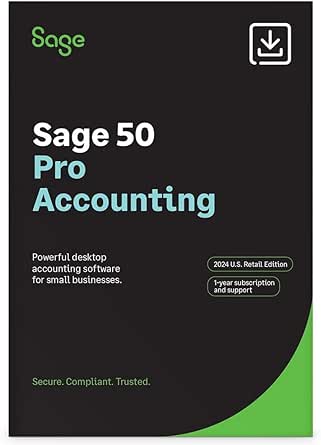 | Best for Core Desktop Bookkeeping | Edition: 2024 U.S. Retail Edition | Users: 1 | Platform: PC | VIEW LATEST PRICE | See Our Full Breakdown |
| Sage 50 Pro Accounting 2026 U.S. Retail Essential Edition, 1-User 1-Year Subscription, PC Online Code |  | Best for Buyers Seeking a Current Essential Edition | Platform: PC | Edition: U.S. Retail Essential | Subscription: 1 user, 1 year | VIEW LATEST PRICE | See Our Full Breakdown |
| Quicken Classic Business & Personal Finance Software, 1-Year Subscription for New Subscribers (PC/Mac Online Code) |  | Best for Blended Business and Personal Finances | Subscription length: 1 year | Compatibility: PC/Mac | Delivery: Online code | VIEW LATEST PRICE | See Our Full Breakdown |
| Sage 50 Premium Accounting 2024, U.S. Retail Edition |  | Best for Budgeting and Custom Reports | Edition: 2024 U.S. Retail Edition | Users: 1 | Platform: Desktop | VIEW LATEST PRICE | See Our Full Breakdown |
| Express Accounts Accounting Software for PC |  | Best for Straightforward Cash-Flow Tracking | Platform: PC download | Operating system: Windows (all) | Financial reports: Over 20 | VIEW LATEST PRICE | See Our Full Breakdown |
| QuickBooks Desktop Premier 2020 Accounting Software for Small Business, 4 Users, PC Download |  | Best for Industry-Specific Workflows | Version: 2020 | Users: 4 | Format: PC download | VIEW LATEST PRICE | See Our Full Breakdown |
| Sage 50 Premium Accounting 2024 U.S. Retail Edition (3-User, PC Download) | | Best for Feature-Rich Multi-User Accounting | Users: 3 | Platform: PC (Windows) | Delivery method: Download | VIEW LATEST PRICE | See Our Full Breakdown |
| Bookkeeper: Easily Manage Your Business Finances |  | Best for Bookkeeping Plus Payroll Tasks | Product type: Bookkeeping and payroll software | Check printing: Supports blank check stock | Check layout customization: Not available | VIEW LATEST PRICE | See Our Full Breakdown |
| QuickBooks Desktop Pro 2018 |  | Best for Basic Desktop Invoicing and Spreadsheet Imports | Platform: PC | Supported operating systems: Windows 10, Windows 8.1, and Windows 7 | Version: 2018 | VIEW LATEST PRICE | See Our Full Breakdown |
| Daily Invoice Maker – Invoicing & Accounting Software for Small Business |  | Best for Trades and Offline Work | Supported platforms: Windows, macOS, Linux | Installation limit: Up to 2 computers per license | Included media: USB drive with installers and setup instructions | VIEW LATEST PRICE | See Our Full Breakdown |
| Sage 50 Pro Accounting 2026 U.S. Retail Enhanced Edition – 1‑User, 1‑Year Subscription |  | Best for Connected Desktop Accounting | Operating system: Windows 11 24H2 or higher recommended | Processor: 2.4 GHz; 8th-Gen Intel i3 or AMD Ryzen 3 or higher recommended | RAM: 8 GB single user; 16 GB multiple users recommended | VIEW LATEST PRICE | See Our Full Breakdown |
| Express Accounts 2024 Accounting Software for Bookkeeping, Cash Flow, and Reporting |  | Best for Simple Multi-User Bookkeeping | Version: 2024 | Format: Download | Features: Bookkeeping, cash-flow tracking, invoicing, expense tracking, and reporting | VIEW LATEST PRICE | See Our Full Breakdown |
More Details on Our Top Picks
Sage 50 Premium Accounting 2024, U.S. Retail Edition, 1 User, PC Download
I’d rank this Sage 50 Premium edition ahead of Sage 50 Pro 2024 for small businesses that need to connect project costs and inventory with broader planning. It combines job costing, inventory management, budgeting, and customizable reports, giving an owner more ways to monitor where money is going than a basic invoicing-and-bookkeeping setup. Its billing and bill-payment tools also keep routine accounting tasks in the same desktop application.
The tradeoff is its single-user, PC-only setup: it is a poor fit for a team that needs shared access or Mac compatibility. Compared with Quicken Classic Business & Personal, Sage is more focused on business operations such as inventory and job costs, while Quicken is aimed at people who want business, rental, and personal finances together. The included year of Sage Business Care adds online support, but this remains a desktop product rather than a flexible multiuser service.
Pros:- Combines bookkeeping, invoicing, and bill payment in one desktop application.
- Job costing and inventory tools help track project and stock-related activity.
- Budgeting and customizable reports support closer financial planning.
- Includes a one-year Sage Business Care plan with online support.
Cons:- Licensed for one user, limiting shared bookkeeping workflows.
- Designed for PC desktop use rather than Mac or cross-platform access.
- Its wider feature set may be more than a business needs for simple invoicing and expense tracking.
Best for: PC-based small-business owners who manage inventory or project costs and want budgeting and financial reports alongside everyday bookkeeping.
Not ideal for: Teams that need multiple staff to work in the books at once, or Mac users who need accounting software for their business.
- Edition:2024 U.S. Retail Edition
- Users:1
- Platform:PC
- Delivery:Download
- Software type:Desktop accounting software
- Support plan:One-year Sage Business Care plan with online support
- Features:Bookkeeping, invoicing, bill payment, job costing, inventory management, budgeting, payroll capabilities, and financial reporting
Our verdict“Choose this edition if job costing, inventory, and budgeting matter more than multiuser or Mac access.”
Sage 50 Pro Accounting 2024 U.S. Retail Edition, PC Download
Sage 50 Pro 2024 is the more restrained choice beside Sage 50 Premium 2024: it covers invoicing, bill payments, expense tracking, inventory, and job costing without the Premium listing’s stated budgeting tools. That makes it a sensible fit for an owner who wants operational accounting and cash-flow visibility but does not need the extra planning layer. Job costing is a useful distinction from simpler bookkeeping products because it can help separate project activity when reviewing profitability.
Its limitations are plain: this is a one-user PC desktop product, and the listing describes a subscription rather than a multiuser license. Quicken Classic Business & Personal works across PC and Mac and combines personal and business finances, but Sage Pro is the more business-operations-focused option for inventory and job costs. The included year of Sage Business Care provides online support; buyers who need team access or a Mac version should look elsewhere.
Pros:- Covers invoicing, bill payments, and expense tracking in one accounting product.
- Inventory management and job costing support operational bookkeeping.
- Cash-flow tools and financial reporting help monitor business finances.
- Includes one year of Sage Business Care with online support.
Cons:- Designed for one user, so it does not suit shared team workflows.
- PC desktop platform excludes Mac users.
- Requires a subscription rather than offering a non-subscription setup.
Best for: A solo PC-based business owner who needs inventory and job-cost tracking with routine invoicing, bill payments, and financial reporting.
Not ideal for: Mac users, growing teams that need simultaneous access, or owners seeking Quicken-style combined personal and business finance management.
- Edition:2024 U.S. Retail Edition
- Users:1
- Platform:PC
- Delivery:Download
- Subscription:One-year Sage Business Care plan included
- Features:Invoicing, bill payments, expense tracking, inventory management, job costing, cash-flow management, and financial reporting
- Former name:Peachtree Accounting
Our verdict“Pick Sage 50 Pro 2024 for core PC-based business accounting with inventory and job costing, but not for team access or Mac use.”
Sage 50 Pro Accounting 2026 U.S. Retail Essential Edition, 1-User 1-Year Subscription, PC Online Code
This Sage 50 Pro 2026 Essential Edition is the clearest fit for a buyer who wants a current one-year desktop subscription with core accounting plus inventory and job costing. Purchase orders join invoicing and bill payments, which can help a small operator keep buying and selling activity connected to bookkeeping. Compared with Sage 50 Pro 2024, this listing spells out minimum Windows and hardware requirements, giving buyers a more specific compatibility checklist before committing.
The cost of that PC-focused approach is flexibility: it requires Windows and an internet connection for online features, and the license is limited to one user. Sage 50 Premium 2024 adds budgeting and customizable reporting in its product description, so businesses that need those planning tools may prefer Premium. This Essential edition instead makes more sense when the stated requirements and one-year format suit the buyer’s setup and accounting needs.
Pros:- Includes customer invoicing and bill-payment capabilities.
- Inventory tracking and purchase orders support purchasing workflows.
- Job costing and cash-flow tracking add visibility beyond basic bookkeeping.
- Provides specific operating system, processor, memory, storage, and display requirements.
Cons:- Requires a compatible Windows PC.
- Internet access is required for online features and services.
- The one-user, one-year subscription does not suit teams seeking shared access or a different term.
Best for: A solo small-business owner with a Windows 10 or 11 PC who needs purchase orders, inventory, job costing, and a defined one-year subscription.
Not ideal for: Mac users, businesses requiring multiple accounting users, or owners who need the budgeting and customizable reporting listed for Sage 50 Premium.
- Platform:PC
- Edition:U.S. Retail Essential
- Subscription:1 user, 1 year
- Minimum operating system:Windows 10 version 21H1 or later, or Windows 11 version 23H2 or later
- Minimum processor:2.0 GHz
- Minimum RAM:8 GB
- Installation disk space:1 GB
- Minimum display resolution:1280 × 800
- Internet connection:Required for online features and services
Our verdict“Choose this edition for a current, one-year Windows setup with purchase orders and job costing, and choose Sage 50 Premium if budgeting tools are a priority.”
Quicken Classic Business & Personal Finance Software, 1-Year Subscription for New Subscribers (PC/Mac Online Code)
Quicken Classic Business & Personal stands apart from the Sage options by bringing business, rental property, and personal finances into one product. Its Schedule C and Schedule E tax reports, plus profit-and-loss and cash-flow tools, suit an owner who wants a combined view of business activity and household finances. PC and Mac compatibility also gives it broader platform reach than the PC-only Sage 50 editions in this group.
That breadth comes with a different emphasis: the listing does not describe Sage-style inventory management or job costing, so product sellers and project-based businesses may find Sage 50 Premium or Pro a better operational match. Access is also limited to new subscribers, and the subscription lasts one year. I’d choose Quicken for a sole proprietor or rental-property owner managing overlapping finances, not for a small business whose main need is inventory-centered accounting.
Pros:- Combines business, rental property, and personal finance management.
- Includes Schedule C and Schedule E tax reports.
- Provides profit-and-loss and cash-flow tools.
- Supports PC and Mac.
Cons:- Available only to new subscribers.
- The listed subscription term is one year.
- The product description does not list the inventory management or job-costing tools found in Sage 50 offerings.
Best for: A new subscriber who is a sole proprietor or rental-property owner and wants business, property, and personal finances together on PC or Mac.
Not ideal for: Inventory-heavy or project-based businesses that need the job costing and inventory tools described for Sage 50, or existing Quicken subscribers who are ineligible for this offer.
- Subscription length:1 year
- Compatibility:PC/Mac
- Delivery:Online code
- Eligibility:New subscribers
- Tax reports:Schedule C and Schedule E
- Finance management:Business, rental property, and personal finances
- Financial tools:Profit and loss and cash-flow tools
Our verdict“Choose Quicken if you are a new subscriber who wants business, rental, and personal finances in one PC or Mac product.”
Sage 50 Premium Accounting 2024, U.S. Retail Edition
This Sage 50 Premium 2024 listing suits an owner who wants to pair daily bookkeeping with budgeting and customizable financial reports. Billing, invoicing, and bill payments cover routine transactions, while job costing and inventory management support businesses that need to track work and stock as well. Compared with Sage 50 Pro 2024, Premium’s stated budgeting and customizable reporting make it the stronger pick for planning and financial review, rather than just handling core accounting tasks.
The product is still a one-user desktop subscription, so those added tools do not solve the need for a team to share access. Quicken Classic Business & Personal is a better match for someone combining personal and business finances across PC and Mac, but its listed features do not emphasize Sage’s inventory and job-costing workflow. Buyers should choose this Sage edition for business accounting depth, while accepting its single-user format and subscription model.
Pros:- Combines billing, invoicing, and bill payments with accounting tools.
- Job costing and inventory management support more operational businesses.
- Budgeting and customizable reports add planning and review capabilities.
- Includes a one-year Sage Business Care plan with online support.
Cons:- Designed for one user rather than a shared team workflow.
- Sold as subscription software.
- Desktop format is less suited to buyers who need PC/Mac compatibility, as offered by Quicken Classic Business & Personal.
Best for: A solo desktop-based business owner who wants job costing and inventory alongside budgets and customizable financial reports.
Not ideal for: Teams that need several users in the accounting system, or buyers who prefer a PC/Mac product for combined personal and business finances.
- Edition:2024 U.S. Retail Edition
- Users:1
- Platform:Desktop
- Subscription:Subscription software
- Included support:One-year Sage Business Care plan with online support
- Features:Billing, invoicing, bill payments, job costing, inventory management, budgeting, and financial reporting
Our verdict“Choose Sage 50 Premium 2024 if budgeting and customizable reporting matter alongside inventory and job costing, and a one-user subscription fits your business.”
Express Accounts Accounting Software for PC
Express Accounts is a practical fit for a small business that needs core bookkeeping workflows without the larger feature set of Sage 50 Premium Accounting 2024. It tracks sales, receipts, payments, purchases, and accounts receivable, while quotes, sales orders, and invoices help keep routine transactions together. Its 20-plus financial reports can help owners review business activity without building every summary from scratch, and automatic backups reduce the chance of losing accounting records after a computer problem. Compared with Sage’s inventory, payroll, and job-costing tools, Express Accounts is narrower and easier to match to basic cash-flow needs. The tradeoff is its Windows-only PC format and limited detail about broader features such as payroll or inventory, so businesses with more complex operations may outgrow it.
Pros:- Creates quotes, sales orders, and invoices
- Tracks receivables, payments, purchases, and cash flow
- Includes more than 20 financial reports
- Automatic integrated backup helps protect records
Cons:- Listed for Windows only
- Provided product details do not describe payroll or inventory tools
- Less suited to complex operations than Sage 50 Premium Accounting 2024
Best for: Windows-based sole proprietors and small service businesses that need invoicing, payment tracking, and routine financial reports.
Not ideal for: Businesses that need built-in payroll, inventory control, advanced job costing, or access from a non-Windows computer.
- Platform:PC download
- Operating system:Windows (all)
- Financial reports:Over 20
- Backup:Automatic integrated backup
- Access:Secure web access
- Sales documents:Quotes, sales orders, and invoices
Our verdict“Choose Express Accounts for Windows-based bookkeeping and invoicing, but look to Sage 50 Premium if inventory, payroll, or job costing is part of the work.”
QuickBooks Desktop Premier 2020 Accounting Software for Small Business, 4 Users, PC Download
QuickBooks Desktop Premier 2020 earns its place for businesses whose accounting needs depend on their industry, rather than just tracking income and expenses. Its tools and reports address contractors, nonprofits, professional services, manufacturers and wholesalers, and retailers, giving those businesses more relevant ways to organize financial activity than the simpler cash-flow focus of Express Accounts Accounting Software for PC. The included four-user access can also support a small team sharing accounting duties, while invoice, expense, and tax-time reporting features cover everyday operations. Step-by-step tutorials may help users get oriented, but this is still a Windows 10-only desktop download, and the product is a 2020 version. Businesses seeking a newer edition or broader platform access should compare other options; Sage 50 Premium 2024, for example, offers a more recent release and explicit inventory and payroll features.
Pros:- Industry tools and reports cover several types of small businesses
- Supports up to four users
- Helps manage invoices and expenses
- Includes step-by-step tutorials and tax-time reports
Cons:- Requires Windows 10
- The listed version is 2020
- Product details do not specify inventory or payroll capabilities
Best for: Small retailers, contractors, nonprofits, and professional-service firms that want industry-specific accounting tools for a team of up to four users.
Not ideal for: Businesses using macOS or an operating system other than Windows 10, and buyers who require a newer software version.
- Version:2020
- Users:4
- Format:PC download
- Operating system:Windows 10
- Industry tools:Contractors, nonprofits, professional services, manufacturing and wholesale, and retail
- Core functions:Invoice, expense, and financial report management
Our verdict“Choose Premier 2020 if its industry-specific workflows and four-user setup fit your Windows 10 business, but compare Sage 50 Premium 2024 if you need expressly listed inventory and payroll tools.”
Sage 50 Premium Accounting 2024 U.S. Retail Edition (3-User, PC Download)
Sage 50 Premium Accounting 2024 is the most feature-heavy option in this group for a small business that needs accounting to reach beyond invoices and cash flow. It combines inventory, payroll, budgeting, and job costing by phase, so an owner can manage more operational detail in one desktop system. Audit trails add visibility into accounting changes, while three-user access supports a small finance team. Compared with Express Accounts Accounting Software for PC, Sage offers a much wider toolkit; compared with QuickBooks Desktop Premier 2020, it explicitly lists inventory and payroll alongside job costing. That breadth comes with a steeper learning curve, and the Windows desktop format rules out other operating systems. The included one-year Sage Business Care plan adds support, but buyers wanting only basic bookkeeping may find the added complexity unnecessary.
Pros:- Combines invoicing, inventory, payroll, and job costing
- Supports up to three users
- Audit trails and advanced budgeting help with financial oversight
- Includes one year of Sage Business Care support
Cons:- Steeper learning curve for users new to accounting software
- Windows-only desktop application
- May be more involved than needed for basic invoicing and cash-flow tracking
Best for: Small Windows-based retailers, contractors, or growing firms with up to three accounting users that need inventory, payroll, budgeting, or phased job costing.
Not ideal for: Solo operators seeking simple bookkeeping, businesses that use macOS, and teams unwilling to learn a more involved accounting system.
- Users:3
- Platform:PC (Windows)
- Delivery method:Download
- Edition:2024 U.S. Retail
- Included support:1-year Sage Business Care plan
- Accounting features:Cash-flow management, invoicing, inventory control, payroll, and advanced budgeting
- Job costing:By phase
- Audit controls:Audit trails
Our verdict“Choose Sage 50 Premium 2024 when your small business needs multi-user accounting with inventory, payroll, and job costing; skip it if basic bookkeeping is enough.”
Bookkeeper: Easily Manage Your Business Finances
Bookkeeper is aimed at small businesses that want bookkeeping and payroll in the same software, rather than the broader operational toolkit offered by Sage 50 Premium Accounting 2024. It can print checks on blank check stock and supports the 1099-NEC form, while electronic filing for W-2, 1099-NEC, and 1099-MISC forms is available through a third-party service. Those functions may suit an employer handling routine payroll paperwork, but filing brings an extra service fee and check layouts cannot be customized. The listed tax materials also specify 2022 tax forms and 2023 tax tables, so buyers should verify that the available materials fit their current filing needs. Compared with QuickBooks Desktop Premier 2020, the provided details put more emphasis on payroll forms and check printing, but give less information about industry-specific reporting and broader accounting features.
Pros:- Combines bookkeeping and payroll features
- Prints checks on blank check stock
- Supports the 1099-NEC form
- Offers electronic filing for W-2, 1099-NEC, and 1099-MISC through a third-party service
Cons:- Check layout customization is unavailable
- Electronic filing requires a fee through a third-party service
- Listed tax forms and tables are for 2022 and 2023
Best for: Small employers that need basic bookkeeping, payroll paperwork, and check printing from blank check stock.
Not ideal for: Businesses that need customizable check layouts, want electronic filing included without a separate service fee, or require clearly current tax materials.
- Product type:Bookkeeping and payroll software
- Check printing:Supports blank check stock
- Check layout customization:Not available
- Electronic tax filing:W-2, 1099-NEC, and 1099-MISC through a third-party service for a fee
- Tax forms:2022
- Tax tables:2023
- Form support:1099-NEC
Our verdict“Choose Bookkeeper if check printing and payroll paperwork are priorities, but compare Sage 50 Premium if you also need inventory, job costing, or budgeting.”
QuickBooks Desktop Pro 2018
QuickBooks Desktop Pro 2018 is a straightforward choice for a small business focused on organizing finances, creating invoices and estimates, and bringing existing figures in from spreadsheets. That import capability can reduce manual re-entry when moving records into accounting software, while step-by-step tutorials may help owners without accounting experience get started. Multi-monitor support can make it easier to work across accounting tasks and other business documents. Compared with QuickBooks Desktop Premier 2020, Pro 2018 has fewer listed differentiators: Premier adds industry-specific tools and supports four users, while this product’s supplied details emphasize basic desktop bookkeeping. It is compatible with several Windows versions, but not Mac, and the 2018 edition is older than the 2020 Premier and 2024 Sage options in this group. System requirements are also not specified.
Pros:- Imports data directly from spreadsheets
- Creates professional invoices and estimates
- Includes step-by-step tutorials
- Supports multi-monitor use
Cons:- Windows only, with no Mac support
- The listed edition is from 2018
- Processor, memory, storage, and video requirements are unspecified
Best for: A Windows-based sole proprietor or small business that needs basic invoicing, estimates, spreadsheet imports, and guided setup.
Not ideal for: Mac users, teams seeking explicitly listed multi-user access, or businesses that need newer versions and detailed system requirements.
- Platform:PC
- Supported operating systems:Windows 10, Windows 8.1, and Windows 7
- Version:2018
- Data import:Imports data from spreadsheets
- Documents:Invoices and estimates
- Display support:Multi-monitor support
- Included subscription:One year of QuickBooks Online
Our verdict“Choose QuickBooks Desktop Pro 2018 for basic Windows invoicing and spreadsheet imports, but favor Premier 2020 if your business needs industry-specific tools and four-user access.”
Daily Invoice Maker – Invoicing & Accounting Software for Small Business
Daily Invoice Maker is the most trade-focused choice here: contractors, plumbers, cleaners, and other field businesses can turn estimates into invoices while tracking receipts, expenses, and mileage. Those records can feed tax reports, helping owners keep job-related costs together without relying on a constant internet connection. Unlike Sage 50 Pro Accounting 2026, which adds bank feeds, remote access, and a customer portal, this software keeps its data on the computer and works offline; that suits businesses prioritizing local control over connected workflows. Its XLSX and CSV import/export also gives owners a way to move records between spreadsheets and the software. The tradeoff is more hands-on upkeep: backups are manual, each license covers only two computers, and the Android app is sold separately. I’d choose it for straightforward trade bookkeeping, not for a team needing shared, cloud-based access.
Pros:- Trade-oriented workflow turns estimates into invoices and supports job-related records.
- Offline use keeps core bookkeeping available without an internet connection.
- Tracks receipts, expenses, and mileage alongside tax reports.
- Imports and exports XLSX and CSV files for spreadsheet-based workflows.
Cons:- Data safety depends on the owner making manual backups.
- A license is limited to two computers, which can constrain a growing team.
- Android access requires a separately sold app.
Best for: Independent contractors and trade businesses that need estimates, invoicing, mileage, and expense tracking while working offline on a Windows, Mac, or Linux computer.
Not ideal for: Businesses that need automatic cloud backups, broad mobile access, or more than two licensed computers; the Android app costs extra and backups require manual action.
- Supported platforms:Windows, macOS, Linux
- Installation limit:Up to 2 computers per license
- Included media:USB drive with installers and setup instructions
- Offline capability:Yes; email requires internet
- Data export formats:XLSX, CSV
- Business workflows:Estimates, invoices, receipts, expenses, mileage, and tax reports
Our verdict“Choose Daily Invoice Maker if you run a small trade business and value offline, computer-based bookkeeping over cloud collaboration and automated backups.”
Sage 50 Pro Accounting 2026 U.S. Retail Enhanced Edition – 1‑User, 1‑Year Subscription
Sage 50 Pro Accounting 2026 Enhanced suits an owner who wants desktop accounting with selected connected services, rather than a fully offline setup. Automated bank feeds and accounts-receivable automation can reduce repetitive payment work, while the customer portal gives clients a place to manage invoices and payments. Remote data access adds flexibility compared with Daily Invoice Maker, which emphasizes offline use and local data, but Sage requires a reliable internet connection and a supported Windows computer. Its inventory and job-costing tools also make it a stronger fit for businesses that need to follow costs beyond basic invoicing. The main limits are substantial for a small operation: this license is for one user, hardware requirements are relatively demanding, and the subscription continues beyond its included year. I’d favor it over Express Accounts when connected payment workflows matter more than a lighter setup or multi-user access.
Pros:- Automated bank feeds and AR tools can reduce manual payment administration.
- Customer portal supports invoice and payment management outside office hours.
- Inventory and job-costing tools support more involved business tracking.
- Includes one year of support and subscription updates.
Cons:- The license supports only one user.
- Requires a relatively recent Windows system and recommended hardware.
- The subscription model can add ongoing costs after the included year.
Best for: A Windows-based small business owner who works alone, handles inventory or job costs, and wants bank feeds, payment automation, and a customer invoice portal.
Not ideal for: Teams needing multiple users under one license, businesses with older computers or unreliable internet, and owners avoiding recurring subscription commitments.
- Operating system:Windows 11 24H2 or higher recommended
- Processor:2.4 GHz; 8th-Gen Intel i3 or AMD Ryzen 3 or higher recommended
- RAM:8 GB single user; 16 GB multiple users recommended
- Disk space:1 GB for installation
- .NET Framework:Microsoft .NET Framework 4.8
- Internet speed:25 Mbps download / 10 Mbps upload
- License:1 user; 1-year subscription
- Included service:One year of support and subscription updates
Our verdict“Pick Sage 50 Pro Enhanced if you need connected desktop workflows and job-costing tools on a single-user Windows setup, and can accommodate its subscription and system requirements.”
Express Accounts 2024 Accounting Software for Bookkeeping, Cash Flow, and Reporting
Express Accounts 2024 is a practical fit for a small team that needs core bookkeeping, invoicing, and reports without the more connected workflow of Sage 50 Pro Accounting 2026. It tracks payments, deposits, quotes, invoices, and expenses, with account balances available from the home screen; that gives owners a quick view of cash activity without making a full reporting package the center of the workflow. Secure logins for multiple users are a useful distinction from the one-user Sage subscription in this roundup, and reports can be emailed or faxed to an accountant. The tradeoff is that the supplied details do not establish features such as bank-feed automation, inventory tools, or offline operation, so I wouldn’t select it for complex job costing or connected payment management. It stands out for straightforward shared bookkeeping, but buyers seeking trade-specific mileage and receipt tools may prefer Daily Invoice Maker.
Pros:- Tracks payments, deposits, quotes, invoices, and expenses in one bookkeeping workflow.
- Home-screen account balances offer a quick view of business cash activity.
- Secure multi-user logins suit small teams better than Sage 50 Pro’s single-user license.
- Reports can be emailed or faxed directly to an accountant.
Cons:- The provided product details do not specify bank-feed automation or remote access.
- No inventory, job-costing, mileage, or receipt-tracking capabilities are specified.
- Offline capability and supported operating systems are not specified in the supplied details.
Best for: Small businesses with several people handling basic transactions who want invoicing, cash-flow tracking, account balances, and reports they can share with an accountant.
Not ideal for: Businesses that need confirmed bank-feed automation, inventory or job-costing features, trade-focused mileage tracking, or a clearly specified offline workflow.
- Version:2024
- Format:Download
- Features:Bookkeeping, cash-flow tracking, invoicing, expense tracking, and reporting
- User access:Multiple users with secure logins
- Transactions:Payments, deposits, quotes, invoices, and expenses
- Account overview:Account balances shown from the home screen
- Report sharing:Reports can be emailed or faxed to an accountant
Our verdict“Choose Express Accounts if your small team needs accessible core bookkeeping and accountant-ready reports, rather than advanced connected or trade-specific tools.”

How We Picked
I ranked these options by how well their stated scope fits day-to-day small business accounting: bookkeeping depth, reporting and cash-flow tools, support for more than one user, and how clearly the product is positioned for business use. I also weighed usability and the likely setup burden against the work each option can handle. A focused invoicing tool can be a better choice for a solo operator than a larger desktop suite, but it ranks lower when the goal is to manage broader business books.
The lineup includes different editions, release years, user counts, and subscription formats, so I treated each listing as its own purchase decision rather than assuming all versions of a brand offer the same capabilities. Sage 50 Premium ranks ahead for broader accounting needs; Sage 50 Pro follows as a more contained option. Simpler products rank lower for buyers who need full accounting coverage, while older QuickBooks desktop editions require extra scrutiny around current compatibility, updates, and support. I did not treat a product name alone as proof that every feature is included in every edition.
Factors to Consider When Choosing Small Business Accounting Software
Before choosing, match the software to the work you actually do and the way your business handles records. A familiar brand or long feature list cannot make an edition suitable if it lacks the user access, reporting, or current support your workflow requires.
Choose the scope of accounting you need
Start by listing the tasks you need the software to cover: recording income and expenses, invoicing, tracking cash flow, reconciling accounts, and producing reports. A solo service business may need a reliable record of transactions and straightforward invoices, while a business with inventory, payroll, or more involved reporting may need a broader system. Avoid paying for complexity you will not use, but do not mistake an invoicing app for a complete accounting workflow. A useful test is whether the software can support your month-end routine, not just create a document for a customer. Map each must-have task to a specific edition before buying. If a requirement is unclear, confirm it with the vendor rather than inferring it from the product family name.
Check edition, release year, and subscription terms
Accounting software listings can share a brand name while referring to different feature sets, release years, or delivery models. Compare the exact edition and version shown on the listing with the capabilities you need, and check whether access is perpetual, time-limited, or tied to a subscription. Older desktop releases may suit an established workflow, but their update, compatibility, and support status can change the ownership picture. Do not assume a newer year automatically includes every higher-tier feature, or that a similar title describes the same license. Confirm what happens to access and updates when a subscription term ends. Keep the product details with your purchase records so the license matches the machines and users you plan to support.
Plan for users, devices, and collaboration
Count the people who need to enter transactions, review reports, or work with an accountant, rather than counting only full-time staff. A one-user license can create a bottleneck when another person needs access at month end, while a multi-user option may add complexity that a solo owner does not need. Check whether the stated user count means simultaneous access, named accounts, or another licensing limit. Also determine whether the software is designed for one computer or supports the way your team shares information. A desktop workflow can suit a business that keeps bookkeeping in-house on a dedicated machine, but it may be less convenient for staff working across locations. Decide how files will be backed up and shared before the first transaction is entered.
Match software complexity to your bookkeeping skills
More accounting capability can save time only when someone can set up and maintain the system properly. If you handle the books yourself, think about how comfortable you are with account categories, reconciliations, and report settings before choosing a feature-rich desktop suite. A simpler product may reduce friction at the start, but it can require a later move if the business needs more detailed records. Ask who will configure the chart of accounts and review entries, especially if you are changing from spreadsheets. A short trial or vendor walkthrough can reveal whether common tasks feel manageable. Build training and migration time into the decision instead of treating setup as a one-day task.
Look beyond the software to the full workflow
Accounting software is only one part of the process: bank feeds, payment providers, payroll, tax preparation, and accountant access can shape how much manual work remains. Before committing, identify which systems must exchange data and verify that the exact edition supports those connections. If integrations are limited, a lower-cost or simpler tool may lead to repeated exports and data entry that erase its apparent convenience. Ask your accountant which file formats and reports they can use, and confirm how records can be exported if you change products. Think about data backup and recovery alongside day-to-day features. A dependable handoff and clear record retention can matter more than a long list of tools you will rarely open.
Judge value by the cost of gaps and change
Compare the work each product can handle with the time and outside help needed to fill its gaps. A simpler tool may be sensible when bookkeeping needs are narrow, while a broader system can be worthwhile if it replaces multiple manual steps. Factor in training, migration, ongoing access, and the risk of having to switch as the business grows, not only the initial license. Avoid buying extra user seats or advanced features without a clear use case, but do not select a limited edition that cannot support an existing obligation. Set a review point after your next reporting cycle to see whether the software is reducing work or creating workarounds. That gives you a practical basis for deciding whether to stay, add capability, or move.
Frequently Asked Questions
Should I choose a desktop accounting program or a lighter invoicing app?
Choose based on the records you need to keep, not the number of features advertised. If you only need to create invoices and keep simple transaction records, a focused app may be easier to maintain. If you need regular reconciliations, detailed business reports, or more than one person working with the books, a broader accounting program is usually a better fit. Check whether the lighter app can export the records your accountant needs. Also consider where your team works and how files will be backed up. The least complicated option that covers your full routine is usually the safer choice.
Are the older QuickBooks Desktop editions in this lineup a sensible purchase?
They may suit a business that already depends on a compatible desktop workflow, but a new buyer should verify the edition’s current operating-system compatibility, updates, and support before relying on it. Older software can create problems if your computer changes or you need help resolving an issue. Confirm which features are included in the specific release and whether your accountant can work with its files. Make a backup and export plan before moving existing books into an older version. If current support or integrations are a requirement, compare a newer supported product before deciding.
How do I choose between Sage 50 Pro and Sage 50 Premium?
Begin with the specific tasks your business needs, then compare the exact edition listings rather than relying on the Pro or Premium label alone. Premium is positioned as the broader option in this roundup, while Pro is the more contained choice for businesses that do not need as much accounting depth. Verify user limits, included tools, release year, and whether the license is a subscription or a different purchase format. If you are unsure whether an advanced feature will be useful, ask your bookkeeper or accountant to identify a real workflow that needs it. This prevents paying for scope you will not use or choosing an edition that falls short.
What should I confirm before buying a one-user license?
Check who needs to enter transactions, approve work, or review reports, including an outside bookkeeper or accountant. A one-user license may be adequate if one person handles the books and others receive exported reports, but it can slow work if several people need direct access. Confirm how the vendor defines a user and whether access can be moved between computers. Review any limits on installation, file sharing, and simultaneous use in the license terms. If your team is likely to grow, compare the cost and process of adding users before you commit.
Can I switch from a basic bookkeeping or invoicing app to full accounting software later?
Usually, but the quality of the move depends on what the current app can export and how consistently you have kept your records. Before starting, confirm that you can export transaction history, customer and vendor details, and any supporting records you need. Keep copies of invoices, statements, and reports outside the app so you are not dependent on continued access. Ask the new software provider or your accountant what data can be imported and what may need manual entry. Plan the change at a clean bookkeeping cutoff, then reconcile opening balances before relying on new reports.
Conclusion
For the best overall fit, I recommend Sage 50 Premium for small businesses that want a fuller desktop accounting system and can manage its added complexity. For value, consider Sage 50 Pro if its specific edition covers your routine without the broader scope of Premium; confirm the release and subscription details first. For beginners or very simple bookkeeping, Express Accounts is the more approachable direction, while invoice-focused tools make sense when billing is the main task. For a personal-finance-led business workflow, Quicken Classic Business & Personal may fit a narrower need, but it should not be treated as a substitute for every full business accounting system. For a specific established desktop workflow, QuickBooks Desktop can be relevant, though I would verify the older releases’ compatibility and support before choosing them. Match the exact license to your users and required tasks, and prioritize current support if the software will hold your core business records.
Evergreen bestsellers Picks

Shark Rocket Corded Stick Vacuum (HV301) – Gray/Orange

Breville Bambino Espresso Machine, Brushed Stainless Steel (BES450BSS)

KitchenAid Artisan 5-Qt Tilt-Head Stand Mixer – Almond Cream (KSM150PS)
As an affiliate, we earn on qualifying purchases.