
TL;DR

Get business pricing on office and shipping supplies
- Business-only prices and quantity discounts
- Tax-exempt purchasing
- Multiple users, one account, clear invoices
You can create a full, ready-to-publish media package from a single video without using cloud services. This approach streamlines your workflow, enhances privacy, and keeps everything on your own machine — perfect for offline work or avoiding SaaS dependencies.
Ever feel like publishing is a maze? You finish a video, then spend hours adding titles, descriptions, thumbnails, clips for TikTok, blog drafts, social posts — and that’s just the start. Meanwhile, cloud-based tools promise ease but often lock you into their servers, making you dependent on internet access and SaaS plans.
What if you could turn one video into a complete publishing kit — ready for all platforms — without ever touching the cloud? This isn’t about some distant, theoretical idea. It’s about a local-first workflow that puts control back in your hands, keeps your media private, and cuts down the busywork from hours to minutes.
In this article, I’ll show you how a single source video can become a multi-platform publishing package, all managed offline. We’ll explore the tools, steps, and tradeoffs — and why this approach might be exactly what you need in 2024.
Key Takeaways
- A single source video can generate a full publishing kit, including clips, descriptions, thumbnails, and social posts, all managed offline.
- Tools like ChannelHelm analyze audio and visuals on multiple layers, creating structured assets rooted in what the video actually contains.
- A local-first workflow reduces dependence on internet connectivity, giving you greater control, privacy, and reliability.
- While cloud publishing excels at collaboration, offline workflows are ideal for creators needing resilience and independence.
- Building a self-contained publishing setup today is practical, scalable, and increasingly relevant in a world leaning toward cloud dependency.
As an affiliate, we earn on qualifying purchases.
How One Video Turns Into a Complete Publishing Kit
Think of your video as a seed. From it, you grow a whole garden of content assets — titles, descriptions, clips, thumbnails, social posts. All these pieces come from a single source, organized and ready to deploy.
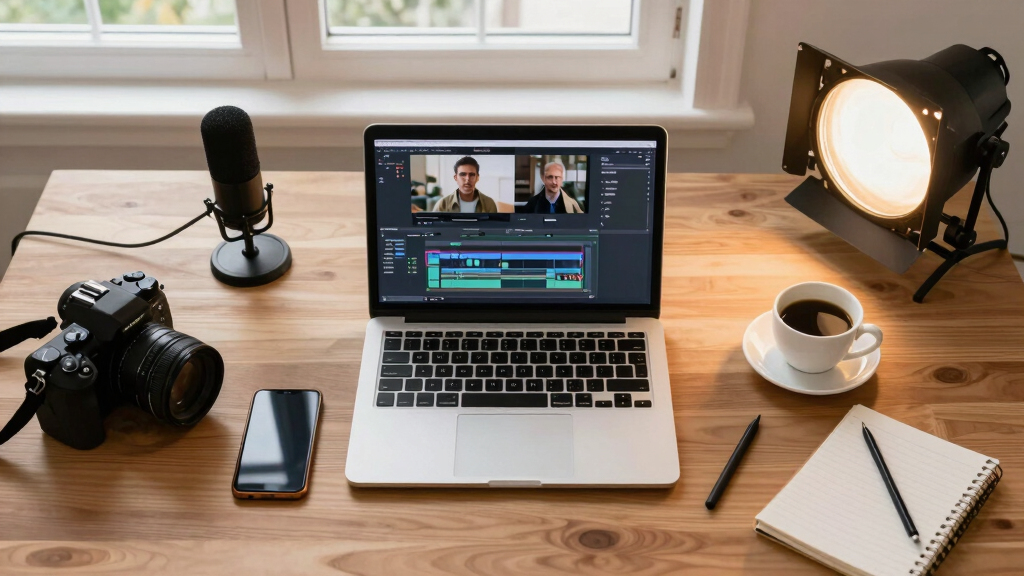
One powerful tool making this possible is ChannelHelm. It ingests your video, then analyzes audio and visuals on four layers: speech, scene cuts, on-screen text, and overall meaning. This layered analysis is crucial because it allows for a nuanced understanding of your content, enabling the generation of assets that are truly relevant and context-aware. For example, identifying key speech segments helps in creating accurate transcripts and highlight clips, while scene detection facilitates the quick creation of thumbnails based on visually distinctive moments. This process reduces guesswork and manual editing, saving time and increasing precision. The implications are significant: you get a structured, interconnected set of assets rooted in the actual content, which enhances consistency and quality across platforms. However, it also means you need to understand the limitations—such as the accuracy of AI analysis in complex or noisy footage—and be prepared to review and refine generated assets accordingly.
What’s Actually Included in the Publishing Kit? (Spoiler: More Than Just a Video)
The publishing kit isn’t just the video file. It’s a bundle of assets designed for quick deployment across platforms, but understanding why each component matters reveals the depth of this approach. For instance, titles, captions, and hashtags aren’t just filler—they’re carefully scored for engagement, based on keyword analysis and trend data, which can significantly impact discoverability. Thumbnails are generated from the most visually engaging moments, which is critical because a compelling thumbnail can dramatically increase click-through rates. Short clips tailored for TikTok, Reels, or Shorts aren’t just cut-down versions; they’re optimized with attention to pacing, aspect ratio, and content relevance, ensuring they perform well on each platform’s unique environment. Transcripts aren’t only for accessibility—they also boost SEO, making your content more discoverable in search engines. Embedded playlists and social posts are crafted to maintain your branding and voice, providing a seamless experience for your audience. The comprehensive nature of this kit means you’re prepared to publish confidently across multiple channels, reducing the need for last-minute edits and ensuring consistency in messaging and branding. This depth of preparation reduces the typical friction and guesswork in multi-platform publishing, giving creators a reliable, scalable system that adapts to various content strategies.
How to Create a Publishing Kit Without Relying on the Cloud
Here’s a simple step-by-step process to turn your video into a publishing kit entirely offline:
- Drop or link your video: Upload the file or paste a link into your local tool.
- Analyze and understand: Let the tool transcribe, detect scenes, read on-screen text, and fuse insights. This layered analysis is vital because it ensures that the assets generated are relevant and rooted in the actual content, reducing the need for manual guesswork. By understanding the nuances—such as speech nuances or scene transitions—you can produce more accurate and compelling assets.
- Review assets: Check titles, clips, and descriptions. Edit or regenerate as needed. This review process is critical because AI-generated assets may not always capture context perfectly, especially with complex language or visuals, so human oversight ensures quality and relevance.
- Preview on other devices: Test playback locally or on a secondary device to catch issues. This step helps verify that all assets look and perform as intended across different screens and environments, ensuring a smooth user experience.
- Export and deploy: Save the full package (video, metadata, clips) for manual upload or local hosting. Having a complete, organized package simplifies the publishing process and reduces errors, especially when working offline or in restricted environments.
Tools like [ChannelHelm](https://channelhelm.com/) are designed to do this entirely on your machine, avoiding cloud dependencies and giving you total control over your content pipeline. This independence is crucial for maintaining privacy, reducing latency, and ensuring that your workflow isn’t disrupted by connectivity issues. While some workflows might require initial setup or occasional updates, the core process remains offline, empowering you to publish confidently regardless of internet status.

How to Create a Publishing Kit Without Relying on the Cloud Comparison: Cloud Publishing vs Local-First Workflow
Feature Cloud Publishing Local-First Workflow Dependence on internet High — requires connectivity for uploading, editing, and publishing Low — everything runs on your machine, offline or with optional sync Control over data Limited — data stored on SaaS servers, subject to policies Full — everything stays local unless you choose to sync Speed and reliability Variable — depends on connection quality Consistent — runs at your pace, no lag from servers Collaboration features Built-in — multiple users, comments, version control Manual — collaboration requires local sharing or syncing While cloud tools excel at collaboration and scalability, local-first workflows offer unmatched control, privacy, and offline resilience. They enable creators to work securely in sensitive environments, avoid vendor lock-in, and tailor their workflow to their specific needs without being tethered to a constant internet connection. Though they may require more initial setup and manual management, the long-term benefits of independence and security often outweigh the tradeoffs, especially for creators prioritizing privacy or working in remote or restricted environments.

Comparison: Cloud Publishing vs Local-First Workflow Why You Might Prefer a Local-First Approach in 2024
The industry leans heavily toward cloud, but more creators seek independence from constant internet reliance. For instance, journalists in remote areas, educators with privacy concerns, or teams in regions with unstable connectivity find local workflows a game-changer. This shift isn’t just about convenience—it’s about resilience, security, and control. When your entire content pipeline is self-contained, you’re less vulnerable to outages, censorship, or data breaches that can occur when relying solely on third-party services. Additionally, local-first workflows often support better data sovereignty—your content remains in your hands, not on someone else’s servers. This is especially important for sensitive or proprietary material. Moreover, as AI and automation tools become more capable but also more privacy-conscious, the benefit of keeping data local increases. The trend toward hybrid models—where core workflow components are local, with optional cloud sync—reflects a desire for flexibility and security. As more creators recognize these advantages, the local-first approach is poised to become a standard for those who value independence, privacy, and reliability in their content production process.
Why You Might Prefer a Local-First Approach in 2024 Practical Tips to Build Your Offline Publishing Kit Today
Ready to try this yourself? Here are some concrete tips:
- Invest in a powerful local media management tool. This ensures your assets are organized, searchable, and easily accessible, which is vital for efficiency and accuracy in offline workflows.
- Keep your source videos organized in a dedicated folder structure for quick access. Consistent organization reduces the time spent searching and minimizes errors during asset generation.
- Regularly update your local scripts and prompts to improve asset quality. This ongoing refinement helps your AI tools better understand your content style and preferences, leading to more relevant outputs over time.
- Practice previewing your content on different devices before publishing. Testing across screens ensures your assets look good everywhere, which is especially important when you can’t rely on cloud-based simulators or remote testing.
- Maintain backups of your media and assets on external drives or local servers. Redundancy safeguards your work against hardware failures or accidental deletions, ensuring your effort is preserved and ready for deployment at any time.
Most importantly, develop a habit of reviewing every asset locally before hitting publish. This final check is crucial because AI-generated content can sometimes misinterpret context or produce inaccuracies. By inspecting assets on your own devices, you ensure consistency and quality, making your offline workflow robust and reliable.
Frequently Asked Questions
What does “one video in, a whole publishing kit out” actually mean?
It means starting with a single master video and ending up with all the assets needed to publish across platforms — titles, clips, descriptions, thumbnails, and social posts — all generated and managed locally.
What’s included in the publishing kit? Does it cover all platforms?
Yes, a publishing kit typically includes video files, short clips, metadata, thumbnails, and ready-to-go posts tailored for platforms like YouTube, TikTok, Instagram, and more — all assembled from one source.
How does the workflow work without relying on the cloud?
The entire process runs on your local machine: ingest the video, analyze it, generate assets, preview on different devices, and then manually upload or host the content. Cloud services are optional, not required.
Are there tradeoffs compared to cloud-based publishing?
The main tradeoff is collaboration and scalability. Cloud tools make teamwork easier and automatic, but offline workflows offer more control, privacy, and resilience — especially in unstable or restricted internet environments. This means you might spend more time managing assets manually or setting up local sharing systems, but you gain independence from third-party vendors and reduce exposure to outages or data breaches. It’s about choosing control over convenience and understanding that some features—like real-time collaboration—may be less seamless offline, requiring careful planning and organization.
Can this approach support offline environments or just local computers?
It’s primarily designed for local environments, but with some sync and caching strategies, you can prepare content offline and then upload or deploy when you’re connected again — ideal for remote or privacy-conscious workflows. This flexibility allows you to work in virtually any setting, ensuring your content pipeline remains intact even without internet access.
Conclusion
Taking control of your content from start to finish without relying on the cloud isn’t just a tech trick — it’s a strategic move. It’s about sovereignty, privacy, and making sure your workflow works whether your internet does or not.
Imagine a future where your entire publishing process sits safely on your local machine, ready to deploy at a moment’s notice. That future is here, and it starts with one video. Are you ready to build your own publishing kit?

Practical Tips to Build Your Offline Publishing Kit Today
FALL Fall Picks
fall essentialsfall essentials
As an affiliate, we earn on qualifying purchases.