
To truly enjoy your ultrawide monitor’s immersive experience, you need a well-prepared desk setup. Make sure your desk is wide and stable enough to support the monitor at eye level, with enough space to keep your keyboard and mouse within easy reach. Keep the workspace clutter-free to avoid reflections and distractions. An adjustable, sturdy setup helps maintain good posture and prevents fatigue. If you keep these points in mind, you’ll realize the full potential of your ultrawide. There’s more to discover below.

Get business pricing on office and shipping supplies
- Business-only prices and quantity discounts
- Tax-exempt purchasing
- Multiple users, one account, clear invoices
Key Takeaways
- Ensure the desk is wide enough to comfortably accommodate the ultrawide monitor at an optimal viewing distance.
- Use an adjustable stand or mounting arm to position the monitor at eye level, reducing neck strain.
- Maintain a clutter-free workspace to enhance immersion and prevent reflections or glare.
- Arrange peripherals within easy reach to support natural, relaxed arm posture during extended use.
- Invest in a stable, sturdy desk to prevent movement or wobbling that can disrupt focus and comfort.
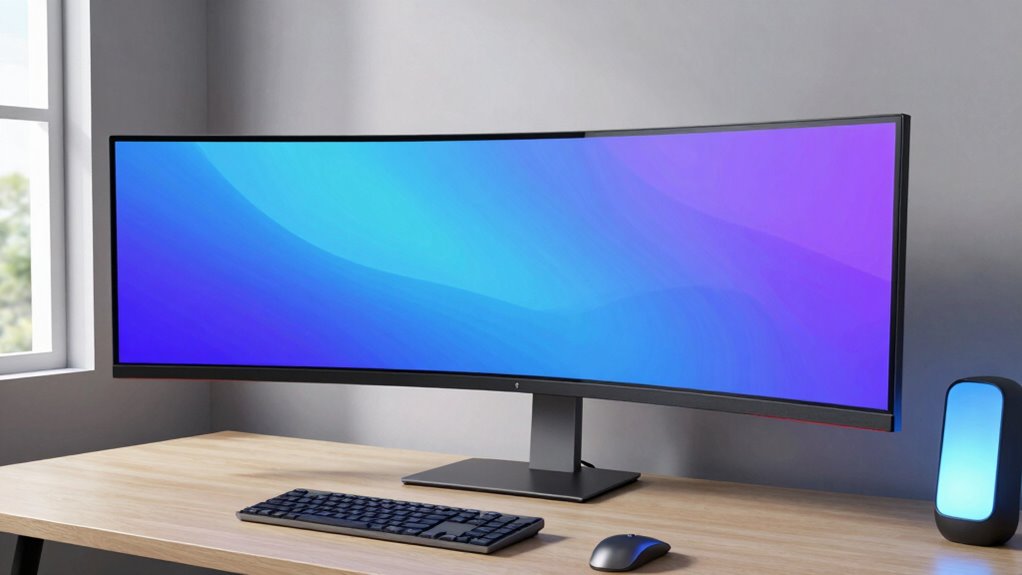
If you’ve ever experienced an ultrawide monitor, you’ll know how instantly immersive and satisfying it feels. Its expansive screen fills your peripheral vision, pulling you into whatever task or game you’re tackling. But to truly enjoy the benefits—like ergonomic advantages and immersive gaming—you need a desk setup that can support it properly. Without the right space and adjustments, even the best monitor can feel awkward or uncomfortable.
One of the biggest perks of ultrawide monitors is their ergonomic benefits. Unlike traditional screens, they reduce the need to turn your head or constantly shift your gaze across multiple monitors. This setup minimizes strain on your neck and eyes, helping you maintain better posture during long hours at your desk. To maximize this advantage, ensure your desk can accommodate the monitor’s width comfortably, keeping it at eye level. A sturdy, adjustable stand or a mounting arm can help you position it perfectly, avoiding strain and promoting good ergonomics. When your monitor is aligned properly, you’re less likely to experience fatigue or discomfort over time.
For gaming enthusiasts, ultrawide monitors deliver an unparalleled immersive experience. You don’t just see the action—you feel like you’re part of it. The wide field of view enhances situational awareness, making gameplay more engaging and realistic. But if your desk isn’t ready, this experience can be hindered. A cluttered or cramped workspace makes it difficult to position the monitor at an optimal distance, diminishing the immersive effect. You want enough space to sit comfortably at a proper viewing distance—usually about arm’s length away—and to avoid reflections or glare from ambient light sources. Additionally, a desk that’s stable and level ensures the monitor stays in position during intense gaming sessions, preventing distractions or accidental knocks. A proper workspace layout** can significantly improve your overall experience. Creating a dedicated gaming zone** within your workspace can further enhance focus and immersion.
Beyond size and positioning, consider your workspace layout. Keep your keyboard and mouse within easy reach, and arrange other peripherals to avoid clutter that could distract or cause discomfort. Your desk should support a natural, relaxed posture, with room for your arms to rest comfortably. If your current setup is tight or uneven, it’s worth investing in a larger or more adjustable desk. This not only enhances your ergonomic benefits but also creates an environment where immersive gaming becomes even more enjoyable. Investing in a sturdy setup can make all the difference in achieving both comfort and stability during extended use.
ultrawide monitor adjustable mount
As an affiliate, we earn on qualifying purchases.
As an affiliate, we earn on qualifying purchases.
Frequently Asked Questions
Do Ultrawide Monitors Improve Gaming Performance?
Yes, ultrawide monitors can improve your gaming performance by providing an immersive experience. They expand your peripheral vision, allowing you to see more of the game world without turning your head. This increased field of view can give you a competitive edge, helping you spot enemies or details sooner. Plus, the wider screen reduces the need for constant camera movement, making gameplay smoother and more engaging.
How Do Ultrawide Monitors Compare to Dual Monitors?
Ultrawide monitors generally offer a more seamless, immersive experience compared to dual monitors. You’ll find it easier to make ergonomic adjustments, as a single screen reduces gaps and misalignments. Plus, monitor calibration for an ultrawide is simpler, ensuring consistent color and brightness across the entire display. This setup can boost productivity and comfort, making your workflow smoother without the hassle of managing multiple screens and their adjustments.
Are Ultrawide Monitors Suitable for Graphic Design?
You’ll find ultrawide monitors great for graphic design, especially because over 70% of designers say color accuracy is vital. They provide a seamless workspace, making it easier to organize your tools and view multiple windows without distraction. The expansive screen real estate enhances your workflow, allowing you to see more detail and work more efficiently. Just make sure the monitor offers high color accuracy for the best results.
What Are the Best Desk Setups for Ultrawide Monitors?
You should opt for a spacious, sturdy desk with adjustable ergonomic accessories like a monitor stand or arm to position your ultrawide monitor comfortably. Prioritize good cable management solutions to keep your workspace tidy and prevent clutter. A curved monitor stand can improve viewing angles, while an ergonomic keyboard and mouse enhance comfort during long sessions. This setup guarantees your ultrawide monitor feels as incredible as it looks.
How Much Do Ultrawide Monitors Typically Cost?
Ultrawide monitors can cost anywhere from $300 to over $2,000, depending on features and size. Monitor price trends show that prices are gradually dropping, making budget ultrawide options more accessible. For a solid experience without breaking the bank, you might find decent models around $300-$500. If you’re after top-tier specs, be prepared to invest more, but there’s a wide range to fit different budgets.
Conclusion
So, you’re ready to elevate your workspace with an ultrawide monitor. But wait—have you checked if your desk can truly handle the upgrade? The difference is incredible, but a cramped setup might hold you back. Before you make the leap, make certain your space is prepared. Once you do, the immersive experience will blow you away. Are you ready to transform your desk—and your entire workflow? The choice is yours.
Halloween Picks
halloween
As an affiliate, we earn on qualifying purchases.