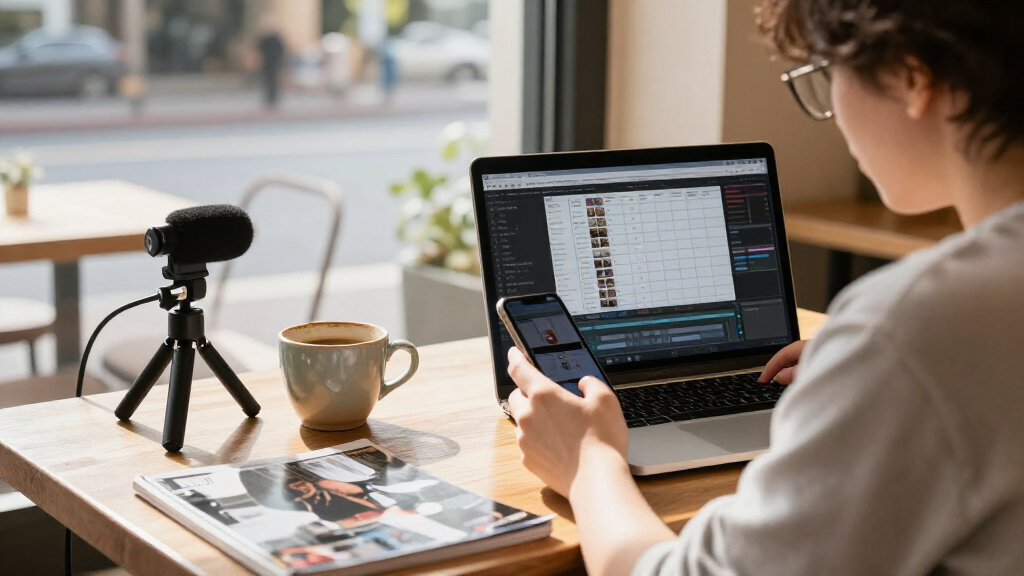

Choosing social media content creation tools starts with the part of your workflow that needs help most: planning and designing posts, or filming and recording them. I would shortlist Canva for Beginners and Social Media for learning to make platform-ready visuals, UBeesize’s 71-inch kit for flexible floor and desktop filming, and the Yeaki 63-inch tracking kit for hands-free recording with stated microphone range and battery details. These options solve different problems, so the best fit depends less on a single feature and more on whether your bottleneck is creative know-how, stable framing, lighting, or sound.

Get business pricing on office and shipping supplies
- Business-only prices and quantity discounts
- Tax-exempt purchasing
- Multiple users, one account, clear invoices
The four hardware kits bundle overlapping accessories, but their distinctions matter: phone-size compatibility is limited or unclear on some models, face tracking varies, and battery information is missing from several listings. The Canva book is the only option focused on design instruction rather than equipment. I rank these picks by how directly they support a repeatable social-content workflow, how clearly their listed features address common creator needs, and how much uncertainty a buyer must accept. I also call out who should skip each one, because an accessory bundle is not a substitute for the right phone fit, app workflow, or editing skills.
Key Takeaways
- Pick Canva for learning visual formats: its guide covers posts, carousels, reels, and templates across Instagram, TikTok, YouTube, and other platforms, but it does not provide filming equipment.
- UBeesize offers the broadest filming setup: a 71-inch tripod, detachable tracking head, desktop stand, lights, microphones, and remote support both tabletop and standing shots.
- Yeaki’s 63-inch kit has the clearest stated audio range: the microphones are listed for up to 12 hours of battery life and up to 79 feet of wireless range, though the phone holder fits only 4–4.7-inch devices.
- YUANRAN emphasizes app-free control: gesture-operated face tracking and Lightning and USB-C microphone connectivity are useful, but the listed minimum and maximum tripod heights are both 70 inches.
- Match the mount before buying: the standard Yeaki kit lists a 4.7–7-inch clamp, while the other Yeaki kit specifies a much narrower 4–4.7-inch holder; UBeesize states iPhone and Android compatibility without giving a phone-width range.
| Canva for Beginners and Social Media: Create Posts, Carousels, Reels, and Templates |  | Best for learning social design | Format: Book | Primary tool covered: Canva | Experience level: Beginners | VIEW LATEST PRICE | See Our Full Breakdown |
| UBeesize 71-Inch Vlogging Kit with Face-Tracking Tripod, Desktop Stand, Microphones, and Lights |  | Best overall filming flexibility | Brand: UBeesize | Model: UB-GPQ13BK | Tripod height: Up to 71 inches | VIEW LATEST PRICE | See Our Full Breakdown |
| Yeaki Vlogging Kit with 63-Inch Face-Tracking Tripod, LED Lights, Wireless Microphones, and Remote |  | Best for specified audio range and hands-free tracking | Brand and model: Yeaki XMW | Tripod height: 13–63 inches | Weight: 0.79 kg | VIEW LATEST PRICE | See Our Full Breakdown |
| YUANRAN Content Creator Vlogging Kit with 70-Inch Face-Tracking Tripod |  | Best for app-free gesture controls and dual phone connections | Brand and model: YUANRAN B180 Kit | Tripod height: Listed minimum and maximum: 70 inches | Weight: 0.85 kg | VIEW LATEST PRICE | See Our Full Breakdown |
| Yeaki Vlogging Kit for iPhone and Android |  | Best starter bundle for adjustable phone framing | Brand and model: Yeaki VK01 | Included supports: Camera tripod and flexible tripod | Phone compatibility: 4.7–7 inches | VIEW LATEST PRICE | See Our Full Breakdown |
| social media content creation tool | Tripod height | Brand and model |
|---|---|---|
| Canva for Beginners and Social | — | — |
| UBeesize 71-Inch Vlogging Kit | Up to 71 inches | — |
| Yeaki Vlogging Kit with 63-Inc | 13–63 inches | Yeaki XMW |
| YUANRAN Content Creator Vloggi | Listed minimum and maximum: 70 inches | YUANRAN B180 Kit |
| Yeaki Vlogging Kit for iPhone | — | Yeaki VK01 |
More Details on Our Top Picks
Canva for Beginners and Social Media: Create Posts, Carousels, Reels, and Templates
This is the clearest pick for a creator whose obstacle is making the content itself, rather than recording it. The book is aimed at beginners and covers posts, carousels, reels, and templates for Instagram, TikTok, YouTube, and other platforms. That range matters for someone who needs to adapt a visual idea to different formats instead of relying on one square graphic for every channel. Its role in this roundup is instructional: it can help a reader build familiarity with Canva’s tools and develop a more repeatable design process.
Compared with the four Yeaki and UBeesize kits, this guide does not add a tripod, light, microphone, or remote to a creator’s setup. That is a real limitation for a person trying to improve video capture immediately, but it also makes the book a different kind of purchase: it targets creative decisions and platform formats rather than production hardware. A creator who already knows Canva’s interface may get less from beginner-oriented instruction, while a new user may value having examples organized around social content types.
I place it first because design knowledge can support every platform and every recording setup, while the hardware kits solve narrower capture needs and may depend on phone fit or battery details. It is not a substitute for editing practice or a guarantee that a post will perform well. I would choose it when the goal is to learn how to make adaptable graphics and templates; I would choose a kit instead when the immediate need is hands-free video, better lighting, or external audio.
Pros:- Beginner-oriented coverage of Canva tools and design ideas
- Addresses posts, carousels, reels, and templates
- Examples include Instagram, TikTok, and YouTube content
- Useful across formats rather than tied to one social platform
Cons:- Provides instruction rather than recording or lighting equipment
- Beginner focus may be too introductory for experienced Canva users
- The supplied details do not identify an edition date or specific exercises
Best for: New Canva users who want guided ideas for creating social posts, carousels, reels, and templates across several platforms.
Not ideal for: Creators seeking a tripod, microphone, lighting, or a guide focused on advanced design technique rather than beginner instruction.
- Format:Book
- Primary tool covered:Canva
- Experience level:Beginners
- Content types:Posts, carousels, reels, and templates
- Platform examples:Instagram, TikTok, YouTube, and others
- Product type:Instructional guide
Our verdict“I recommend this book for creators who need design guidance across social formats more than they need new filming gear.”
UBeesize 71-Inch Vlogging Kit with Face-Tracking Tripod, Desktop Stand, Microphones, and Lights
UBeesize earns my top hardware spot for setup flexibility. Its central advantage is not simply that it includes familiar creator accessories; it combines a height-adjustable 71-inch tripod with a detachable 360° face-tracking head and a desktop stand. That gives a creator a stated way to move between standing shots and tabletop recordings without relying on one fixed tripod arrangement. The kit also includes wireless microphones, rechargeable LED fill lights, and a remote, covering several basic capture needs in one package.
Compared with the Yeaki 63-inch tracking kit, UBeesize lists a higher maximum tripod height and explicitly includes a desktop stand. Yeaki provides more specific microphone figures—up to 12 hours of battery life and a wireless range of up to 79 feet—while UBeesize’s description does not specify microphone or light battery life. That makes Yeaki the more documented pick for someone prioritizing stated audio runtime and range; UBeesize is the more adaptable choice for creators who expect to alternate between desk and floor shots.
There are still gaps to check. The listing says it works with iPhone and Android phones and supports phones and cameras, but it does not give a phone-width range or detail how every camera mounts. The missing runtime information also makes long recording sessions harder to plan. I rank it above the other kits for its combination of height, tabletop option, tracking, and included accessories, not because every specification is more complete. Creators with a particular phone or camera should confirm mount fit before relying on the setup.
Pros:- Combines a 71-inch tripod with a separate desktop stand
- Detachable 360° face tracking does not require an app
- Includes wireless microphones, rechargeable LED fill lights, and a remote
- States compatibility with iPhone and Android phones and support for cameras
Cons:- Microphone and light battery life are not specified
- Phone-width limits and detailed camera mounting information are not provided
- More bundled parts may be unnecessary for creators who only need a stable phone stand
Best for: Creators who film both standing and seated or tabletop content and want one kit with tracking, lights, microphones, and a remote.
Not ideal for: Buyers who need confirmed microphone or light runtime, a specified phone-clamp width, or detailed camera-mount compatibility before purchase.
- Brand:UBeesize
- Model:UB-GPQ13BK
- Tripod height:Up to 71 inches
- Tracking:360° automatic face tracking; no app required
- Included accessories:Desktop stand, wireless microphones and receiver, rechargeable LED fill lights, wireless remote
- Compatibility:iPhone and Android phones; supports phones and cameras
- Warranty:1-year manufacturer warranty
Our verdict“I would choose UBeesize when switching between tabletop and full-height filming matters more than having the most detailed audio specifications.”
Yeaki Vlogging Kit with 63-Inch Face-Tracking Tripod, LED Lights, Wireless Microphones, and Remote
This Yeaki kit is the best fit when a creator wants face tracking and concrete microphone specifications. Its tripod reaches 63 inches, rotates through 360°, and has a phone-holder tilt range of 270°. The kit includes two LED fill lights, wireless microphones, and a remote. Most useful for planning a recording setup, the microphone details list up to 12 hours of battery life and up to 79 feet of wireless range—figures the UBeesize and YUANRAN descriptions do not provide.
That specification advantage comes with a notable fit limitation: the phone holder is listed for devices 4–4.7 inches wide. This is much narrower than the standard Yeaki kit’s stated 4.7–7-inch clamp, so buyers should check their device dimensions rather than assume the two Yeaki products share a mount. The standard kit is less tall and lacks the stated face-tracking function, but its broader listed clamp range may make it the safer choice for larger phones.
Against UBeesize, this model gives up the desktop stand and eight inches of maximum height, but it provides clearer stated audio range and runtime. Compared with YUANRAN, Yeaki specifies both a minimum height of 13 inches and a maximum of 63 inches, making its height range easier to interpret; YUANRAN’s minimum and maximum are both listed as 70 inches. I rank this option highly for hands-free solo recording with more documented audio details, while treating narrow phone fit as a reason to pause before choosing it.
Pros:- Face tracking supports hands-free recording
- Microphone battery life is listed as up to 12 hours
- Microphone wireless range is listed as up to 79 feet
- Tripod height range and adjustable rotation and tilt are specified
Cons:- Phone holder is limited to devices 4–4.7 inches wide
- Maximum height is lower than the 70- and 71-inch kits
- No desktop stand is listed among the included components
Best for: Solo creators with a compatible narrow phone who want face tracking and stated microphone range and battery life.
Not ideal for: Owners of phones wider than 4.7 inches, or creators who need a desktop stand or a taller maximum tripod height.
- Brand and model:Yeaki XMW
- Tripod height:13–63 inches
- Weight:0.79 kg
- Phone-holder compatibility:4–4.7-inch devices
- Tripod rotation:360°
- Phone-holder tilt:270°
- Microphone battery life:Up to 12 hours
- Microphone wireless range:Up to 79 feet
- Remote range and warranty:33 feet; 1 year
Our verdict“I recommend this Yeaki kit for compatible-phone users who value stated microphone range and runtime over a desktop stand or broader mount fit.”
YUANRAN Content Creator Vlogging Kit with 70-Inch Face-Tracking Tripod
YUANRAN stands out for app-free gesture control and included microphone connections for both Lightning and USB-C. Its kit includes a face-tracking tripod, dual LED lights, and two wireless microphones. Gesture-controlled 360° tracking is designed for hands-free recording without an app, while horizontal and vertical shooting support common social-video orientations. The listed microphone transmission uses 2.4 GHz and is described as low-latency, which may appeal to creators who want to speak while moving on camera.
Compared with the Yeaki 63-inch kit, YUANRAN reaches a listed 70 inches and describes gesture control, but Yeaki gives buyers a more interpretable height range and specific microphone battery and wireless-distance figures. YUANRAN’s height details are unusually unclear: both minimum and maximum height are listed as 70 inches. I would verify that point before purchase rather than assume the tripod adjusts from floor height to its stated maximum. Battery life is not specified, so long recording days may require more planning than with Yeaki’s stated microphone runtime.
This model is a more specialized pick than UBeesize. UBeesize includes a desktop stand and describes its tripod as height-adjustable, whereas YUANRAN’s selling points are its gesture controls and dual phone-connection options. The supplied details list a 1/4-inch screw mount and USB-C charging, but do not explain whether the 70-inch minimum is a listing error or a fixed-height limitation. I rank it below the clearer all-purpose setups, while recognizing that Lightning and USB-C support plus app-free tracking can make it attractive for a creator who prioritizes connection flexibility.
Pros:- Face tracking and gesture controls are described as app-free
- Supports 360° tracking and horizontal or vertical shooting
- Microphones list Lightning and USB-C connectivity
- Includes dual LED lights and two wireless microphones
Cons:- Minimum and maximum tripod heights are both listed as 70 inches
- Microphone battery life is not specified
- The supplied details do not give microphone wireless range
Best for: Creators who want gesture-controlled tracking without an app and need listed Lightning and USB-C microphone connectivity.
Not ideal for: Buyers who need confirmed tripod adjustment range or microphone runtime, or who want a clearly described tabletop setup.
- Brand and model:YUANRAN B180 Kit
- Tripod height:Listed minimum and maximum: 70 inches
- Weight:0.85 kg
- Tracking:Gesture-controlled 360° tracking; no app required
- Shooting orientation:Horizontal and vertical
- Microphone connectivity:Lightning and USB-C
- Microphone transmission and latency:2.4 GHz; 0.008 seconds listed latency
- Remote range:33 feet
- Mount and charging:1/4-inch screw thread; USB-C charging
Our verdict“I would shortlist YUANRAN for its app-free controls and dual connector options only after confirming the tripod’s actual adjustment range.”
Yeaki Vlogging Kit for iPhone and Android
The standard Yeaki kit is the most straightforward starter bundle for creators who want basic capture accessories in one package. It includes a camera tripod, flexible tripod, phone clamp, Bluetooth remote, RGB fill light, and wireless microphone components. Its clamp is listed for phones from 4.7 to 7 inches and rotates and tilts through 360°, while the light offers 10 brightness levels and six modes. That makes the kit more adaptable for phone framing than the 63-inch Yeaki model, whose holder is limited to 4–4.7-inch devices.
The flexible tripod adds another kind of utility: it can support varied shooting angles rather than requiring every recording to use a conventional upright setup. For someone starting with short-form video, an adjustable phone mount, light, and remote can reduce the number of separate accessories to source. The supplied contents also include two microphone receivers, a transmitter, charging cables, and a storage bag, so the bundle is presented as a small recording system rather than a stand alone.
Its tradeoff is that the product description offers fewer measurable audio details than the 63-inch Yeaki kit. The microphone transmission range is not specified, and there is no stated microphone battery runtime. It also does not list face tracking, unlike the Yeaki XMW, YUANRAN, and UBeesize kits. I rank it below those tracking options for solo movement-based filming, but it may be the more practical Yeaki choice for a creator who needs a wider listed phone-size range and flexible mounting. Check the device width against the 4.7–7-inch clamp range before relying on it.
Pros:- Includes both a camera tripod and a flexible tripod
- Phone clamp rotates and tilts through 360°
- RGB light has 10 brightness levels and six modes
- Clamp is listed for phones from 4.7 to 7 inches
Cons:- Wireless microphone transmission range is not specified
- Phone compatibility is limited to the listed 4.7–7-inch range
- Face tracking is not listed
Best for: New phone-based creators who want a flexible tripod, remote, adjustable RGB light, and a clamp with a stated 4.7–7-inch range.
Not ideal for: Creators who need face tracking, stated microphone transmission range or runtime, or a clamp for devices outside its listed size range.
- Brand and model:Yeaki VK01
- Included supports:Camera tripod and flexible tripod
- Phone compatibility:4.7–7 inches
- Phone clamp adjustment:360° rotation and tilt
- Remote range:Up to 33 feet
- RGB light:10 brightness levels and 6 modes
- Audio components:Microphone transmitter and 2 receivers
- Warranty:1 year
Our verdict“I recommend this as a starter recording bundle for phone creators who value flexible mounting and a broader stated clamp range over face tracking.”

How We Picked
I ranked these five options as social media content creation tools, not as interchangeable gadgets. A design guide and a filming kit can both support publishing, but they address different stages: Canva helps a creator understand and produce visual assets, while the hardware kits help capture footage and audio. I gave weight to how directly each product supports a repeatable content task, such as creating a carousel, filming hands-free, changing framing, or recording voice clearly.
Within the four kits, I compared the specificity of the listed information as well as the included components. Height, tracking behavior, microphone range, connection type, phone fit, and whether a desktop setup is included all affect real shoot choices. A larger bundle does not automatically rank higher: a listed phone-holder limit can make a capable kit unsuitable, and unreported battery life or unclear height adjustment adds uncertainty. I also avoided treating generic claims like “works with phones” as proof that every device will fit a clamp.
The ranking favors useful breadth and practical clarity, then gives each product a distinct role. Canva leads for creators whose main need is design skill; UBeesize ranks highest among the kits for its stated floor-and-tabletop flexibility; Yeaki’s 63-inch option is a strong dedicated tracking setup with more concrete audio specifications. YUANRAN’s app-free controls and dual connection types are meaningful, but its height listing needs clarification. The standard Yeaki kit remains a sensible entry-level recording bundle, though its specs provide less detail about microphone performance. These are judgments based on the supplied descriptions and specifications, not claims of hands-on testing.
| social media content creation tool | Brand and model |
|---|---|
| Canva for Beginners and Social | — |
| UBeesize 71-Inch Vlogging Kit | — |
| Yeaki Vlogging Kit with 63-Inc | Yeaki XMW |
| YUANRAN Content Creator Vloggi | YUANRAN B180 Kit |
| Yeaki Vlogging Kit for iPhone | Yeaki VK01 |
Factors to Consider When Choosing Social Media Content Creation Tools
I would start by identifying whether your constraint is creative direction or capture. The Canva book is the only option here that teaches design; the other four are recording kits. After that, compare fit, framing, sound details, and where you plan to film.Choose design instruction or recording gear
Do not treat a book and a filming kit as substitutes. Canva for Beginners and Social Media is aimed at building familiarity with visual tools and social formats. It is the relevant choice if you need ideas and instruction for posts, carousels, reels, or templates. A tripod kit is more useful if you already know what you want to publish but need a stable phone position, light, or microphone. If both design and filming are weak points, decide which one currently slows your publishing routine and address that first.
Check phone fit before comparing accessories
Phone compatibility can rule out a kit before its other features matter. The standard Yeaki VK01 lists a clamp range of 4.7–7 inches, while Yeaki’s face-tracking XMW lists a holder for 4–4.7-inch devices. Those ranges differ enough that the two products should not be treated as interchangeable. UBeesize says it supports iPhone and Android phones but does not provide a width range in the supplied specifications. YUANRAN’s details do not state phone-holder width. Measure your phone with its case if you plan to leave the case on, and seek confirmation when a listing does not give a clear clamp range.
Match tracking to how you record
Face tracking helps most when you record alone and move within the frame. Yeaki XMW, YUANRAN, and UBeesize list face tracking; YUANRAN and UBeesize describe operation without an app, and YUANRAN also lists gesture controls. The standard Yeaki kit does not list tracking, but offers a flexible tripod and a highly adjustable clamp. If you usually sit still at a desk, a secure fixed frame may be enough. If you demonstrate a process, move while speaking, or need hands-free recording, tracking may justify giving up some of the simpler kit’s mounting flexibility.
Compare the filming spaces you actually use
Maximum height is only useful if the setup also fits your room and shot. UBeesize reaches 71 inches and includes a desktop stand, giving it a clear floor-and-tabletop role. Yeaki XMW reaches 63 inches and specifies a 13-inch minimum, but no desktop stand is listed. YUANRAN lists both minimum and maximum height as 70 inches, so its adjustment range is unclear and should be confirmed. The standard Yeaki kit includes a flexible tripod, which can support different angles, but the supplied details do not state a maximum height. Think about whether you film seated tutorials, standing presentations, overhead-style demonstrations, or a mix before choosing by height alone.
Treat audio and battery details as buying evidence
Specific audio figures make recording plans easier. Yeaki XMW lists up to 12 hours of microphone battery life and up to 79 feet of wireless range. The standard Yeaki kit does not specify microphone transmission range, and neither UBeesize nor YUANRAN provides microphone runtime in the supplied information. YUANRAN lists 2.4 GHz transmission and 0.008 seconds of latency, along with Lightning and USB-C connectivity, but no battery duration. These gaps do not prove a kit will perform poorly; they mean a buyer should not assume a runtime or range. For long shoots, seek confirmation or plan a recording workflow that allows charging and sound checks.
Decide whether a bundled light is enough
Included lighting is convenient, but the listings do not provide comparable brightness measurements. The standard Yeaki kit gives the clearest adjustment description, with 10 brightness levels and six RGB modes. UBeesize includes rechargeable LED fill lights, Yeaki XMW includes two LED fill lights, and YUANRAN lists dual LED lights. The descriptions do not provide a shared brightness unit or comparable battery runtime, so I would treat these as compact fill-light options rather than assume any one replaces a dedicated studio light. If lighting is central to your work, check the light’s output and charging details before making it the deciding feature.
Consider connection and mounting details
Connectivity can simplify setup, but verify that it matches your actual device. YUANRAN specifically lists Lightning and USB-C microphone connectivity, which is useful for creators with different phone generations or a mixed-device workflow. UBeesize describes phone and camera support and lists a 1/4-inch screw thread only for YUANRAN’s kit; the supplied UBeesize details do not explain camera mounting. The Yeaki kits include phone-oriented holders and microphone components, but the supplied information does not clarify every adapter needed for every phone. Check which receiver, cable, mount, and port arrangement your recording device needs rather than relying on a broad compatibility phrase.
Buy for a repeatable workflow, not the longest accessory list
A useful tool should reduce friction in the format you publish most. For a creator making weekly graphics, Canva guidance may support more of the workflow than a tripod bundle. For a solo presenter recording several angles, face tracking may matter more than extra accessories. If you shoot both desk demonstrations and standing videos, UBeesize’s desktop stand and 71-inch tripod address that mix directly. If you need a flexible mount and adjustable RGB light, the standard Yeaki kit has a distinct case. The best purchase is the one that fits your phone and filming habits, with no reliance on features that are not stated.
Frequently Asked Questions
Which option is best for a beginner creating social media content?
For learning visual design, I would start with the Canva guide. It is designed for beginners and covers posts, carousels, reels, and templates for several platforms. If the beginner’s main challenge is recording rather than design, the standard Yeaki kit is a more direct hardware starter because it bundles a tripod, flexible tripod, adjustable phone clamp, light, remote, and microphone components. The right choice depends on whether the missing skill is designing the content or capturing it.
Which kit is best for recording alone?
For hands-free recording, compare the face-tracking kits first. UBeesize, Yeaki XMW, and YUANRAN list tracking features; UBeesize and YUANRAN describe app-free operation, and YUANRAN also lists gesture control. Yeaki XMW supplies the clearest microphone runtime and range figures, but its phone holder only fits devices listed at 4–4.7 inches wide. Confirm phone fit, then choose based on whether you value tabletop flexibility, documented audio details, or gesture controls most.
Which product has the most flexible setup for desk and floor filming?
UBeesize is the clearest fit for moving between tabletop and standing shots because its listing includes both a desktop stand and a height-adjustable tripod reaching 71 inches. Yeaki XMW provides a 13–63-inch range but does not list a desktop stand. YUANRAN’s height range needs clarification because its minimum and maximum are both given as 70 inches. If you plan to record in more than one physical setup, check what stands are included rather than comparing maximum height alone.
Which kit gives the clearest microphone information?
Yeaki XMW provides the most specific microphone figures in this lineup: up to 12 hours of battery life and up to 79 feet of wireless range. YUANRAN lists 2.4 GHz transmission, low latency, and Lightning and USB-C connectivity, but does not state runtime or range. The other kits also leave at least some audio details unspecified. Treat listed figures as planning information, and confirm any recording-distance or charging requirement that is essential to your work.
Can one of these products handle both design and video recording?
No single listed product combines Canva instruction with a complete recording kit. The book focuses on design guidance, while the four kits focus on filming accessories such as tripods, lights, microphones, and remotes. A creator can pair the guide with a kit, but should choose each for a separate need. If you already have recording gear, start with the book for visual-format ideas; if your designs are ready but recording is awkward, prioritize a kit that fits your phone and shooting space.
Conclusion
Choose Canva for Beginners and Social Media if your main need is learning to create platform-specific graphics, carousels, reels, and templates. For creators who want one flexible filming setup for tabletop and standing content, I would start with UBeesize, while checking phone fit and confirming battery details that matter to your shoot. Choose Yeaki XMW if your phone falls within its narrow holder range and stated microphone runtime and wireless distance are priorities. YUANRAN makes more sense for app-free gesture controls and Lightning/USB-C microphone options, provided its height listing is clarified. The standard Yeaki VK01 suits beginners who want a flexible tripod, adjustable light, and a broader stated clamp range without needing face tracking. In every case, I would let phone compatibility and your real recording setup decide before the accessory count does.