Choosing between PC VR and standalone VR depends on what you value most. If you prioritize mobility and quick setup, a standalone headset offers wireless freedom and convenience. But if you want top performance, better graphics, and a broader range of software, PC VR provides more power and customization. Your decision also hinges on how much space and effort you’re willing to invest. Keep exploring, and you’ll uncover what really makes each option stand out for you.

Get business pricing on office and shipping supplies
- Business-only prices and quantity discounts
- Tax-exempt purchasing
- Multiple users, one account, clear invoices
Key Takeaways
- PC VR offers superior hardware performance and graphics customization, but requires a complex setup and dedicated space.
- Standalone VR provides portability and quick setup, ideal for casual, spontaneous use.
- PC VR supports a broader library of high-quality titles, whereas standalone devices have limited content options.
- Wireless freedom in standalone VR enhances movement and immersion, while PC VR’s tethered setup can feel restrictive.
- Choice depends on priorities: high-end performance and customization versus convenience and portability.
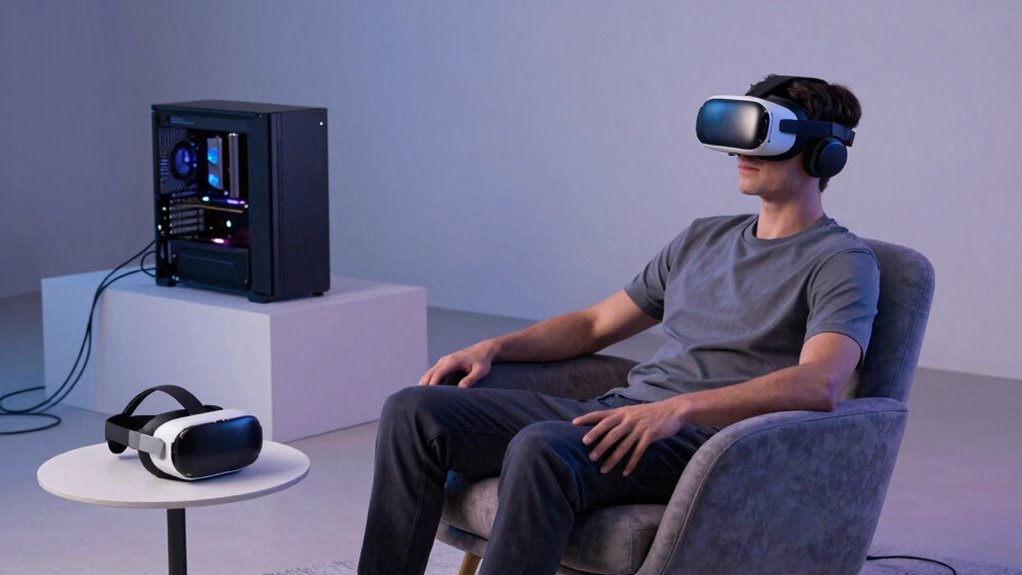
Virtual reality has become more accessible than ever, but choosing between PC VR and standalone VR can be confusing. Both options offer compelling experiences, but they cater to different priorities. If you value wireless freedom, PC VR systems typically tether you to a powerful computer, limiting movement and requiring cables. This can feel restrictive, especially during active gameplay or immersive experiences where freedom of movement enhances the sensation of presence. On the other hand, standalone VR devices prioritize portability and convenience, freeing you from wires entirely. You can walk, stretch, and explore without being tied down, which makes them appealing for quick sessions or casual use.
Choosing between PC VR and standalone VR depends on your desire for mobility or high-end performance.
However, the trade-off for wireless freedom with standalone headsets is often in hardware capabilities. While modern standalone devices are impressive, they tend to have less powerful processors and graphics than a dedicated gaming PC. This means you might face compromises in visual fidelity, game variety, and processing-intensive experiences. Conversely, PC VR allows for extensive hardware customization. You can upgrade your graphics card, RAM, or controllers to achieve better performance and visuals. This flexibility means you’re more likely to enjoy high-quality graphics and smoother gameplay, especially for demanding titles. If you’re someone who cares about the highest possible quality, PC VR’s hardware customization options give you the advantage of tailoring your setup to your needs.
But convenience isn’t just about wireless freedom or hardware. Standalone VR devices are designed for simplicity and portability. You can quickly pack them up and take them anywhere, making VR more accessible for spontaneous gaming or social VR sessions. The portability of standalone devices also makes them ideal for those who want to share the experience with friends or family without the hassle of setting up complex equipment. Additionally, software compatibility can be a concern, as some titles may not be available on standalone systems or may have limited features compared to PC VR versions. PC VR setups, on the other hand, often require more space, a dedicated area, and a more complex setup process, which can be a hassle if you’re short on room or tech-savvy. Additionally, the hardware limitations of standalone devices can impact the overall experience, especially for those seeking the most immersive visuals and detailed environments.
In the end, your choice hinges on what matters most to you. If you prioritize the freedom to move around without wires and want a device that’s simple to use anywhere, a standalone headset might be your best bet. But if you prefer premium graphics, more extensive customization, and don’t mind being tethered, PC VR offers a more powerful, flexible experience. Both have their strengths, but understanding these differences helps you pick the right VR system for your lifestyle and gaming preferences.
As an affiliate, we earn on qualifying purchases.
Frequently Asked Questions
How Do Latency Differences Affect Gameplay Experience?
Latency differences directly impact your gameplay experience by affecting responsiveness. Higher input lag can make controls feel sluggish, disrupting immersion and possibly causing motion sickness. If latency is low, your movements translate swiftly, creating a smoother experience. On the other hand, increased latency can lead to disorientation and discomfort, especially during fast-paced actions. So, choosing a device with minimal latency helps you stay comfortable and engaged during your VR sessions.
Can Standalone VR Handle High-End Graphics?
They say “you can’t have your cake and eat it too,” and that’s true for standalone VR’s graphics. While it handles basic to moderate scenes well, high-end graphics often strain its hardware limitations. You can expect decent graphic fidelity, but pushing for ultra-realistic visuals might lead to compromises or lag. For top-tier graphics, PC VR still wins, offering more powerful hardware and better rendering capabilities.
What Are the Future Upgrade Options for Each Platform?
For PC VR, you have extensive upgrade pathways—adding new graphics cards, increasing RAM, or upgrading storage improves performance and hardware compatibility. Standalone VR devices, however, offer limited upgrade options, mainly through software updates and occasional hardware revisions, which often don’t substantially enhance core capabilities. You should consider future-proofing by choosing a device with solid hardware compatibility, but PC VR generally provides more flexible upgrade options for evolving technology.
How Does Social Interaction Vary Between PC VR and Standalone?
Ever wondered how your social interactions differ? In PC VR, you often enjoy more advanced avatars customization and richer multiplayer dynamics, making interactions feel more immersive. Standalone VR offers simplicity and instant access, but sometimes at the expense of detailed customization options. You might find PC VR provides a deeper social experience, but for quick, casual chats, standalone devices keep things convenient. Which suits your social style better?
Are There Any Health Concerns Specific to Each Device Type?
You might experience physical comfort issues or eye strain with either device type. PC VR headsets, being heavier, can cause neck strain during long sessions, while standalone VR devices are lighter but might have less adjustable fit, affecting comfort. Both can lead to eye strain if you use them for extended periods without breaks or proper calibration. To stay safe, take regular breaks and adjust your device settings for maximum comfort.
Conclusion
Ultimately, choosing between PC VR and standalone VR comes down to what matters most to you. While convenience might seem like the clear winner, don’t forget that the best experience often requires a bit more effort and investment. You might find that the grass isn’t always greener on the other side. Sometimes, you need to dig deeper and see beyond the surface—because in the end, it’s about finding what truly makes your virtual adventures worthwhile.
Fall Picks
fall essentials
As an affiliate, we earn on qualifying purchases.